5
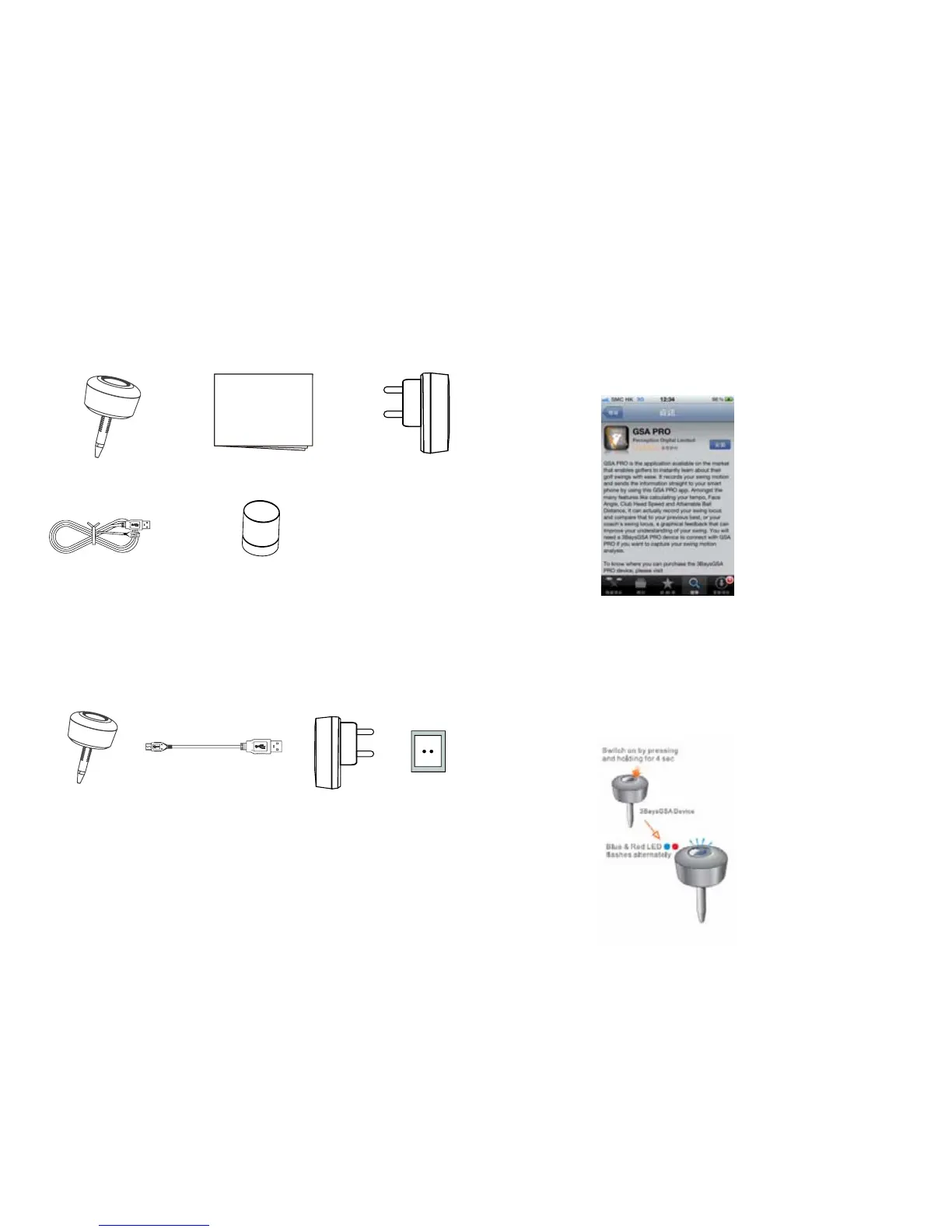
Device and Accessories
Charging your device
How to installation
3BaysGSA Quick Start Guide Charger
Charger
USB Cable
USB Cable
Leather Bag
Please charge your 3BaysGSA PRO via the USB adaptor as
following before use.
1. Install GSA PRO mobile app
1.1 Access App Store and search for “GSA Pro”
1.2 Select and install GSA PRO into your mobile
2. Pair your device with GSA PRO app
2.1 Start GSA PRO apps in your mobile
2.2 Long Press the Power button for 5s to turn on your
device and start with pairing mode Blue & Red LED
should flash alternately.
Charging: Red LED lights up and Blue LED is flashing
Fully Charged: Both Red and Blue LED light up
Low Battery: Red light is flashing
Quick Start Guide
3BaysGSA
AC Power


 To Next Page