7
How to record your swing motions
How to use GSA PRO app
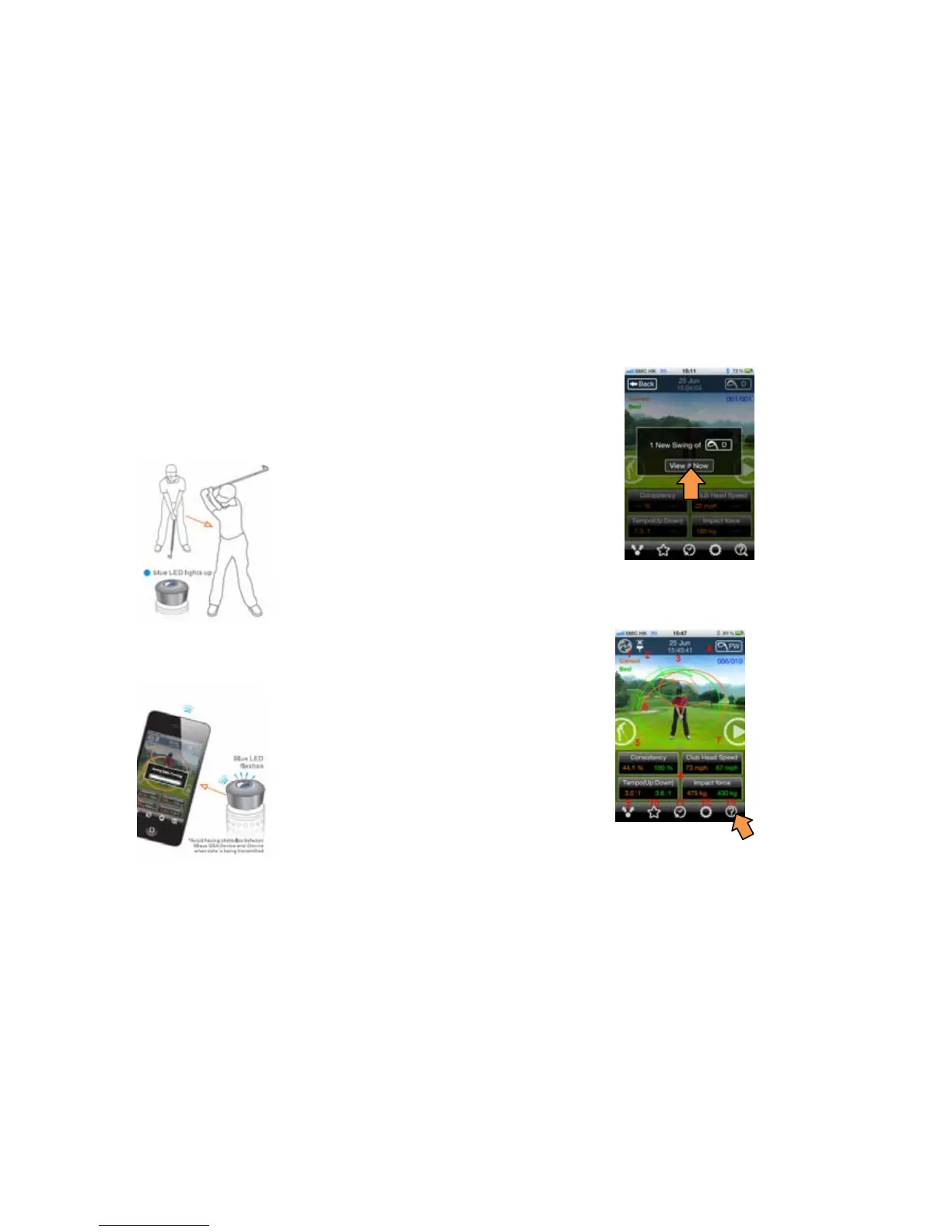
1. Start your swing
1.1 Keep your GSA PRO app running
1.2 Set up and stand still, Blue LED lights up when your club
in a squared position.
1.3 When the Blue light is on, start your swing
1. Function keys on main screen
1) Connect Wizard
2) GSA battery and Connectivity indication
3) Swing date and time
4) Club selection
2. Swing records transmission
2.1 After your swing, blue light is flashing quickly when
swing data is transmitting to mobile phone
2.2 Press “View it now” to view your new swing record
when data is received.


 To Next Page