392 CHAPTER B: RADIUS SERVER AND RADIUS CLIENT SETUP
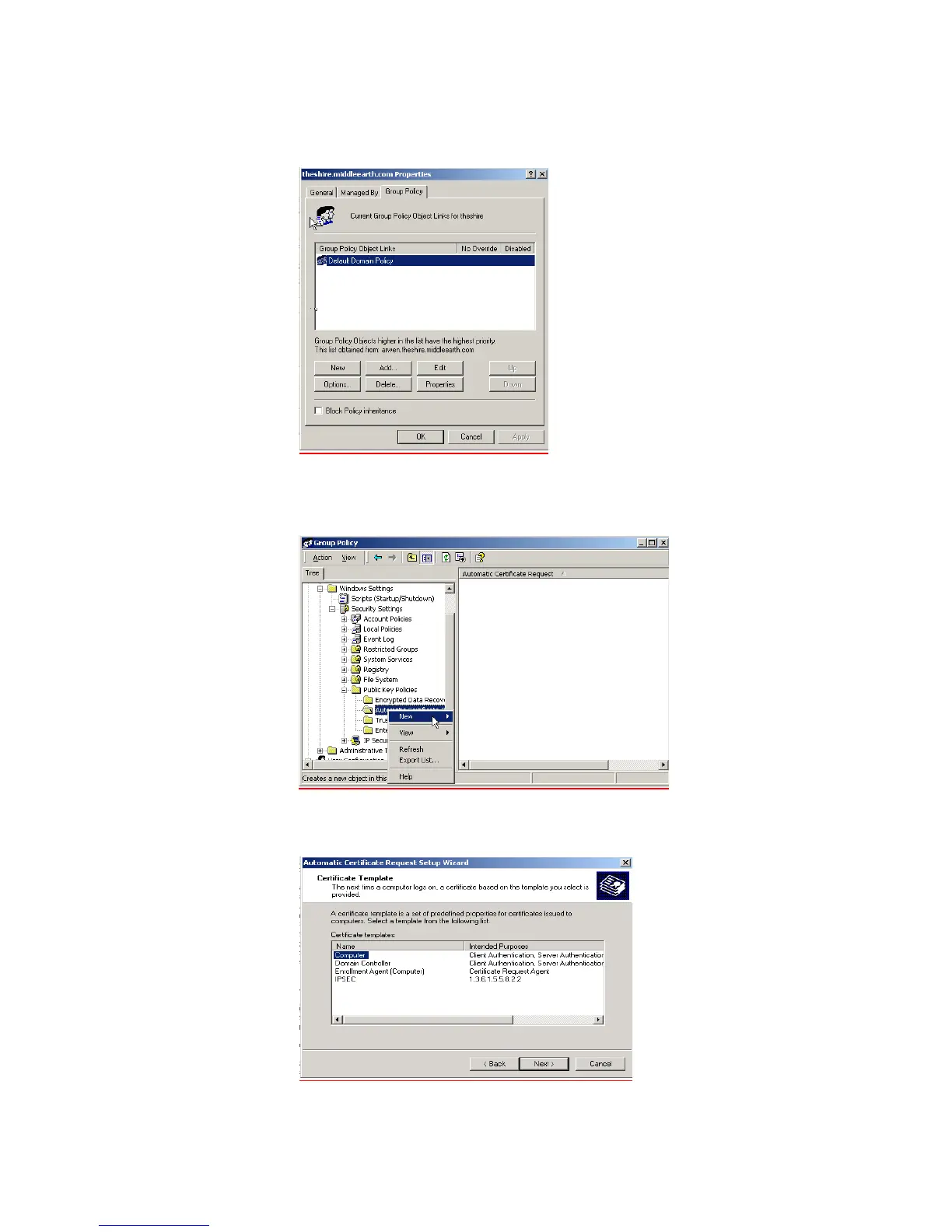
e Select the Group Policy tab, and ensure that the Default Domain Policy is
highlighted. Click Edit to launch the Group Policy editor.
f Go to Computer Configuration > Windows Settings > Security Settings > Public
Key Policies, and right-click
Automatic Certificate Request Settings. Select New
> Automatic Certificate Request.
g The Certificate Request Wizard will start. Select Next > Computer certificate
template and click Next.
h Ensure that your Certificate Authority is checked, then click Next. Review the
Policy Change Information and click Finish.













 To Next Page