11
Optional Accessories
Sit-Brake Casters & Dycem Pads
If using the DeskCycle on a smooth oor your chair will
want to roll away from the bike. You can use the Velcro®
tether that came with your DeskCycle to tether the bike
to your chair (see page 8).
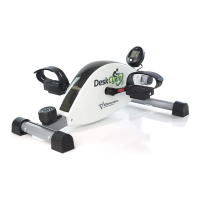
An alternative is to replace the casters on your chair with
sit-brake casters. These keep your chair in place when
you are sitting down, and allow the chair to roll when you
are not sitting on your chair. These come with Dycem®
pads which keep the DeskCycle in place on slick oors.
Go to DeskCycle.com for a complete list of accessories.
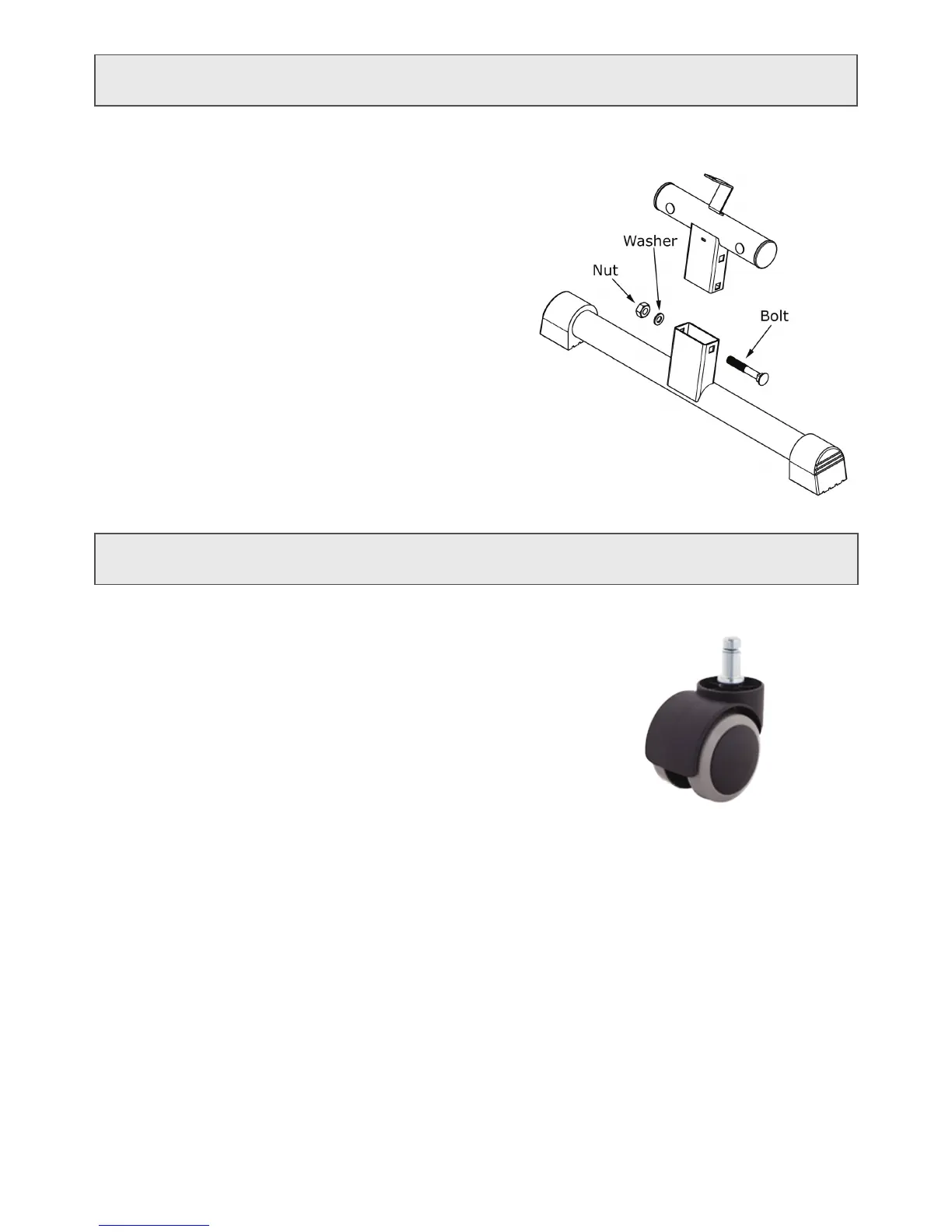
1. Place the bike on a at hard surface!
2. Remove the nut and washer.
3. Remove the bolt.
4. Set the leg to the desired height and replace
the bolt.
5. Install the nut and washer.
6. Tighten the nut.
Raising the Bike Height
Adjusting the Bike Height
This version of the DeskCycle comes with an adjustable leg so
that you can set the pedal height to 9 inches or 10 inches.
By default, it’s set to 9 inches. Follow the steps below to change
the height of the DeskCycle.


 To Next Page