3DP Moving and Folding the Gantry
Approved By: Date: <6/14/2016> Page 6 of 11
WI XXXX-xxxxxx– 3DP Moving the Printer
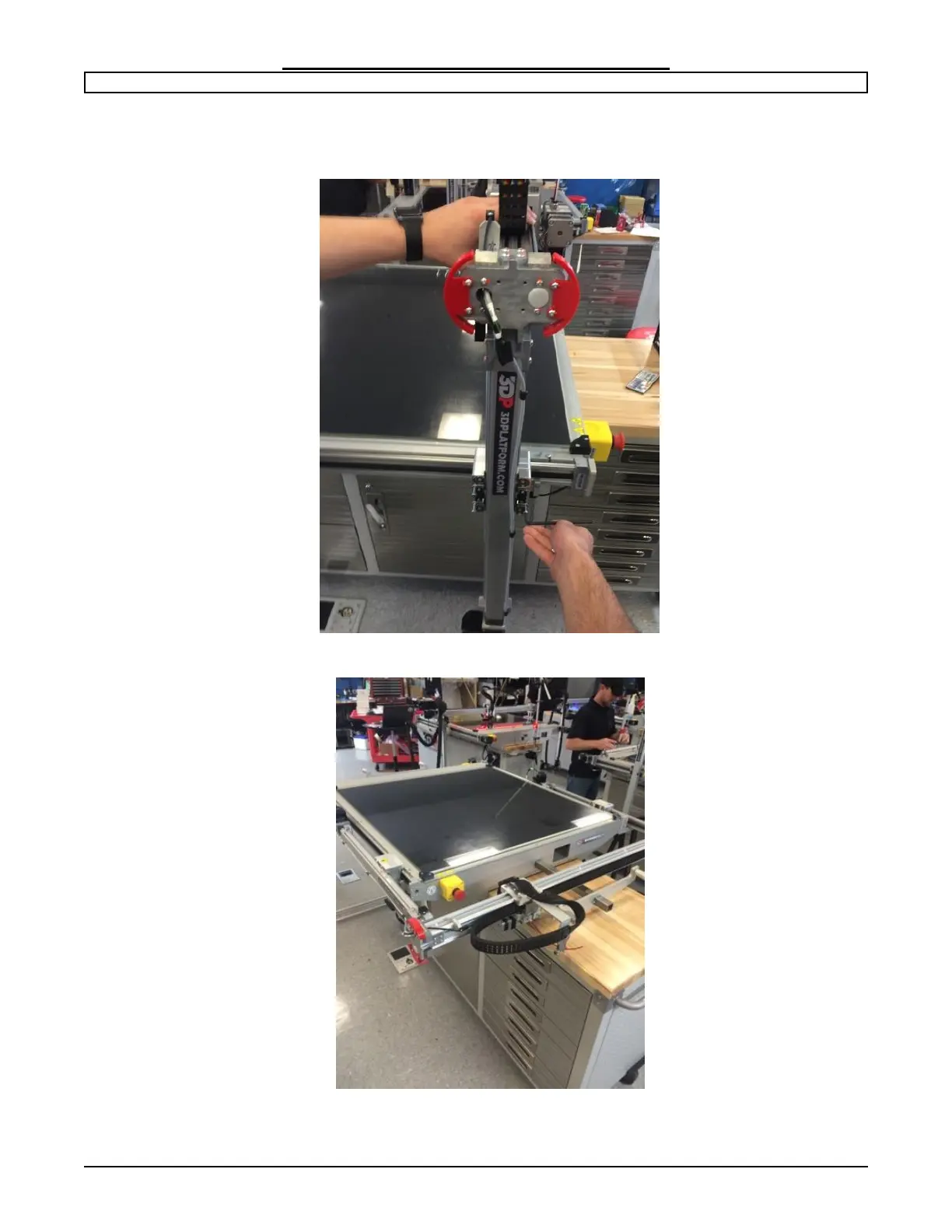
Step 5: Folding the Z axis.
With the 4mm hex wrench remove the 8 bolts securing the Z axis to the bed rails. Always
have an assistant hold the gantry upright while removing the bolts.
Carefully lay the X axis down on to the built in support arm and re-insert bolts to secure
the axis in place before moving.
Note: The extruder head position may need to be slightly adjusted to clear the
E-stop button.


 To Next Page