3DP Moving and Folding the Gantry
Approved By: Date: <6/14/2016> Page 7 of 11
WI XXXX-xxxxxx– 3DP Moving the Printer
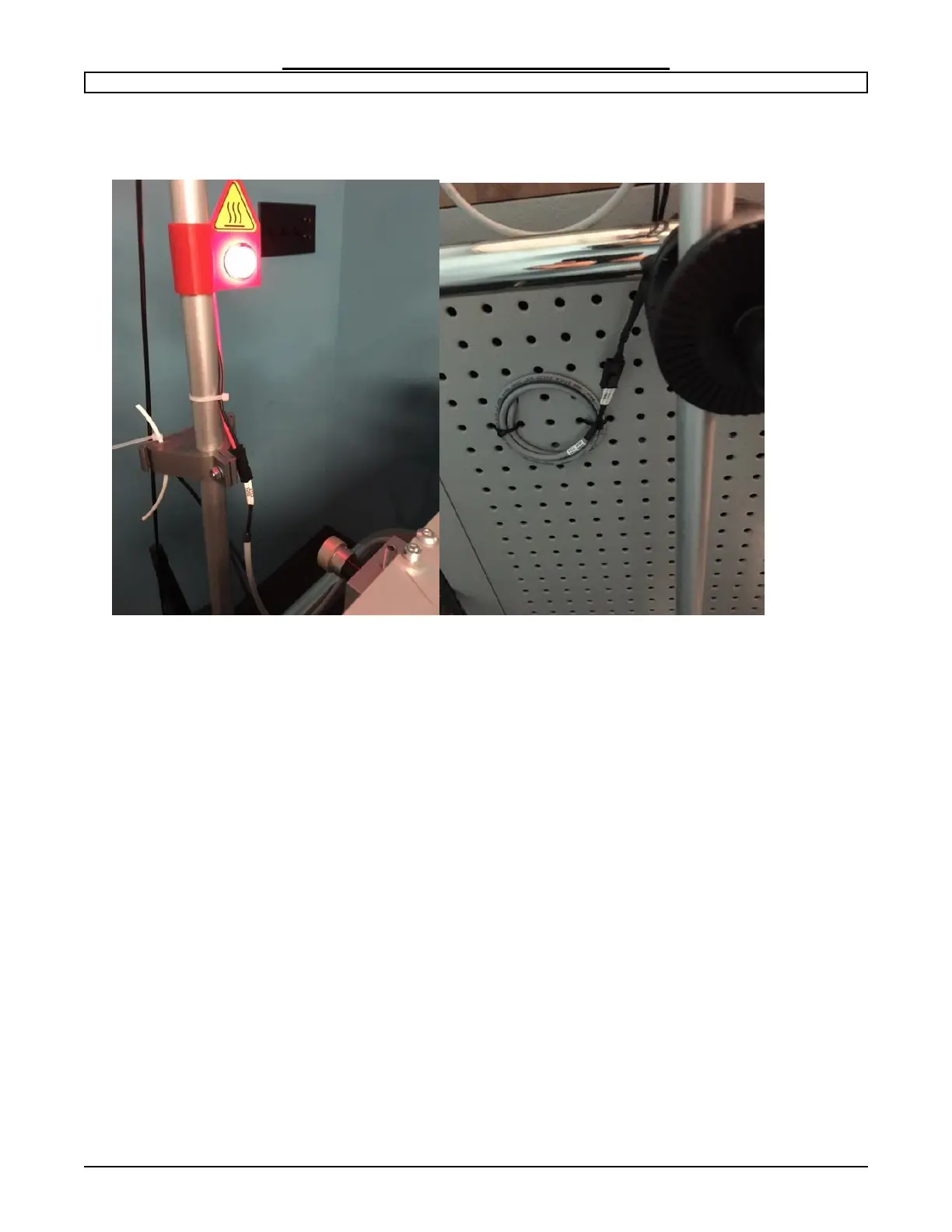
Step 6: Remove the filament guide rod.
Disconnect the filament sensor wire and the Heated bed light.
Loosen the filament guide rod holder so you can slide the rod out from the base unit.
Gently remove the rod from the holder leaving the clamp system attached to the cabinet
handle. Set rod aside for later replacement.


 To Next Page