EasyManua.ls Logo

3M 3M-30 - MENU Screen Functions; Time and Day Settings; Temperature Control Settings

3M 3M-30
15 pages
Print Icon
To Next Page IconTo Next Page
To Previous Page IconTo Previous Page
Loading...
PG 2
PG 2
PG 3
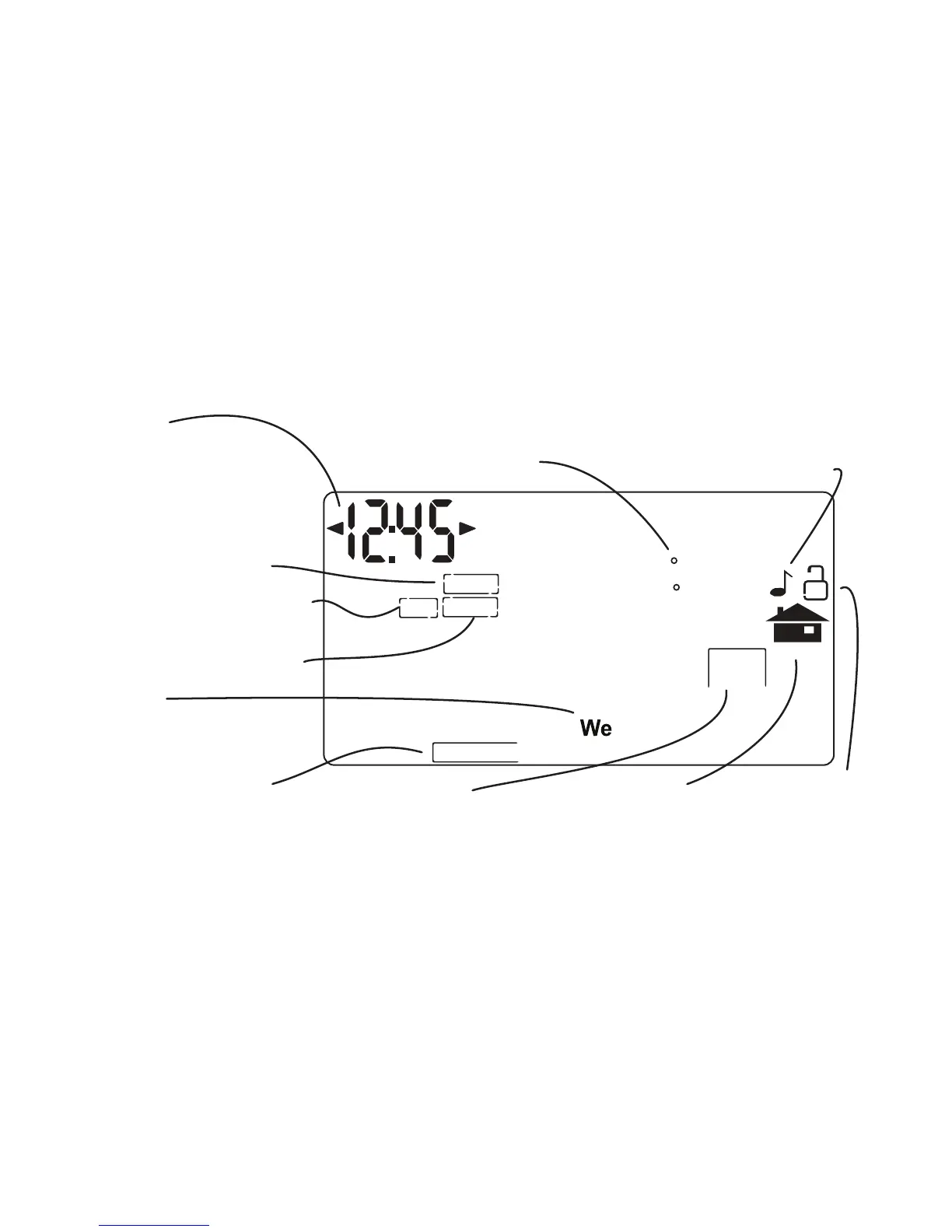
MENU Screen The MENU screen is the gateway to many functions or settings of the
3M-30. It is displayed when you press the MENU button. [See page 9 for details]
DIFF
SWING
FILTER
PM
F
C
HVAC
SETUP
CALIBRATE
Set Day
Touch this area to set
the day of the week
Set Time
Touch this area to set
the time of day.
Left arrow goes back,
right arrow goes forward.
Calibration control
Use this to calibrate your
LCD display match to
another thermometer.
S
et
o
C -
o
F
Touch this to set
temperature display.
Lock Program
Touch for 5 sec
to lock or unlock.
Filter Timer
set
Chirp set
Touch this to turn the
audible chirp on or off.
T
emperature Swing set
Differential set
for 2nd Stage
HOME
Touch to
return to
HOME screen.
HVAC SETUP
Touch this to configure the
3M30 to work with your
HVAC system.

Other manuals for 3M 3M-30

Related product manuals