PG 4
PG 5
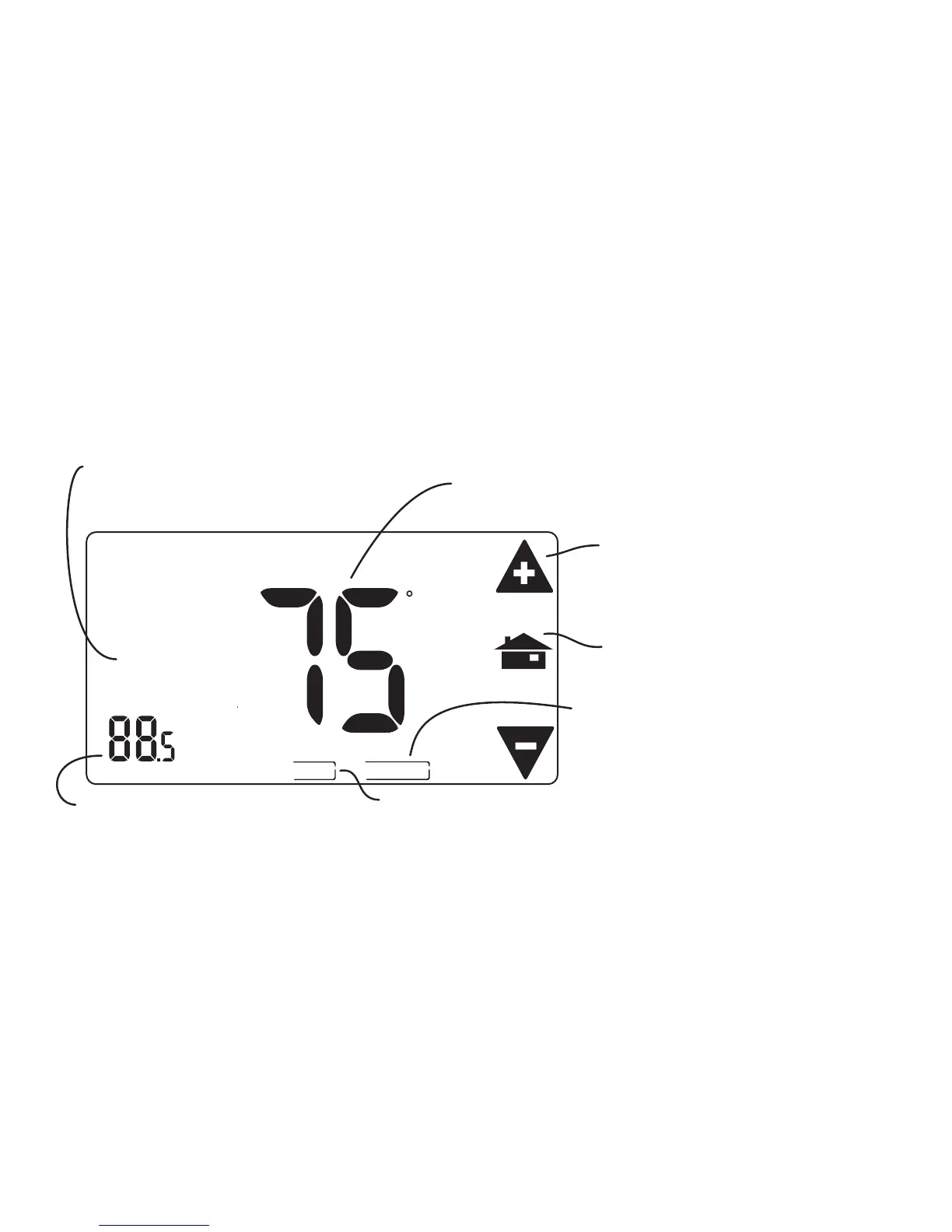
MANUAL Screen The Manual Screen control screen is where you can make
temporary changes to your 3M-30’s operation. Touch the main temperature display to use this
screen.
[See page 12 for details]
HOLD
TEMPORARY
F
TEMP
HOLIDAY
HEAT
Target Temperature
Room Temperature
Return HOME
Temp Up / Temp Down arrows
Touch these to raise and lower
the manual override Target Temp.
HOLIDAY
Touch this to invoke a
single program that repeats day
after day until you turn it off.
HOLD Touch this area to operate the thermostat as
a manual thermostat. It will keep the temperature
you set until you change it or cancel HOLD.
Manual Override indicator
Shows TEMPORARY when
you have modified the Target.



 To Next Page