Customer service ..............................................................................................................32
Contacting 3M Instrumentation .........................................................................................32
International customers ....................................................................................................32
Calibration .........................................................................................................................32
Warranty ............................................................................................................................32
List of Figures and Tables
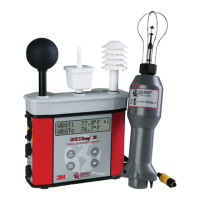
Figure 1-1: QUESTempº 36 model ....................................................................................................... 1
Figure 1-2: Keypad explained .............................................................................................................. 3
Figure 1-3: Main menu of the QUESTempº 34 & 36 .............................................................................. 4
Figure 1-4: Filling wet bulb reservoir .................................................................................................... 5
Figure 1-5: Ports identified .................................................................................................................. 6
Figure 1-6: Viewing measured data ..................................................................................................... 9
Figure 1-7: Setup selected in main menu ............................................................................................. 9
Figure 1-8: Run mode indicator .......................................................................................................... 11
Figure 1-9: Wet and Dry screen .......................................................................................................... 11
Figure 1-10: Globe screen .................................................................................................................... 12
Figure 1-11: WBGTi & WBGTo screen ................................................................................................... 12
Figure 1-12: RH and H.I/HU screen ...................................................................................................... 12
Figure 1-13: Air Flow screen ................................................................................................................ 12
Figure 1-14: Stay times (ACGIH) .......................................................................................................... 12
Figure 1-15: Time & Date screen ......................................................................................................... 12
Figure 1-16: Battery & Memory screen ................................................................................................. 12
Figure 1-17: Navy Stay time screen ...................................................................................................... 13
Figure 1-18: EPRI Stay time screen ...................................................................................................... 13
Table 1-1: Example of a Memory table .............................................................................................. 13
Figure 1-19: Sample printout (page 1) ................................................................................................. 14
Figure 1-20: Sample printout (page 2) ................................................................................................ 15
Figure 1-21: Air flow configuration ...................................................................................................... 16
Figure 1-22: 9-volt battery.................................................................................................................. 18
Figure 1-23: NiMH rechargeable battery .............................................................................................. 19
Figure 1-24: Communicating to DMS ................................................................................................... 28
Figure 1-25: Downloading with the QT⁰34/36 ...................................................................................... 29
Figure 1-26: Data Finder page (Analyze/Quick Report options) ............................................................. 30
Figure 1-27: Data layout page (displays your data in charts and graphs) ............................................... 30
Figure 1-28: Reporting and printing .................................................................................................... 31


 To Next Page