1
X90
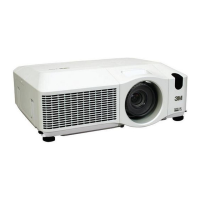
Multimedia Projector
Operator's Guide
Thank you for purchasing this projector.
WARNING ŹBefore using this product, please read the "Product Safety
Guide" and related manuals to ensure the proper use of this product. After
reading them, store them in a safe place for future reference.
About this manual
Various symbols are used in this manual. The meanings of these symbols are
described below.
WARNING This symbol indicates information that, if ignored, could possibly
result in personal injury or even death due to incorrect handling.
CAUTION This symbol indicates information that, if ignored, could possibly
result in personal injury or physical damage due to incorrect
handling.
Please refer to the pages written following this symbol.
NOTE • The information in this manual is subject to change without notice.
• The manufacturer assumes no responsibility for any errors that may appear in this manual.
• The reproduction, transfer or copy of all or any part of this document is not permitted
without express written consent.
Trademark acknowledgment
• Mac is registered trademarks of Apple Computer, Inc.
• VESA and SVGA are trademarks of the Video Electronics Standard Association.
• Windows is a registered trademark of Microsoft Corporation.
•
is a trademark of SRS Labs, Inc.
• WOW technology is incorporated under license from SRS Labs, Inc.
All other trademarks are the properties of their respective owners.
© 3M 2007. All Rights Reserved.



 To Next Page


 General