EasyManua.ls Logo

3M X90w - User Manual

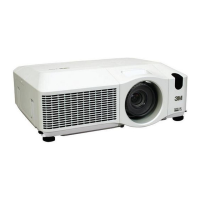
3M X90w
84 pages
Print Icon
To Next Page IconTo Next Page
Loading...
1
This manual is only intended to explain Network Functions.
►Before using this product, read the “Product Safety Guide
and related manuals to ensure proper use of this product. After reading them,
store them in a safe place for future reference.
WARNING
• The information in this manual is subject to change without notice.
• The manufacturer assumes no responsibility for any errors that may appear in
this manual.
• The reproduction, transfer or copy of all or any part of this document is not
permitted without express written consent.
NOTE
Trademark acknowledgment
• Windows is a registered trademark of Microsoft Corporation.
All other trademarks are the properties of their respective owners.
X90w
Multimedia Projector
Network Functions

Other manuals for 3M X90w

Questions and Answers

  • R
    rhamiltonAug 8, 2025
    What to do if 3M X90w Projector shows 'Check the Air Flow'?
    • N
      Nathaniel MyersAug 8, 2025
      If your 3M Projector displays a 'Check the Air Flow' message, it indicates the internal temperature is rising. Turn the power off and let the projector cool down for at least 20 minutes. Then, check for any blockage of the air passage, if the air filter is dirty, and if the surrounding temperature exceeds 35°C. After addressing these issues, power the unit on again. If the message persists, set the FAN SPEED in the SERVICE menu to HIGH.
  • M
    Malik MunozAug 13, 2025
    What to do if 3M X90w Projector says 'No Input is Detected'?
    • D
      Dylan AyalaAug 13, 2025
      If your 3M Projector displays 'No Input is Detected', confirm the signal input connection and check the status of the signal source.
  • M
    moranethanAug 18, 2025
    Why does my 3M X90w Projector say 'Sync is Out of Range'?
    • D
      dustinwelchAug 18, 2025
      If your 3M Projector displays 'Sync is Out of Range', confirm the specifications for your projector or the signal source specifications.
  • K
    Kayla WeaverAug 23, 2025
    What to do if 3M X90w Projector says 'Check the air flow'?
    • L
      lboydAug 25, 2025
      If your 3M Projector displays 'Check the air flow', it means the internal temperature is rising. Turn the power off and let the projector cool down for at least 15 minutes. Then, check for any blockage of the air passage, if the air filter is dirty, and if the surrounding temperature is above 35°C. After addressing these issues, turn the power back on. If the message persists, set the FAN SPEED in the OPTION menu's SERVICE item to HIGH.
  • A
    abigaildavidsonAug 28, 2025
    What to do if my 3M Projector shows 'No input is detected'?
    • P
      Pamela VelezAug 28, 2025
      If your 3M Projector shows 'No input is detected', confirm the signal input connection and the status of the signal source.
  • E
    Erik ClarkSep 3, 2025
    How to remove 'Reminder *** hrs passed after the last filter check' message from 3M X90w?
    • J
      James DawsonSep 3, 2025
      To remove the 'Reminder *** hrs passed after the last filter check' message from your 3M Projector, immediately turn the power off. Clean or change the air filter. After cleaning or changing the air filter, reset the filter timer.

Summary

Main Projector Functions

Live Mode Operation

Explains the Live Mode function using "MIU Live Viewer" for projecting PC screens over the network.

PC-LESS Presentation

Describes the PC-LESS Presentation mode with its four display modes for media playback.

Network Connection and Setup

Equipment Preparation

Lists the necessary hardware and software for connecting the projector and PC.

One-Click Communication Setup

Details the simplified network connection process using the One-Click-Communication function.

Manual Wired LAN Connection

Guides users through manual network configuration for wired LAN connections.

Manual Wireless LAN Connection

Provides instructions for manually setting up a wireless LAN connection.

Web Browser Configuration

Explains how to configure the projector remotely via a web browser interface.

Web Remote Control

Provides instructions for remotely controlling the projector using a web browser.

Using Projector Software

MIU Live Viewer Basics

Introduces the MIU Live Viewer software for projecting PC screens to the projector.

PC-LESS Presentation Basics

Provides basic instructions for using the PC-LESS Presentation feature with media files.

Advanced Projector Features

Advanced MIU Live Viewer

Covers advanced usage of MIU Live Viewer, including multi-PC connectivity.

Advanced PC-LESS Presentation

Explains advanced features of PC-LESS Presentation like slide show and directory display.

Troubleshooting Guide

No Image Issues

Provides common causes and checks for when the projector displays no image.

Communication Problems

Lists issues and solutions for when the projector cannot communicate with the PC.

Slow Image Display

Addresses slow image display and potential causes like compression rate.

3M X90w Specifications

General IconGeneral
Brand3M
ModelX90w
CategoryProjector
LanguageEnglish

Related product manuals