33
Item Description
FRAME LOCK
8VLQJWKHŸźEXWWRQVWXUQVWKHIUDPHORFNIXQFWLRQRQRII
TURN ON
Ù
TURN OFF
• This item can be performed only on an RGB signal with a vertical
frequency of 50 to 60 Hz.
• When the TURN ON is selected, a moving pictures are displayed
more smoothly.
• This function may cause a certain degradation of the picture. In
such a case, please select the TURN OFF.
RGB IN
Set the RGB input signal type for the RGB port.
(1) Use thHŻŹEXWWRQVWRVHOHFWWKH5*%
port to be set.
RGB1
Ù
RGB2
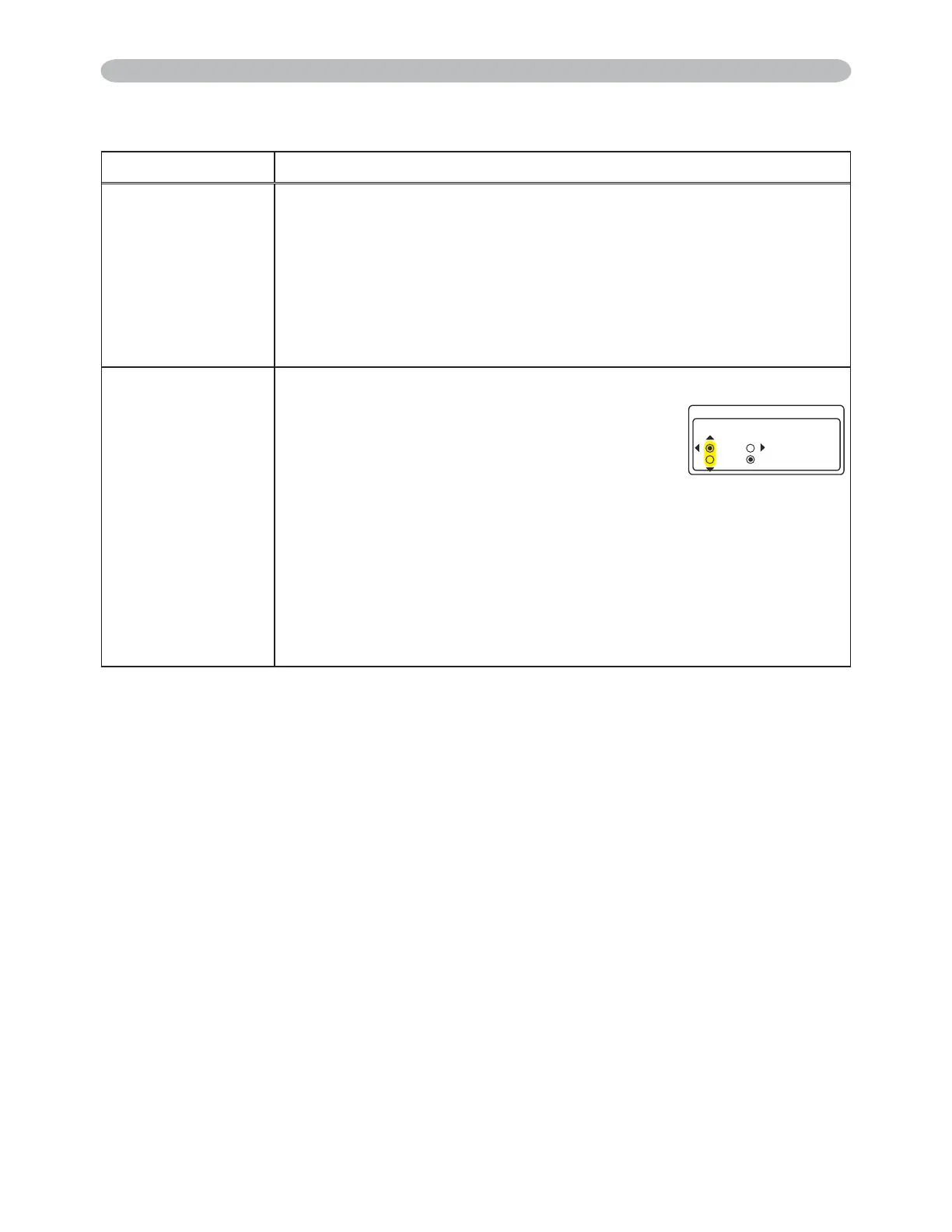
8VHWKHŸźEXWWRQVWRVHOHFWWKH5*%
input signal type.
SYNC ON G ON
Ù
SYNC ON G OFF
• Selecting the SYNC ON G ON turns the SYNC ON G mode on.
The SYNC ON G mode allows reception of a sync on G signal.
• In the SYNC ON G mode, the picture may be distorted with certain
input signals. In such a case, remove the signal connector so that
no signal is received and turn the SYNC ON G mode off, and then
reconnect the signal.
INPUT Menu
INPUT Menu (continued)
4)$+0
4)$
5;0%10)1((
5;0%10)10
4)$
(continued on next page)
3M™ Digital Projector X90
© 3M 2007. All Rights Reserved.



 To Next Page