36
SETUP Menu
SETUP Menu (continued)
Item Description
WHISPER
8VLQJWKHŸźEXWWRQVWXUQVRIIRQWKHZKLVSHUPRGH
NORMAL
Ù
WHISPER
• When the WHISPER is selected, acoustic noise and screen
brightness are reduced.
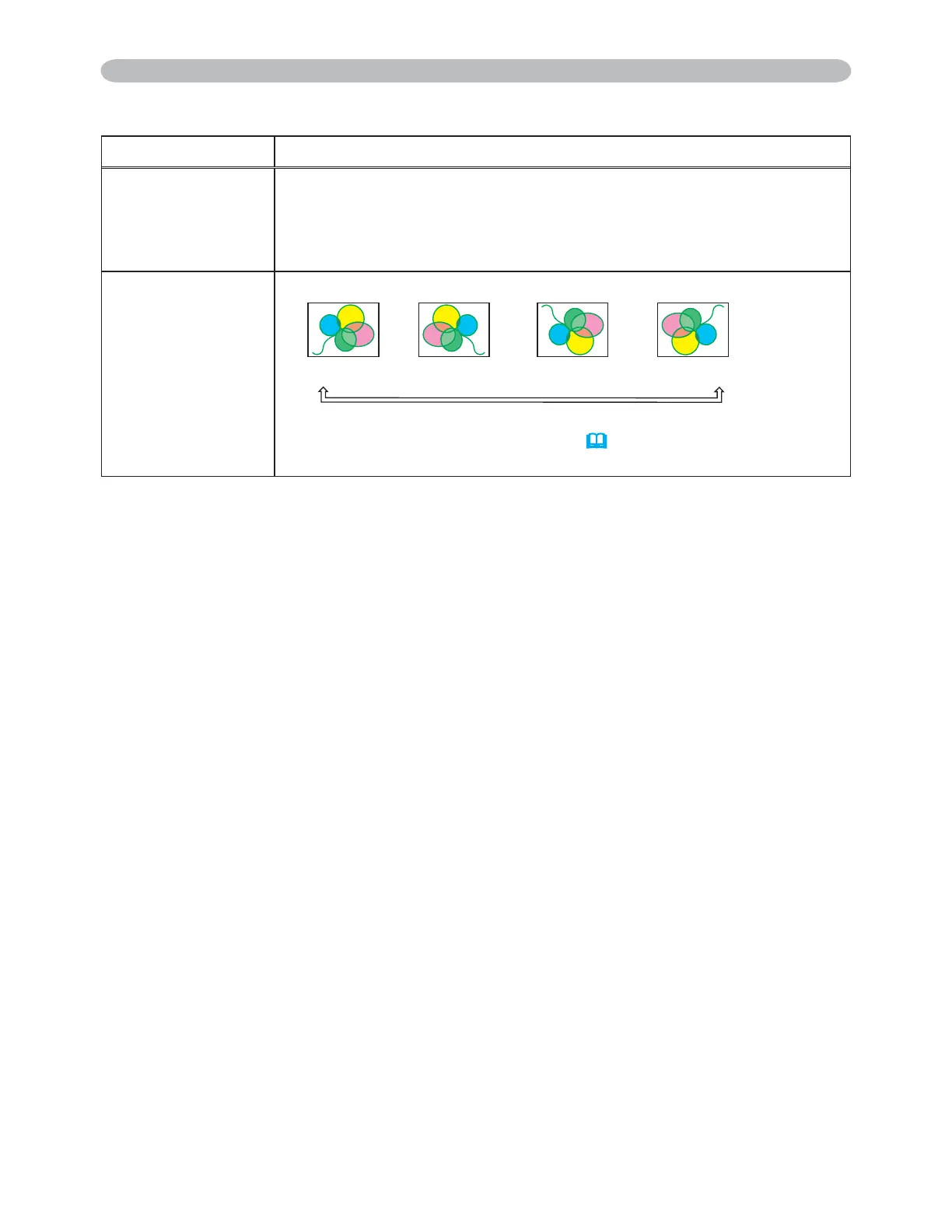
MIRROR
8VLQJWKHŸźEXWWRQVVZLWFKHVWKHPRGHIRUPLUURUVWDWXV
NORMAL
Ù
H:INVERT
Ù
V:INVERT
Ù
H&V:INVERT
If the Transition Detector is TURN ON and MIRROR status is
changed, Transition Detector Alarm (
51) will be displayed when
projector is restarted after the power switch is turned off.
3M™ Digital Projector X90
© 3M 2007. All Rights Reserved.



 To Next Page