EasyManua.ls Logo

3nStar LTT204 - User Manual

3nStar LTT204
36 pages
Print Icon
To Next Page IconTo Next Page
Loading...
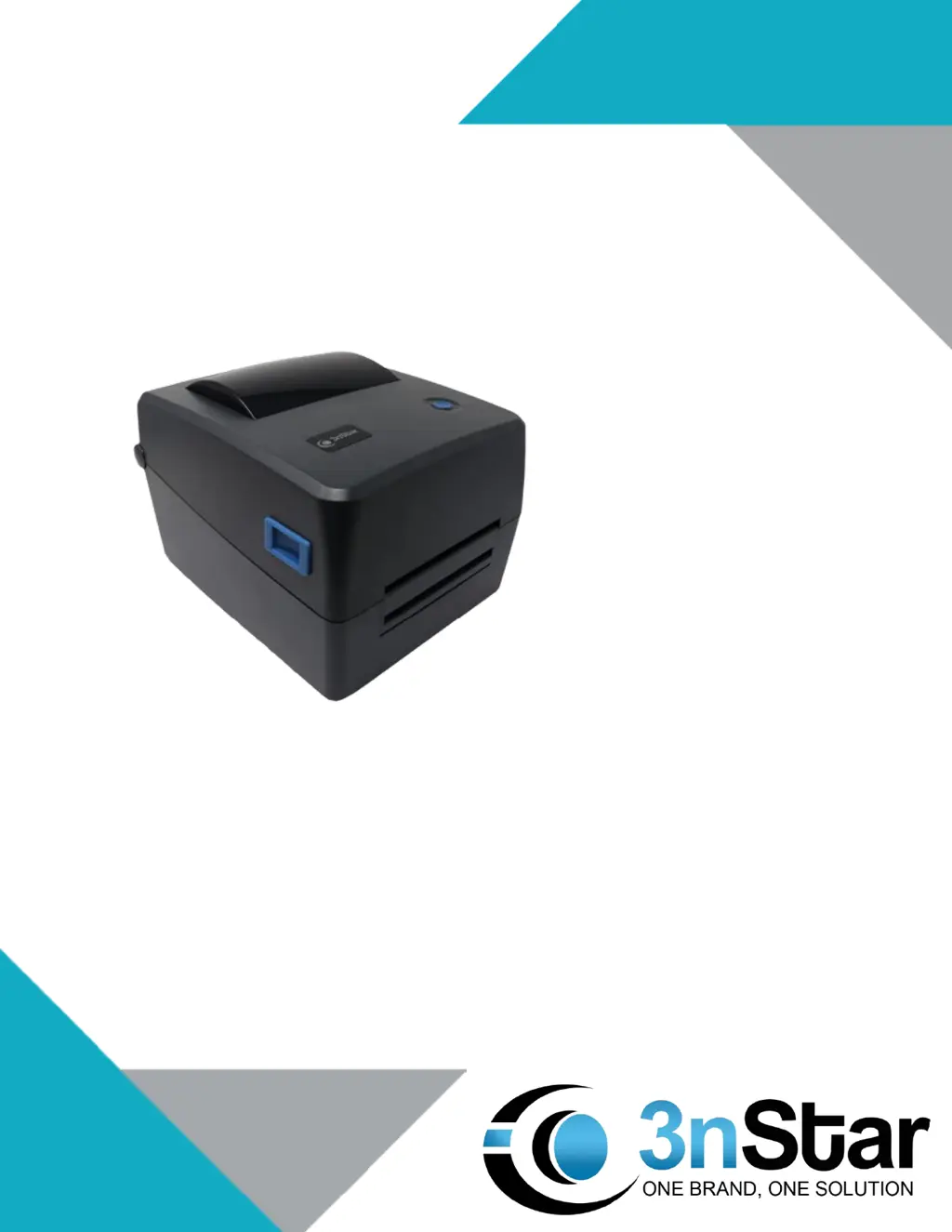
THERMAL TRANSFER LABEL PRINTER
USER MANUAL
LTT204

Questions and Answers

  • K
    Kristin LeeAug 18, 2025
    Why is my 3nStar Printer not printing?
    • J
      jennifermurrayAug 18, 2025
      There could be several reasons why your 3nStar Printer is not printing. It may be due to: * The serial port line is not the correct type, so reconnect the transmission line or replace it. * The ribbon may not match the label, so confirm the ink surface of the ribbon is installed correctly or reinstall the ribbon. * The print density setting may be incorrect, so adjust the printer's printing density. * The connection line of the print head may not be connected properly, so turn off the printer's power supply and reconnect it. * Also, ensure the connecting line of the stepping motor is correctly connected and that there is a PRINT instruction in the print program, including a CRLF at the end of each line. Clean the print head as well.
  • S
    Scott GarzaAug 20, 2025
    How to improve poor print quality on 3nStar Printer?
    • W
      Wendy RuizAug 20, 2025
      If you're experiencing poor print quality with your 3nStar Printer, consider the following: * Reinstall the consumables if the ribbon and label paper are not installed correctly. * Clean the print head and rubber roller. * Adjust the printer's printing density. * Replace a suitable ribbon or label paper if the ribbon does not match the label. * If the thickness of the label exceeds 0.22 mm, increase the print head pressure. * Confirm that the print head frame has been completely closed. * Print out the self-test value to see if the printhead is damaged and replace the printhead if needed.
  • S
    Scott WallaceAug 23, 2025
    What to do if 3nStar Printer Diagnostic tools show ribbon or paper error?
    • A
      Amy WadeAug 23, 2025
      If the 3nStar Printer Diagnostic tools display "Ribbon end", "Ribbon speed error", "Paper end", or "Paper Jam", here's what to do: * If the ribbon is at the end, supply a new ribbon roll. * If the ribbon is installed incorrectly, please refer to the steps in section 3.2 to re-install the ribbon. * If the label paper is at the end, install new label paper. * Correct the sensor position, recalibrate the label sensor and volume label sensor. Set the correct label size and clean the internal cabinet of the printer.
  • W
    whiteheadstephanieAug 26, 2025
    Why is my 3nStar Printer jumping paper when printing?
    • I
      imcphersonAug 26, 2025
      Paper jumping during printing on your 3nStar Printer can occur due to a few reasons: * The size of the label may not be set correctly, so confirm that the label size is set correctly. * Recalibrate the label sensor. * The label sensor may be covered by dust, causing incorrect detection, so clean the dust on the sensor with a gas brush.
  • M
    Mary LewisAug 28, 2025
    How to fix wrinkle problem on 3nStar Printer?
    • J
      Jade CainAug 28, 2025
      To address the wrinkle problem on your 3nStar Printer: * The pressure of the print head may be uneven, please go to the next chapter for the adjustment of uneven pressure on the print head. * Set the density to adjust print quality. * Adjust the label width adjuster to fit the label width.
  • D
    Douglas KellyAug 30, 2025
    How to correct print position on 3nStar Printer when printing small volume label?
    • J
      James JonesAug 30, 2025
      If the print position is incorrect when printing small volume labels on your 3nStar Printer: * Recalibrate label sensors, as the label sensor setting might be incorrect. * Set the correct size of the volume label and the clearance size of the volume label, as the label size setting might be incorrect. * If BarTender software is used, set the vertical offset (vertical offset) in the printer driver, as the vertical displacement in the printer driver's label style is not set correctly.
  • A
    Alan LopezSep 2, 2025
    Why is print content missing on sides of labels from my 3nStar Printer?
    • A
      Amanda BryantSep 2, 2025
      If print content is missing on the left and/or right sides of labels from your 3nStar Printer, it is likely due to an incorrect label size setting. Set the correct label size to resolve this issue.
  • J
    James BatesSep 4, 2025
    How to fix 3nStar Printer when the power light is off and diagnostic tool shows “head opened”?
    • M
      Morgan WilliamsSep 4, 2025
      If the power indicator light on your 3nStar Printer is not on and the Diagnostic Tool shows “head opened”, check the following: * Ensure that the AC plug socket and the power supply plug socket are correctly connected with the socket of the printer. * Turn on the power switch. * Reclose cover firmly.
  • C
    Christopher BrownSep 7, 2025
    What to do if memory is full on 3nStar Printer?
    • R
      Robert JonesSep 7, 2025
      If your 3nStar Printer displays that the memory space (FLASH / DRAM) is full, remove unnecessary files inside FLASH / DRAM to free up space.
  • C
    Claire LaraSep 9, 2025
    Why does my 3nStar Printer print black label paper with gray lines?
    • L
      levinestephanieSep 9, 2025
      If your 3nStar Printer is printing black label paper with gray lines, it could be due to dirt on the print head or rubber roller. Clean both the print head and the rubber roller.

Summary

Printer Overview

Product Parameters

Detailed technical specifications of the thermal transfer printer, including resolution and interfaces.

General Specifications

General specifications including printer measurement, weight, power, and environmental conditions.

Media Specifications

Specifications for paper types, sizes, and winding for the printer.

Installation

Install Printer

Step-by-step guide on how to install the printer and connect it to a computer.

Install Ribbon

Detailed instructions for correctly installing the ribbon into the printer.

Install Paper

Instructions for loading and installing paper rolls or fanfold paper.

LED Indicator and Button Functions

Diagnostic Tool

Troubleshooting

Printer Maintenance

3nStar LTT204 Specifications

General IconGeneral
Resolution203 DPI
Print MethodDirect Thermal
Print Speed90mm/sec
InterfaceUSB, Bluetooth
Print TechnologyThermal
Supported Barcode TypesUPC-A, UPC-E, EAN-13, EAN-8, CODE39, CODE128

Related product manuals