10
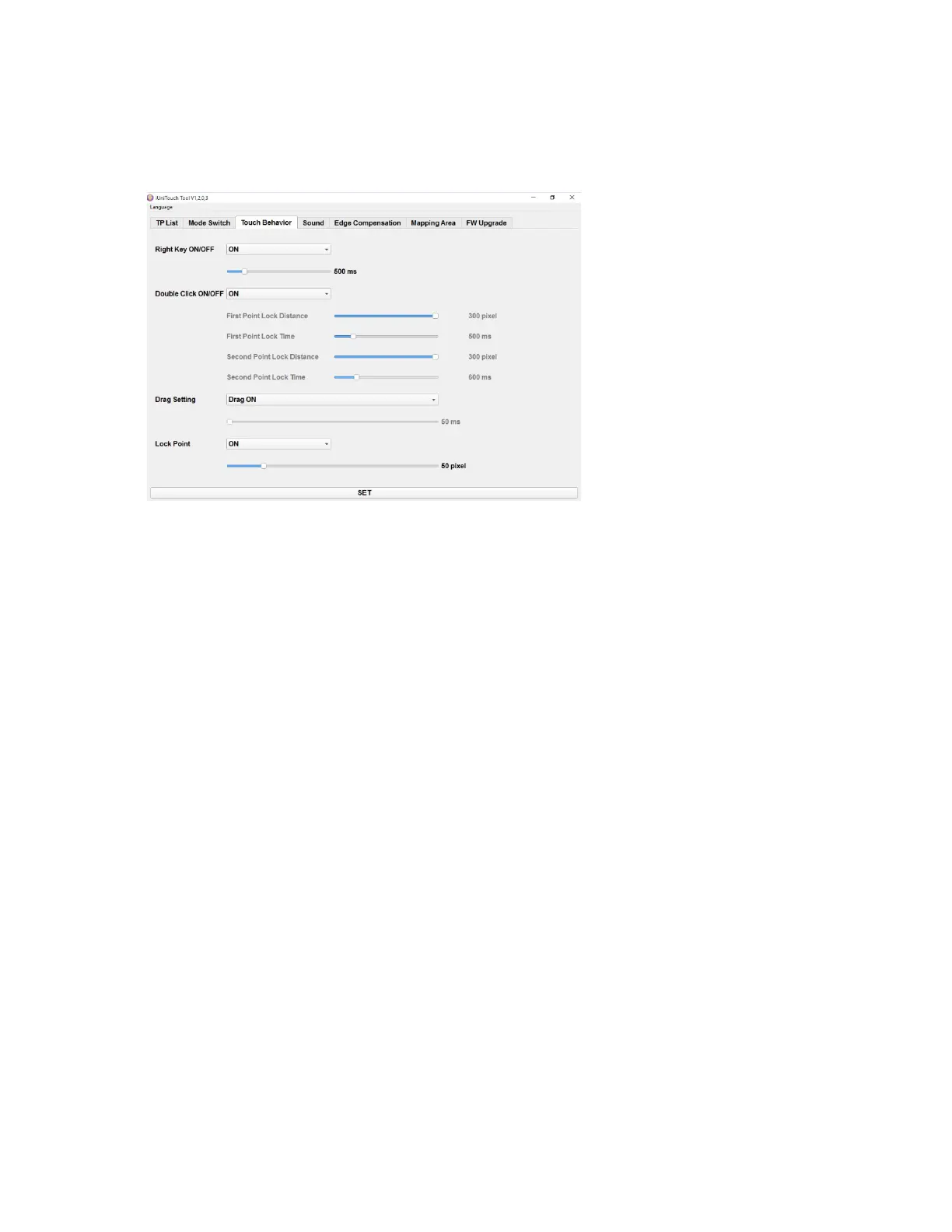
3.2.3 Touch Behavior
● Right Key ON/OFF: Right-click function ON/OFF, adjust response time (default: 500ms)
● Double Click ON/OFF: double-click function ON/OFF (note: if you need to set the
double-click area and response time, first turn off the double-click function, and then turn
on the double-click function after setting the parameters)
● Drag Setting: Drag function (default)
● Lock Point : default


 To Next Page