21
Settings
Tap on the gear icon to access the watch’s settings. You
can adjust settings like quick view, vibration, message font
size and backlight time on the watch. You can also reset or
restart the watch from this menu.
Activity
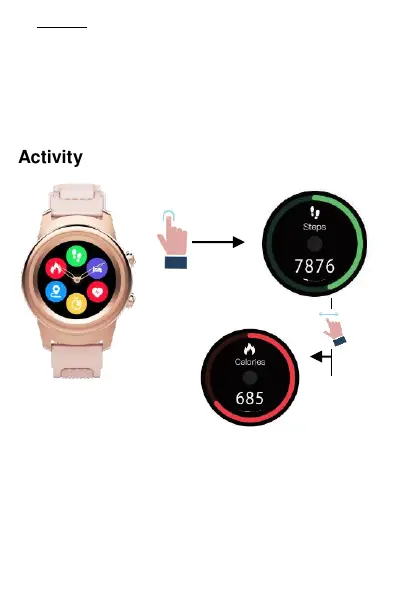
You can check your daily steps taken, distance travelled,
calories burned, and active minutes from the watch.
Swipe to the activity center and select the icon of the
activity you want to see. You can cycle through the
activities by swiping left or right. Sync the data to the


 To Next Page