13
1. Go to Settings > WiFi on your iOS device, then scan or
wait until 3SIXT5000 becomes available in your list of
available networks.
2. Select 3SIXT5000 from the list and when prompted enter
the password 1234567890 and wait for conrmation of a
connection.
3. Exit iOS Settings, then select the SYMAGIX icon on
your home/menu screen.
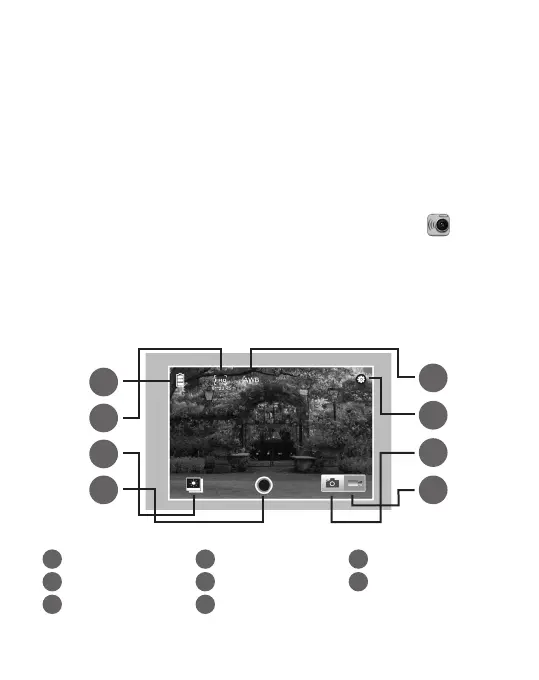
What you should see on your iOS device while SYMAGIX
app is open and connected to your camera’s WiFi:
1
Battery power status
2
Video resolution
3
White balance
4
Setup menu
5
Playback mode
6
Shutter
7
Photo mode
8
Video mode
1
2
5
6
3
4
7
8
*Playback may not be supported on some devices.



 To Next Page