18
Downloading captured videos and
images to external devices via cable
5. In Playback Mode, press and hold the Shutter
(
1
) button and a prompt for le deletion and memory
formatting will appear.
6. Press the WiFi/Status Button (
5
) to switch between
le deleting and memory formatting. Press the Power/
Mode Button (
6
) to select YES or NO.
7. Press the Shutter
(
1
) to conrm and exit.
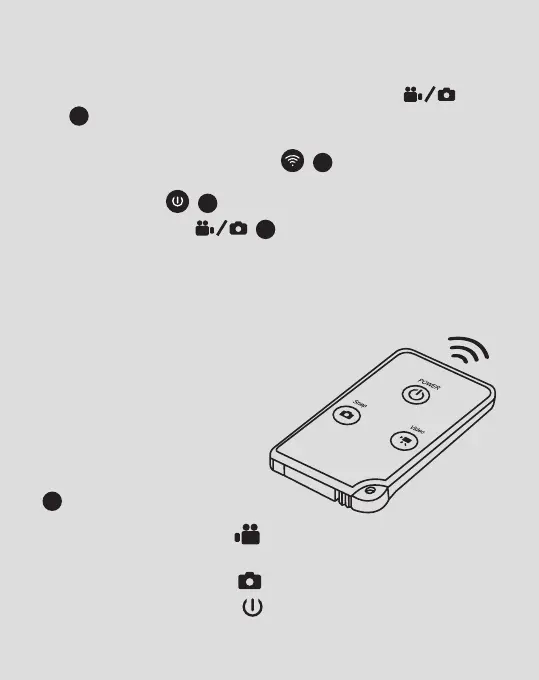
Capturing video and images using
Remote Control
You can use the remote control to record
videos, take photos and turn OFF the
camera. When using the remote
control, make sure that the
signal emission port
on the remote control is
pointing to the infrared light
7
on the camera.
1. Press the video button to record a video and
stop the recording.
2. Press the photo button to take a photo.
3. Press the Power button to turn camera OFF.



 To Next Page