17
2. Connect the a HDMI cable (Mini HDMI) between the
camera and a HDTV.
3. For playback mode, short press the Power/Mode Button
(
6
) to switch between videos and photos. When there
are several videos or photos, press the WiFi/Status Button
(
5
) to select the desired video or photo. When a video
clip is selected, press the Shutter
(
1
) button to
start playback and press the Shutter
(
1
) button
again to stop playback.
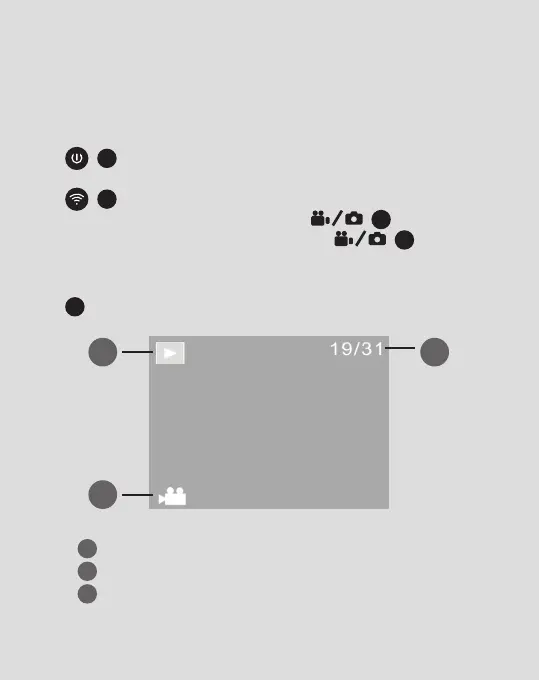
4. When the camera is connected to a HDTV the LCD panel
3
will show the following:
1
Playback Mode (e.g camera is currently in Playback Mode)
2
File Number (e.g There are 31 les and the current le is 19)
3
File Type (Video Clip or Still Image)
1
3
2
Numbers in black circles refer to diagrams on pages 4 & 5



 To Next Page