18.4 Gesture recognition
When facing the camera's
front lens,
click the gesture photo button on the APP,
and use
any of the following gestures to trigger the aircraft's photo or camera function.
/i\
Special prompt: Please aim at the lens directly and perform gesture recognition at a
position about 2-3M away from the lens and in an environment with
good light and background.
Yeah gesture photo
In about 3m front of the aircraft
lens,
make Yeah
gesture
with one hand in horizontal position;
after the aircraft successfully recognizes the gesture, count down 3 seconds and take photos.
Palm gesture video-recording
In about
3m front of the aircraft
lens, put five
fingers together and lift
one hand to horizontal
position; after the aircraft successfully
recognizes the gesture, it
will
start recording. The
recording will end when the gesture is re-recognized (the time difference between the two
recognitions shelf be greater than 3s),
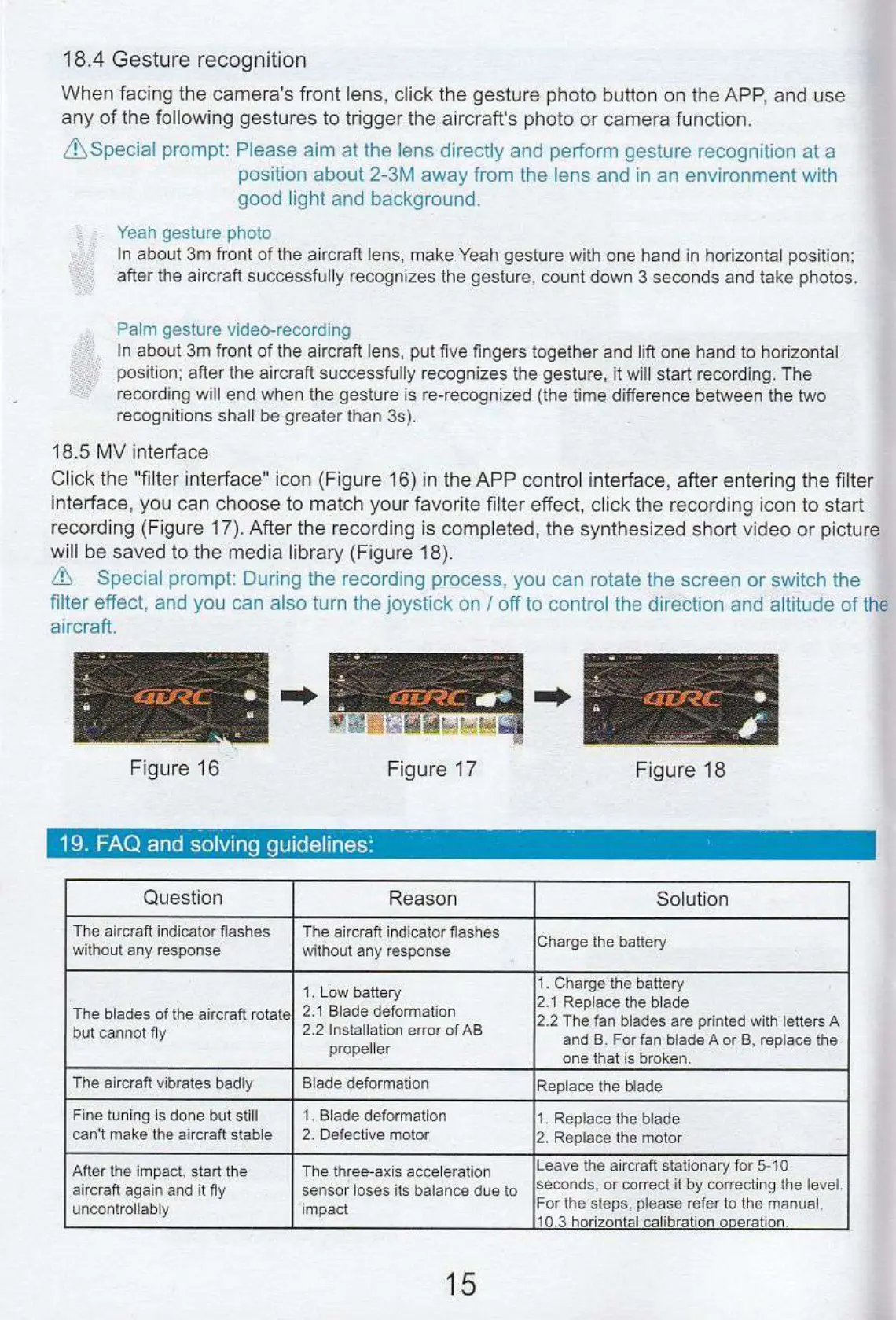
18.5 MV interface
Click the "filter interface" icon (Figure 16) in the APP control interface, after entering the filter
interface, you can choose to match your favorite filter effect, click the recording icon to start
recording (Figure 17). After the recording is completed, the synthesized short video or picture
will be saved to the media library (Figure 18),
711
Special prompt: During the recording process, you can rotate the screen or switch the
filter effect, and you can also turn the joystick on / off to control the direction and altitude of the
aircraft.
—
7
1
Figure 17
Figure 16
Figure 18
19. FAQ and solving guidelines'.
Question
Reason
Solution
The aircraft indicator flashes
without any response
The aircraft
indicator flashes
without
any response.
Charge the battery
The blades of the aircraft rotate
but cannot fly
1.
Low
battery
2,1 Blade deformation
2.2 Installation error of AB
propeller
1.
Charge
the
battery
2.1 Replace
the blade
2.2 The fan blades are
printed with Letters A
and B_ For fan blade A or B, replace the
one that is broken.
The
aircraft vibrates badly
Blade deformation
Replace the blade
Fine
tuning
is done but still
can't make
the aircraft stable
1 Blade deformation
2.
Defective motor
1.
Replace the blade
2.
Replace the motor
After the impact, start the
aircraft again and it fly
uncontrollably
The three-axis
acceleration
sensor loses its balance due to
impact
Leave the aircraft stationary for 5
-
10
seconds, or correct it by correcting the
level.
For the steps, please refer
to the manual.
10.3 horizontal calibration operation_
15


 To Previous Page
 Loading...