Need help?
Do you have a question about the 70mai 1S and is the answer not in the manual?
Clean windshield and apply electrostatic sticker, removing air bubbles.
Stick mount to sticker, ensuring dash cam body is parallel to ground.
Route USB cable along windshield and connect power adapter to receptacle.
Control dash cam functions by pressing the power key multiple times or holding it.
Use voice commands like 'Take picture' or 'Record video' for quick control.
Scan QR code to access the online user guide for detailed instructions.
Download and install the 70mai app via Google Play Store, App Store, or QR code.
Information on the dash cam's Wi-Fi hotspot name and default password for connection.
Covers product usage, environmental limits, handling, cleaning, and legal use.
Recommendations for TF card usage, capacity, speed, formatting, and replacement.
List of all items included in the 70mai Smart Dash Cam 1S package.
Details on model, resolution, FOV, RAM, storage, Wi-Fi, and operation frequency.
Declaration of compliance with essential requirements of Directive 2014/53/EU.
Service email, website, manufacturer name, and address for support.
Information on FCC rules, interference, and conditions for device operation.
Guidelines for safe installation and operation to comply with FCC radiation exposure limits.
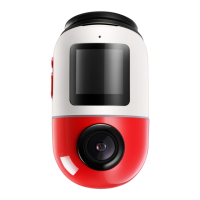
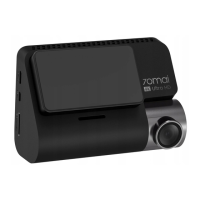
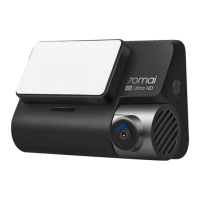
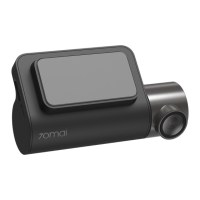
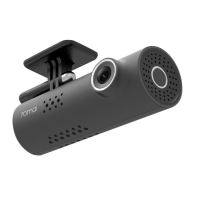
The 70mai Smart Dash Cam 1S is a compact and intelligent device designed to record videos outside of moving vehicles, offering a range of features for enhanced driving safety and convenience. Its primary function is to capture video footage, which can be crucial in the event of traffic accidents or other incidents on the road.
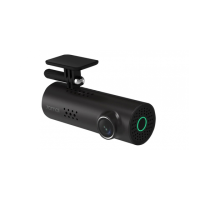
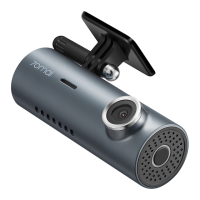
The dash cam operates by continuously recording video as you drive. It is equipped with a camera, a microphone for audio recording, and an indicator light to show its operational status. The device is controlled primarily through a single power key, which allows for various functions depending on how many times it is pressed or how long it is held. Additionally, it supports voice commands for quick and hands-free control, making it safer and more convenient to operate while driving.
The installation process is straightforward and involves a few key steps:
The single power key on the dash cam serves multiple purposes:
For added convenience and safety, the dash cam responds to specific voice commands:
The 70mai Smart Dash Cam 1S is designed to be used in conjunction with the 70mai app, which can be downloaded from the Google Play Store (for Android) or App Store (for iOS). The app provides a user guide and allows for further control and management of the dash cam. The device creates a Wi-Fi hotspot (e.g., "70mai_d06_XXXX") with a default password (12345678) for connecting to the app. The online user guide provides detailed instructions on how to establish this connection.
The dash cam records videos outside of moving vehicles, providing a record of events. It is important to note that while it records footage of traffic accidents, it does not guarantee that all accident footage will be recorded and saved. Small collisions might not be detected by the sensor, meaning their footage might not be placed in the event videos. The device uses a MicroSD card for extended storage.
The 70mai Smart Dash Cam 1S is designed to be a reliable companion for drivers, offering a blend of automated recording, user-friendly controls, and app integration to enhance the driving experience and provide valuable visual evidence when needed.
 General
| Field of View | 130° |
|---|---|
| Wi-Fi | Yes |
| G-Sensor | Yes |
| Loop Recording | Yes |
| Voice Control | Yes |
| Aperture | F2.2 |
| GPS | No |
| Weight | 70g |
| Resolution | 1080P (1920 x 1080) |
| Display | No |
| Storage | Supports up to 64GB microSD card |
| Features | Parking mode, emergency recording |
| Night Vision | Yes |
| Dimensions | 100mm x 55mm x 32mm |

 To Next Page