Product Introduction |
15
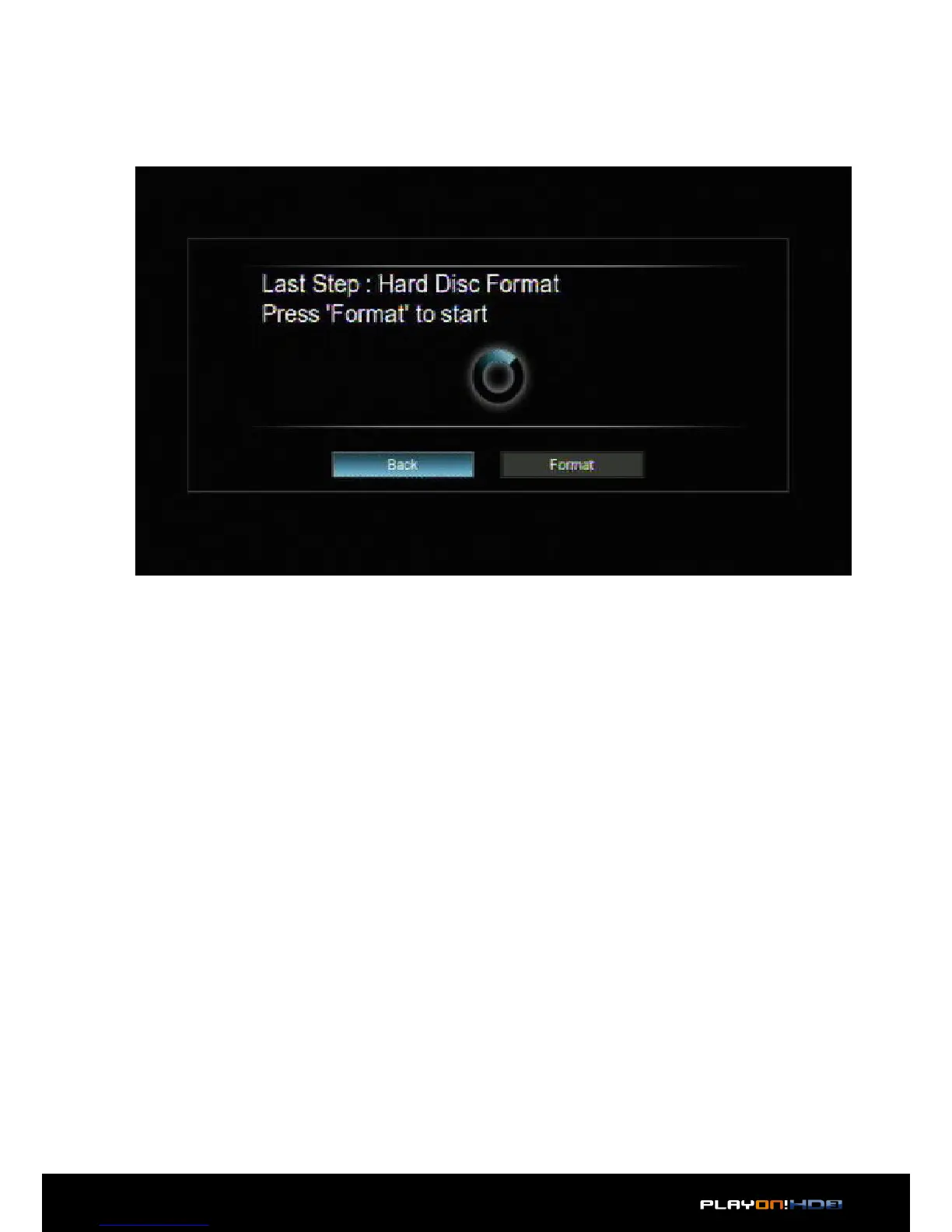
• Step 2: Select Format, press OK, and then hard disk format will start.
When prompted for to choose a filesystem, it is recommended to choose NTFS for
better use with a Windows based machine. Otherwise choose EXT3 if you are using a
Linux-based machine.
The formatting procedure will be completed within a few minutes and the player will
power o after you press OK. You can then use the hard disk properly on the player
on the next power on.
Note: HDD format will remove all data stored on the hard disk drive. Please be sure
to backup your important data in advance!


 To Next Page