| Main Functions
20
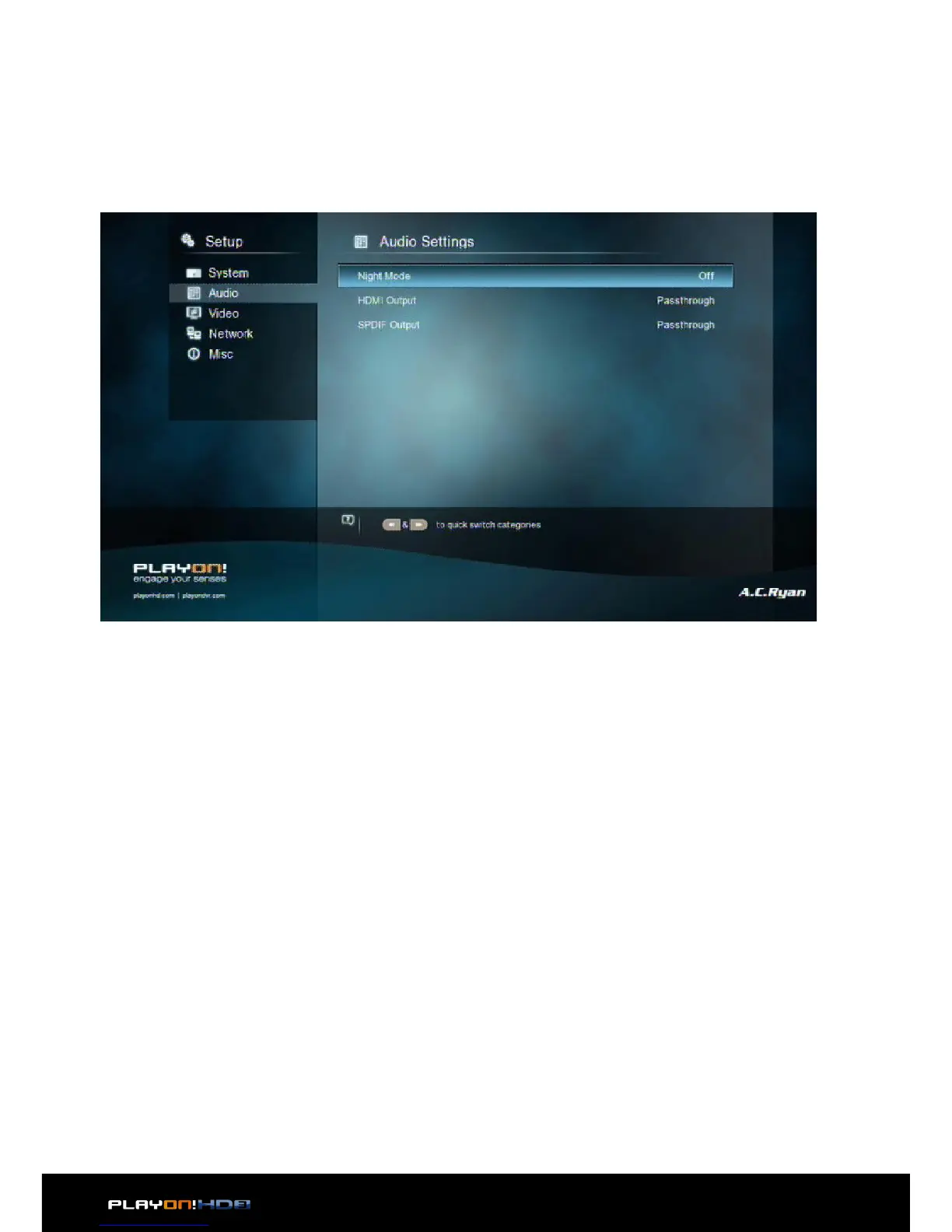
3.1.2 Changing Audio Settings
Use this menu to configure audio settings.
Night Mode
• Choose among O / On / Auto. If the option is turned on, the audio output vol-
ume will be decreased or choose auto to auto-adjust dialogues and background
audio at a normalised level.
HDMI Output
• Choose among RAW, LPCM and Auto.
SPDIF Output
• Choose among LPCM, RAW.
Note: In RAW mode, the audio package will not be decoded by the player and will be
bypassed to the HDMI TV or Digital amplifier.
Due to bandwidth requirement, High-Definition audio formats can only be bypassed
through HDMI cable, also the TV system must be 720p or above.


 To Next Page