Main Functions |
47
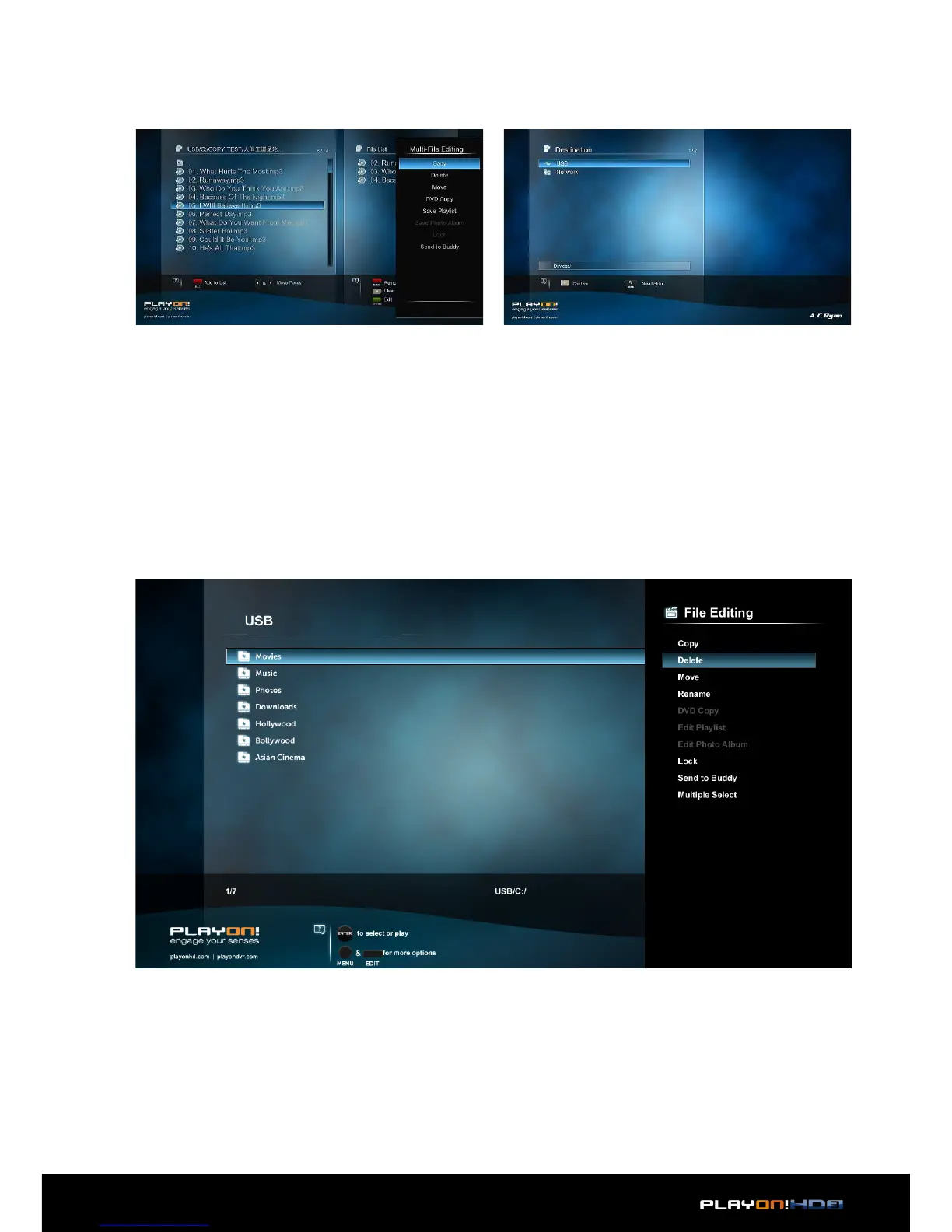
• When you are done selecting, press Green button to confirm.
• Select mode of operation, and then follow the prompt on screen to finish the
process.
3.7.1 Single file operation
On a file or folder, press the Edit button to display the file editing menu, choose Copy
for example and follow the prompt on screen to finish the process. If you want to
select more files and folders, please choose Multiple Select to enter the file selecting
menu as explained earlier.


 To Next Page