4
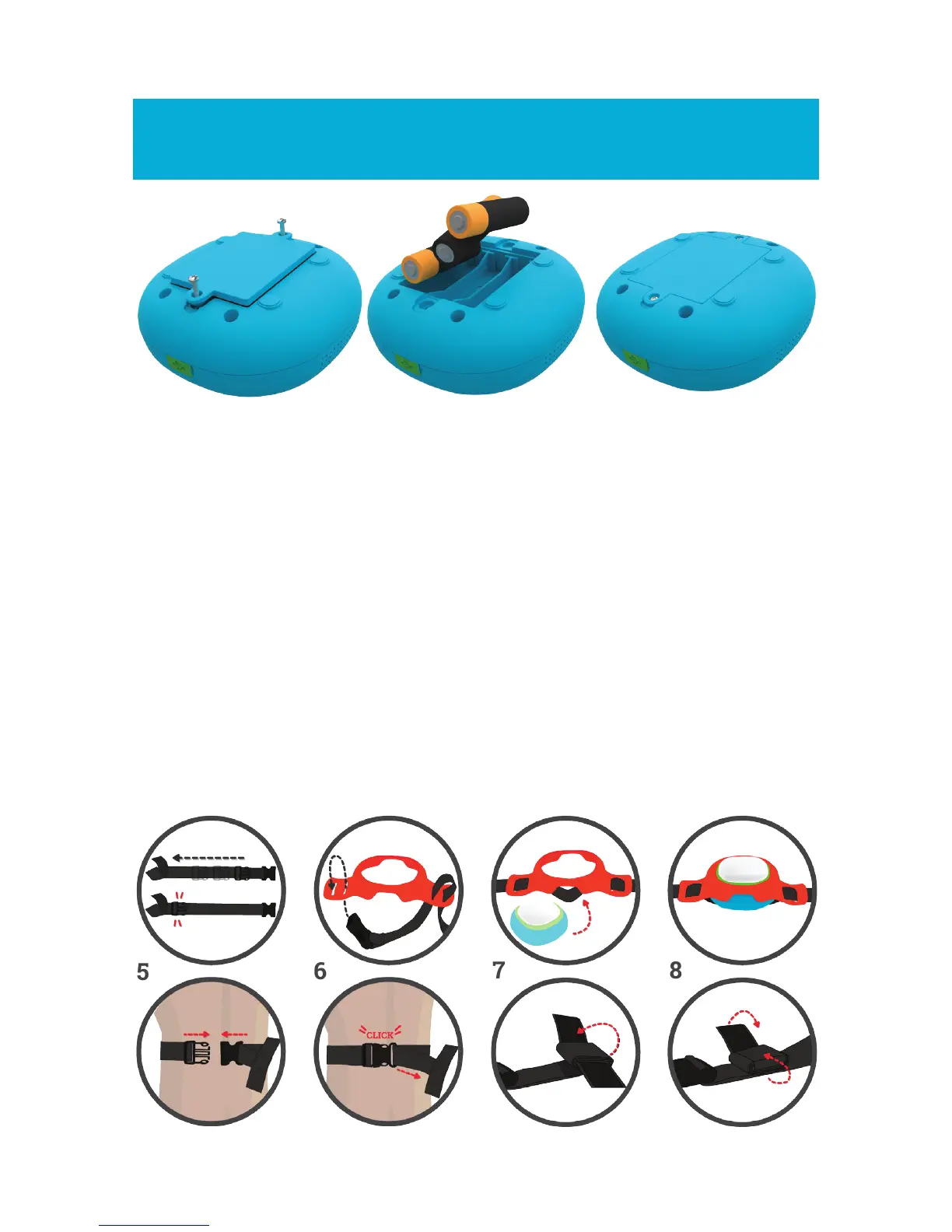
Set up batteries & strap
1
2
3
1. Use a cross head screw driver (not included) to remove the battery
cover of ROXs and the controller.
2. Place 3 x 1.5V AA batteries in each ROXs and the controller.
Follow the marks to place them in the right position (+, -).
3. Put the battery cover back on and close it tightly with the screws.
NOTE: For longer battery life please make sure to switch o ROXs after each
game session. Do so by pressing the left and right button together for more
than 3 seconds. The Controller will switch o and ROXs will blink red and will
then turn-o.
How to set up the strap
1
2
3
4
5
6
7
8



 To Next Page