EasyManua.ls Logo

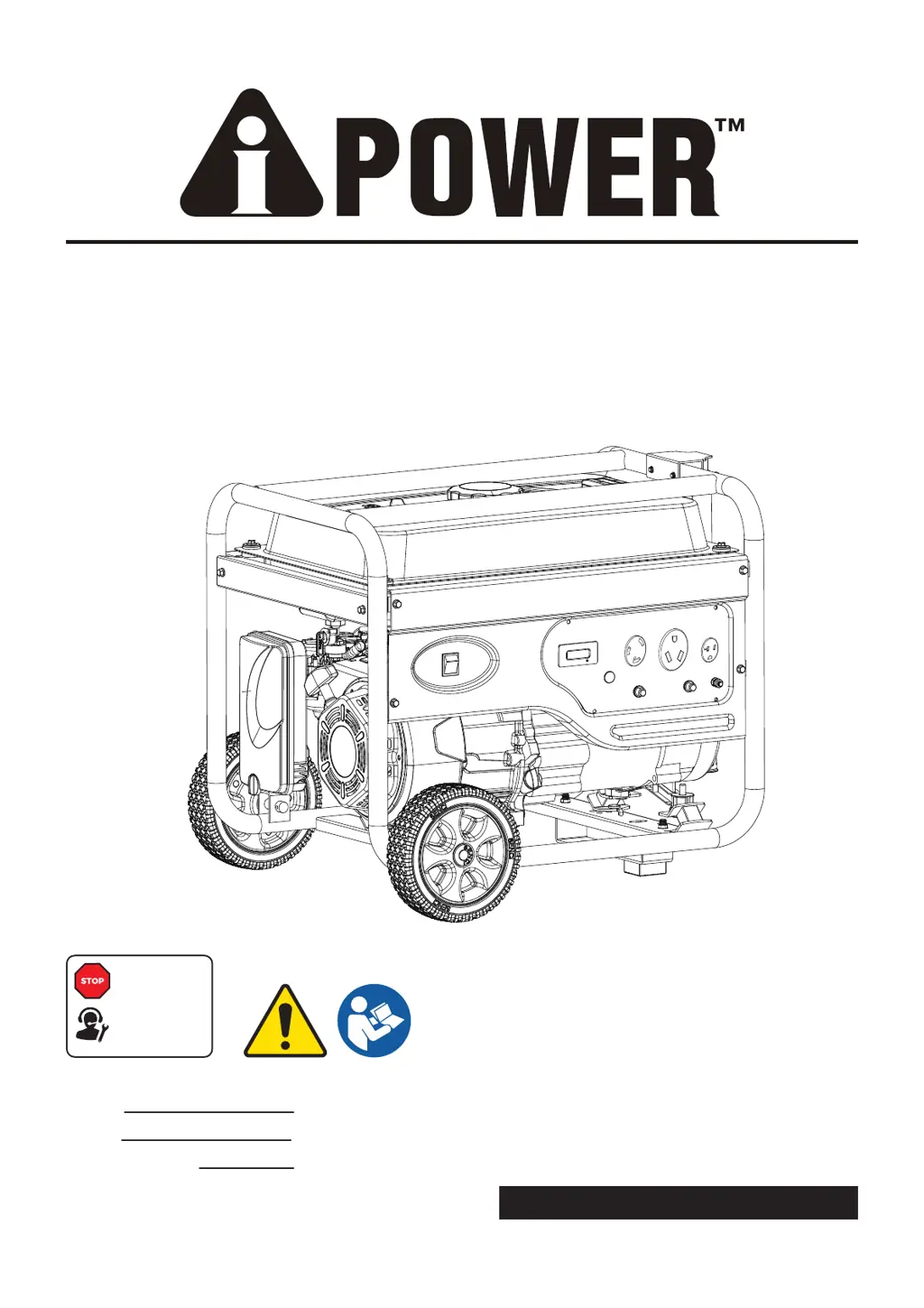
A-iPower AP4000 - User Manual

A-iPower AP4000
104 pages
Print Icon
To Next Page IconTo Next Page
Loading...
PORTABLE GENERATOR
Owner’s Manual
P/N: 32082-00000-00
Model:
Serial:
Date Purchased:
AP4000 REV00
SAVE THIS MANUAL FOR FUTURE REFERENCE
DO NOT RETURN
TO STORE!
CALL US FIRST
1-855-888-3598
FOR SUPPORT

Table of Contents

Other manuals for A-iPower AP4000

Questions and Answers

  • J
    John JohnsonJul 28, 2025
    How to troubleshoot lack of power in A-iPower AP4000 Portable Generator?
    • S
      Sarah FaulknerJul 28, 2025
      If your A-iPower portable generator lacks power, it could be due to several reasons. The load might be too high, so try reducing it. A dirty air filter can also cause this issue; replace it. Additionally, a clogged or dirty fuel filter or spark arrester screen could be the culprit; clean or replace these components. Bad fuel can also cause a lack of power; drain the gas tank and carburetor, then fill with fresh fuel.
  • M
    Mathew BergerAug 2, 2025
    Why won't my A-iPower Portable Generator start?
    • A
      adam39Aug 3, 2025
      There are several reasons why your A-iPower portable generator might not start. It could be due to the engine switch being in the OFF position – ensure it's set to ON. Also, check if the fuel valve is in the OFF position and switch it to ON. Other potential causes include low oil level (fill to the proper level), a dirty air filter (clean or replace it), or an empty fuel tank (fill it up). The spark plug wire might not be connected (connect it), or the spark plug itself could be bad (replace it). Stale fuel or water in the fuel can also prevent starting, so drain and refill with fresh fuel. If the engine is flooded, wait 5 minutes before re-cranking. A clogged or dirty fuel filter or spark arrester screen can also be the reason (replace fuel filter, clean or replace spark arrester screen).
  • A
    Ashley PetersonAug 7, 2025
    What to do if my A-iPower Portable Generator has no AC output?
    • J
      James MillerAug 7, 2025
      If your A-iPower portable generator's engine is running but there's no AC output, the AC circuit breaker might be open. Check the AC load and reset the circuit breaker. Also, a poor connection or defective cord set could be the issue; check and repair as needed. If you have a GFCI outlet, it may be open; correct any ground faults and press the reset button. Finally, the connected device may be faulty, so try connecting another device in good condition.
  • A
    andrea95Aug 12, 2025
    Why does my A-iPower Portable Generator bog down when I connect a load?
    • K
      Kimberly PatelAug 12, 2025
      If your A-iPower portable generator runs well without a load but bogs down when you connect one, it could be due to a short circuit in the connected load; disconnect the shorted electrical load. The generator might be overloaded, so reduce the load. A clogged or dirty fuel filter can also cause this; clean or replace the fuel filter. Also, the connected device may be faulty, so try connecting another device in good condition.
  • J
    jerome22Aug 17, 2025
    What causes my A-iPower Portable Generator to shut down while running?
    • R
      Ryan ForbesAug 17, 2025
      Your A-iPower portable generator might shut down while running due to a few common reasons. First, check if it's out of fuel and fill the fuel tank if necessary. A dirty air cleaner can also cause shutdowns; clean or replace the air cleaner. Additionally, low oil level can trigger this issue; fill the crankcase to the proper level or place the generator on a level surface.
  • J
    john33Aug 22, 2025
    What to do if A-iPower AP4000 Portable Generator engine hunts or falters?
    • J
      Joseph AllenAug 22, 2025
      If your A-iPower portable generator engine hunts or falters, a clogged or dirty fuel filter could be the cause; replace the fuel filter. Also, the choke might be opened too soon; set the choke to the halfway position until the engine runs smoothly.

Summary

INTRODUCTION

Read This Manual Thoroughly

Emphasizes the importance of understanding the manual before using the product.

SAFETY INFORMATION

Definitions and Symbols

Explains the meaning of DANGER, WARNING, CAUTION, and NOTICE symbols used in the manual.

General Safety Precautions

Provides comprehensive safety guidelines for operating and maintaining the generator.

Operating Safely Indoors and Outdoors

Details critical warnings about operating generators indoors due to carbon monoxide hazards.

Safe Usage Locations and CO Prevention

Illustrates correct and incorrect generator placement to minimize carbon monoxide exposure risks.

Fuel and Operation Safety

Covers safe practices for fueling, starting, operating, and transporting the generator.

Electrical, Heat, and Mechanical Safety

Addresses hazards related to electrical connections, hot surfaces, and moving parts of the generator.

Operational Limits and Medical Safety

Warns about exceeding capacity, improper use, and critical restrictions on medical equipment usage.

UNPACKING AND ASSEMBLY

Parts Included

Lists all components included in the generator packaging for verification.

Installing the Wheel Kit

Step-by-step instructions for attaching the wheels to the generator unit.

Installing the Handle Assembly

Guide for assembling the generator's handle for easier maneuvering.

Installing the Support Leg

Instructions on how to attach the support leg for generator stability.

CONTROLS AND FEATURES

Component Identification

Identifies and labels all major components and controls of the generator unit.

CONTROL PANEL FEATURES

Engine Control Switch and Hour Meter

Explains the function of the engine control switch and the hour meter for operation status.

Electrical Outlets and Indicators

Details the types of electrical outlets and the low oil indicator light on the control panel.

Circuit Breakers and Ground Terminal

Describes the function of circuit breakers for overload protection and the ground terminal.

SPECIFICATIONS

Generator Technical Data

Provides detailed technical specifications for the generator, including wattage, voltage, and engine details.

ENGINE OPERATION AND FUELING

Engine Oil Type and Level Check

Guides on selecting the correct oil and checking the oil level for proper engine function.

Low Oil Shutdown System

Explains how the low oil shutdown feature works to protect the engine.

Fuel Requirements and Safety Precautions

Details the type of fuel to use and safety precautions when adding fuel.

Fueling Procedures and Storage Recommendations

Provides instructions for adding fuel safely and guidance on fuel system care during storage.

HIGH ALTITUDE OPERATION

Altitude Effects on Performance and Adjustments

Explains how altitude affects generator performance and potential adjustments.

GROUNDING AND ELECTRICAL CONNECTIONS

Importance of Proper Grounding

Stresses the necessity of grounding the generator for electrical safety.

Connecting to Building Electrical Systems

Outlines the requirements for safely connecting the generator to a home's electrical system.

GENERATOR OPERATION

Generator Location and Ventilation

Specifies safe placement and ventilation requirements for generator operation.

Surge Protection for Electronics

Offers advice on protecting sensitive electronic devices from voltage fluctuations.

Starting the Generator

Step-by-step guide on how to safely start the generator engine.

Connecting Electrical Loads

Instructions on how to connect electrical devices to the generator after starting.

Stopping the Engine

Provides procedures for safely shutting down the generator and its electrical loads.

Overload Prevention

Guidance on how to avoid overloading the generator to prevent damage.

MAINTENANCE SCHEDULE AND PROCEDURES

Maintenance Schedule Overview

Presents a schedule of recommended maintenance tasks based on operating hours or time intervals.

Walk-Around Inspection Checklist

Lists essential pre-operation checks to ensure the generator is in good condition.

General Maintenance Recommendations

Offers general advice for maintaining the generator for optimal performance and longevity.

Engine Oil Level Check Procedure

Detailed steps for checking the engine oil level before operation.

Changing Engine Oil

Instructions for draining and refilling the engine oil according to the maintenance schedule.

Spark Plug Maintenance and Gapping

Guide on inspecting, cleaning, and properly gapping the spark plug for optimal ignition.

Air Filter Maintenance

Steps for cleaning or replacing the air filter to ensure proper engine breathing.

Cleaning the Spark Arrestor

Procedure for cleaning the spark arrestor to prevent exhaust system issues and fires.

Valve Clearance Adjustment

Information on checking and adjusting valve clearance, requiring professional service.

GENERATOR STORAGE

General Cleaning and Storage Practices

Advises on keeping the generator clean and storing it properly for longevity.

Short Term Storage Procedures

Steps for preparing the generator for storage periods of less than 30 days.

Long Term Storage Procedures

Instructions for draining fuel and oil for storage longer than one year.

Draining the Float Bowl

Detailed steps for draining the carburetor float bowl for storage or maintenance.

TROUBLESHOOTING

Engine Running Issues

Addresses problems like no AC output, bogging down, or rough running.

Engine Starting and Power Problems

Solves issues related to engine not starting, faltering, or lacking power.

Engine Shutdowns and Performance

Provides solutions for engine shutting down unexpectedly or performing poorly.

PARTS INFORMATION

Generator Parts Diagram

Visual representation of all generator components with numbered references.

Detailed Parts List

Comprehensive list of all parts with their corresponding part numbers and quantities.

CIRCUIT DIAGRAM

Generator Electrical Schematic

Illustrates the electrical connections and components of the generator system.

WARRANTY AND RETURNS

Limited Warranty Coverage

Details the terms and conditions of the limited warranty for residential and commercial use.

Warranty Term and Registration

Explains the duration of the warranty and the process for registering the product.

Warranty Exclusions and Limitations

Lists conditions and parts not covered by the warranty and its limitations.

Merchandise Return Guidelines

Provides instructions and conditions for returning merchandise for refunds or exchanges.

WARRANTY REGISTRATION FORM

Customer and Product Information Entry

Form fields for submitting customer and product details for warranty registration.

A-iPower AP4000 Specifications

General IconGeneral
ModelAP4000
TypePortable Generator
Starting Watts4000
Running Watts3500
Engine Type4-Stroke OHV
Engine Displacement212cc
Starting SystemRecoil
Fuel Tank Capacity4.0 Gallons
AC Output120V
DC Output12V
Outlets1 x 12V DC
Noise Level68 dBA

Related product manuals