Need help?
Do you have a question about the a-them MRX 1140 and is the answer not in the manual?
Checks for all items received and instructions for future transport.
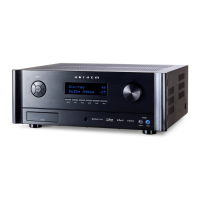
Identifies controls and displays on the MRX 1140 front panel.
Details rear panel connections for MRX and AVM models.
Covers LAN, Trigger, IR, RS-232, Power, and Headphone connections.
Guides on speaker configuration, amp matrixing, and zones.
Details subwoofer integration, crossovers, and phase settings.
Explains the benefits and process of Anthem Room Correction.
Instructions for powering the unit on/off and adjusting volume.
Allows on-the-fly adjustment of channel levels for surround or subwoofer.
Detailed technical specifications for various Anthem models.
 General
| Type | AV Receiver |
|---|---|
| Channels | 11.2 |
| HDMI Inputs | 7 |
| HDMI Outputs | 3 |
| Dolby Atmos | Yes |
| DTS:X | Yes |
| IMAX Enhanced | Yes |
| Room Correction | Dirac Live |
| Wireless Technology | Wi-Fi, Bluetooth |
| Input Sensitivity | 200mV |
| Streaming Services | AirPlay 2 |
| Network Connectivity | Ethernet |
| Supported Audio Formats | AAC, ALAC, FLAC, WAV |
| Power per channel | 140W (8 ohms, 20Hz-20kHz, 0.05% THD, 2 ch driven) |


 To Next Page