13
4.3 Display and electronic key
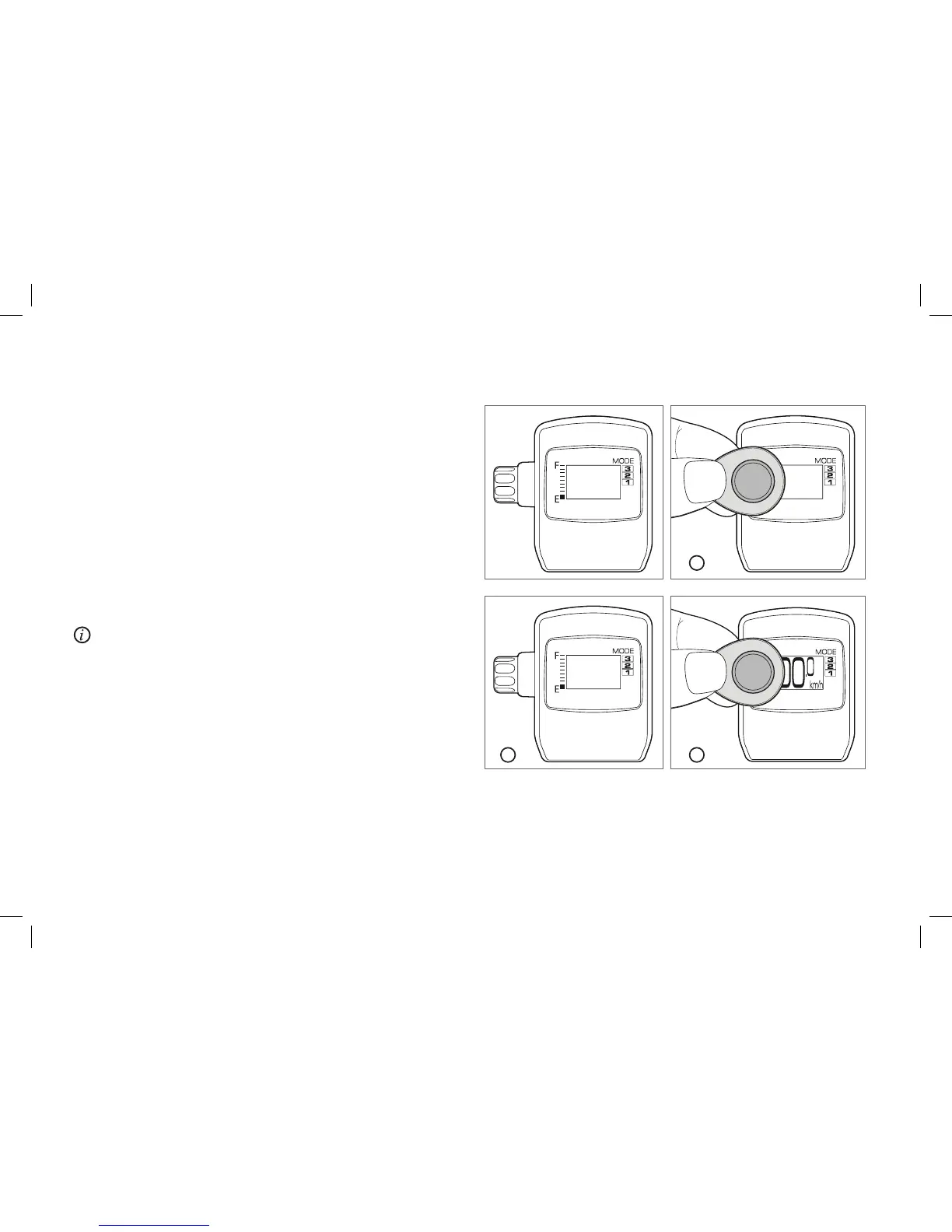
Switching the electronic system on and off at the display
Your A2B is secured by electronic key (also called E-key). You must
activate the system before you begin riding.
1. Hold the E-Key directly over the screen of your display.
2. The display now lights up. As soon as the A2B lettering appears,
pull the key away.
3. After the ride: to shut off the system hold your E-Key over the
display until it blanks out. Then pull the E-Key away. The system is
now deactivated.
The E-Key is used to wake the display, battery and motor control
from sleep mode. If not all of the components wake up after first
switching on with the E-Key (e.g. no motor assistance), deactivate
the system and repeat the switching on process with the E-Key.
2 3
1


 To Next Page