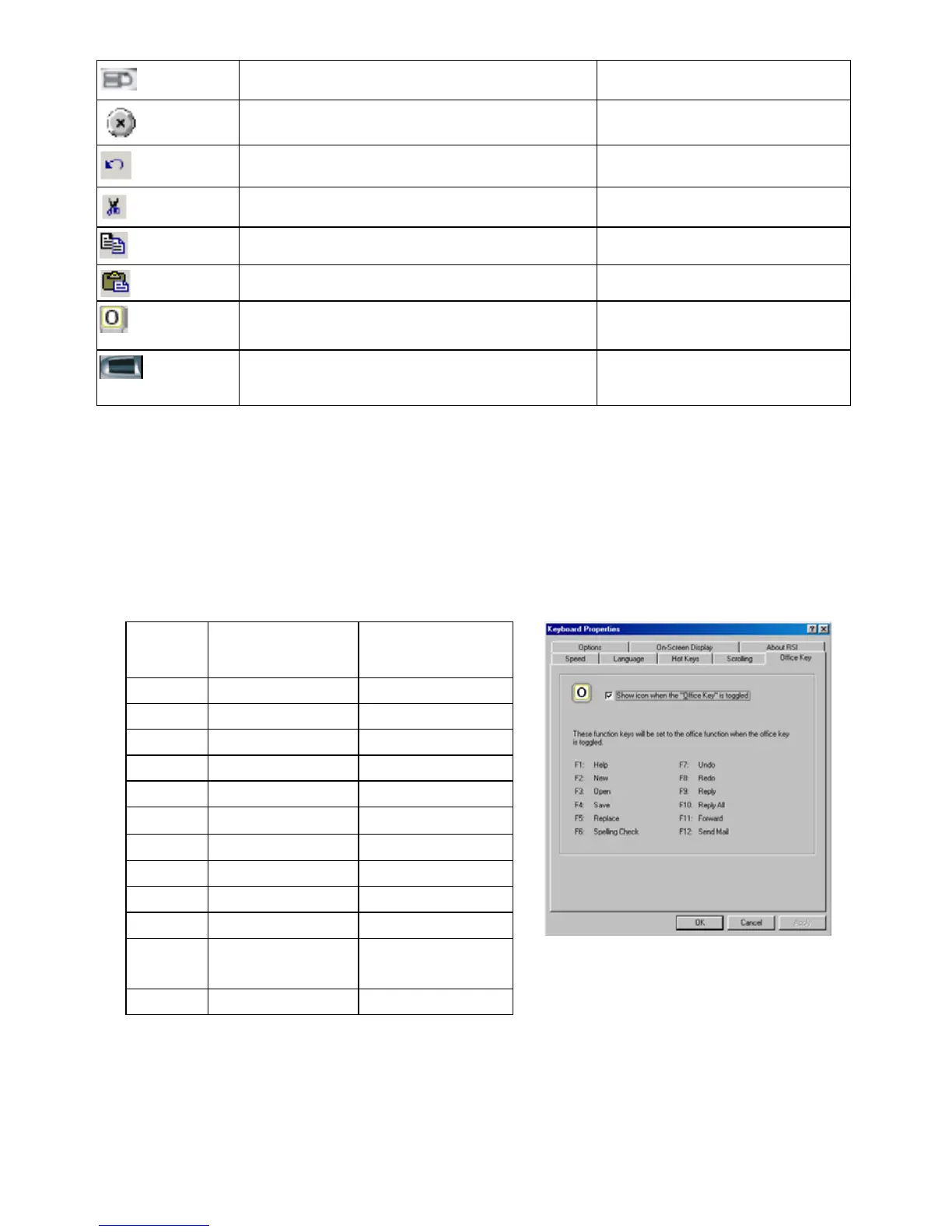
Toggle
Switch the current Windows application Editing key by user
Close
Close the current Windows application Editing key by user
Undo
Use in Office as “undo” command Editing key by user
Cut
Use in Office as “cut” command Editing key by user
Copy
Use in Office as “copy” command Editing key by user
Paste
Use in Office as “paste” command Editing key by user
Office
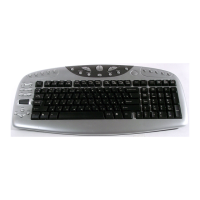
Office F-lock key: Control office enhanced
function keys
Editing key by user
Navig- wheel
Scroll up and down through application Editing key by user
Using Office F-lock Key
The Office F-lock key offers your keyboard with more functionality by
providing two command sets for the top row of keys. When the F-Lock is on,
the standard function keys F1~F12 are enabled. When the F-Lock is off, the
enhanced Office function keys are enabled.
Hot
Keys
Default
Functions
Office
Functions
F1 F1 Help
F2 F2 New file
F3 F3 Open a file
F4 F4 Save a file
F5 F5 Replace
F6 F6
Spelling check
F7 F7
Undo
F8 F8 Redo
F9 F9 Reply an email
F10 F10 Reply to all
F11 F11
Forward an
email
F12 F12 Send an email
3


 To Next Page