EMB-B75B
2-20
4. Intel
®
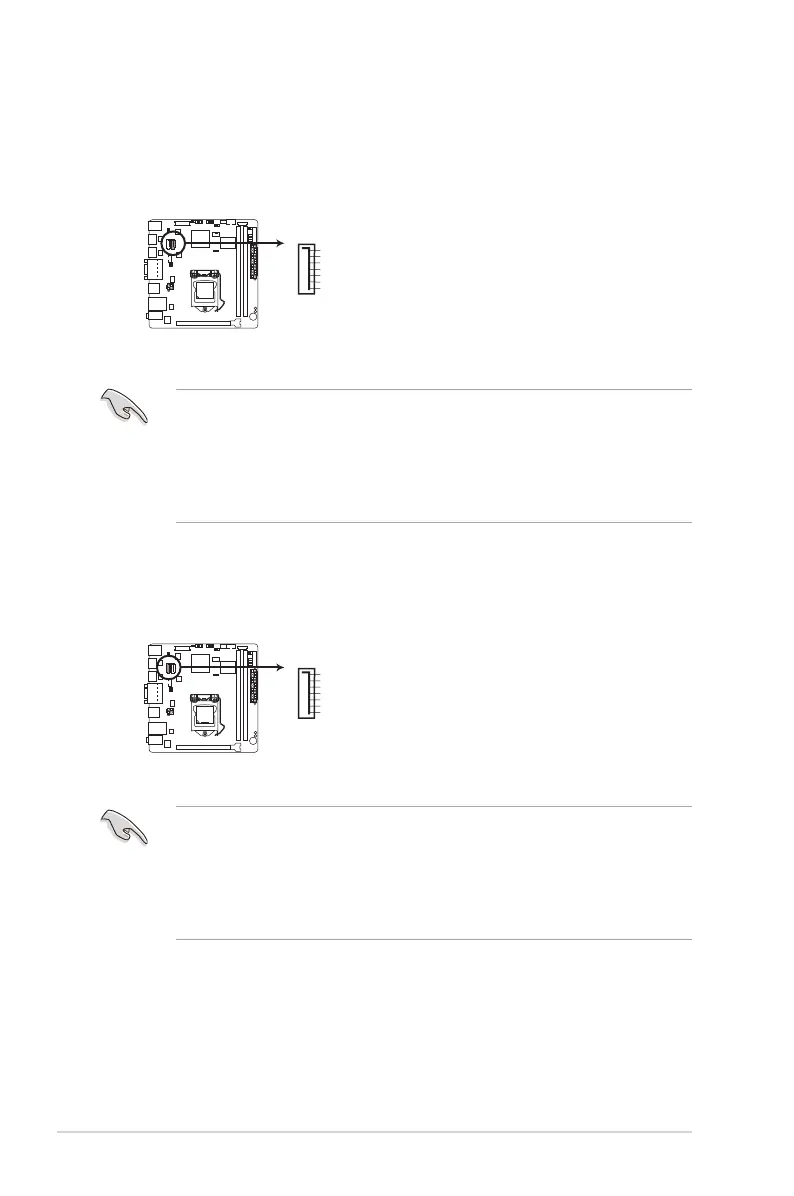
B75 Serial ATA 3.0Gb/s connectors (7-pin SATA3G_1)
These connectors connect to Serial ATA 3.0 Gb/s hard disk drives and optical
drives via Serial ATA 3.0 Gb/s signal cables.
NOTES:
• You must install Windows
®
XP Service Pack 3 or later version before using
Serial ATA hard disk drives.
• When using hot-plug and NCQ, set the SATA Mode Selection item in the
BIOS to [AHCI]. See section 3.3.3SATAConguration for details.
5. Intel
®
B75 Serial ATA 6.0Gb/s connector (7-pin SATA6G_1)
ThIS connector connects to Serial ATA 6.0 Gb/s hard disk drives via Serial
ATA 6.0 Gb/s signal cables.
NOTES:
• You must install Windows
®
XP Service Pack 3 or later version before using
Serial ATA hard disk drives.
• When using hot-plug and NCQ, set the SATA Mode Selection item in the
BIOS to [AHCI]. See section 3.3.3SATAConguration for details.
EMB-B75B SATA 3.0Gb/s connector
SATA3G_1
GND
RSATA_RXP1
RSATA_RXN1
GND
RSATA_TXN1
RSATA_TXP1
GND
EMB-B75B SATA 6.0Gb/s connector
SATA6G_1
GND
RSATA_RXP1
RSATA_RXN1
GND
RSATA_TXN1
RSATA_TXP1
GND



 To Next Page