EasyManua.ls Logo

Aalborg GFM 17 - User Manual

Aalborg GFM 17
32 pages
Print Icon
To Next Page IconTo Next Page
Loading...
Technical Data Sheet No. TD9411M Rev. L Date of Issue: January 2010
OPERATING MANUAL
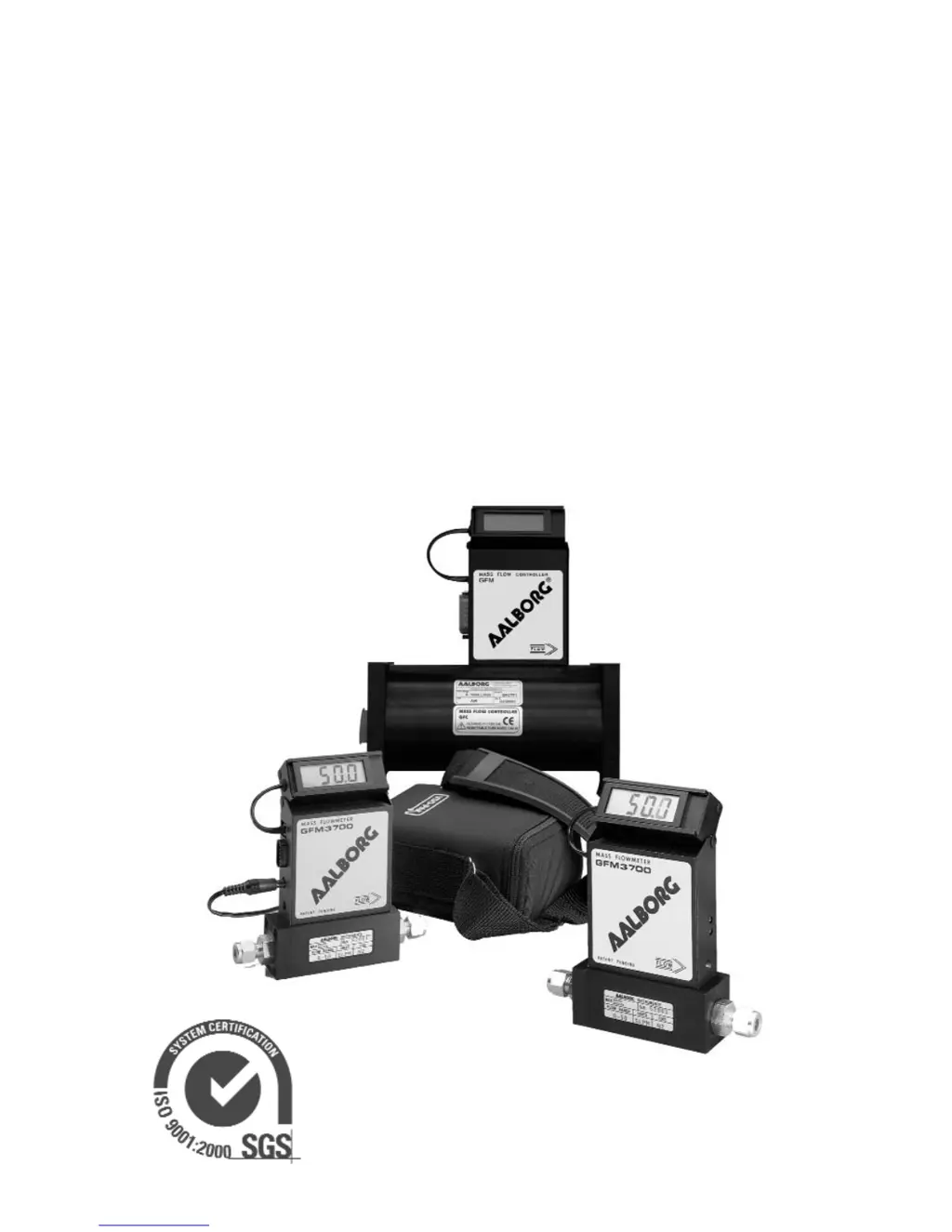
GFM MASS
FLOW METERS
Quality System Registered

Questions and Answers

  • N
    Nicole ParkerAug 25, 2025
    What to do if Aalborg GFM 17 Measuring Instruments have unstable or no zero reading?
    • A
      Andre AtkinsAug 25, 2025
      If your Aalborg Measuring Instruments are showing an unstable or absent zero reading, examine the following: * **Gas Leaks:** Check for and correct any gas leaks. * **PC Board:** If the issue persists, the PC board might be defective and require replacement at the factory.
  • G
    gwilsonAug 26, 2025
    Why Aalborg GFM 17 Measuring Instruments show full scale output at 'no flow'?
    • J
      Jeffrey MerrittAug 26, 2025
      If your Aalborg Measuring Instruments display a full-scale output even when there's no flow or the valve is closed, consider these potential causes: * **Defective Sensor:** The sensor might be defective, requiring a return to the factory for replacement. * **Gas Leak:** There could be a gas leak, which needs to be located and corrected.
  • P
    Pamela SmithAug 27, 2025
    Why is the LCD Display blank on my Aalborg GFM 17 but flow is observed on analog output?
    • B
      Bailey AllenAug 27, 2025
      If the LCD Display on your Aalborg Measuring Instruments remains blank upon powering up, yet flow is detectable via the analog output, the issue might stem from the LCD Display connector not being properly attached to the GFM or the connection being loose. Alternatively, a wire may be disconnected inside the LCD Display. Check the LCD connector by removing and reinstalling it, referring to instructions for pos. 3.
  • C
    crystal45Aug 29, 2025
    Why is the LCD reading negative and the output voltage unresponsive on my Aalborg GFM 17?
    • J
      Julie FowlerAug 30, 2025
      If gas flows through your Aalborg GFM, but the LCD Display shows a negative reading and the output voltage doesn't respond (reading near 10mV), it could be due to: * **Reversed Gas Flow:** Ensure the gas is flowing in the direction indicated by the arrow on the front of the meter, and reconnect accordingly. * **Back Pressure and Leaks:** The GFM may be installed in a system with back pressure, leading to a gas leak. Locate and fix any gas leaks in the system. If the GFM has an internal leak, return it to the factory for repair.
  • C
    Carrie CarpenterAug 31, 2025
    What to do if LCD Display remains blank and there is no response on the flow from analog output on Aalborg GFM 17 Measuring Instruments?
    • T
      Trevor DavisSep 1, 2025
      If the LCD Display on your Aalborg Measuring Instruments stays blank when powered up, and there's no flow response from the analog output (voltage less than 15 mV), the problem might be: * **Power Supply Issues:** Measure the voltage on pins 4 and 5 of the 9 pin D-connector. If it's below 11.0Vdc, replace the power supply with a regulated 12.0 Vdc, 250 mA minimum unit. Also, check if the polarity is reversed; correct the connection if needed. * **Defective PC Board:** The PC board could be defective. In this case, return the GFM to the factory for repair.
  • J
    Jessica WilliamsSep 2, 2025
    Why is the LCD Display reading negative but the output voltage correct on my Aalborg GFM 17?
    • I
      isaiahmoodySep 2, 2025
      If gas flows through your Aalborg GFM, but the LCD Display shows a negative reading that doesn't change with gas flow while the output voltage signal is correct, the issue might be a disconnected 5.00 Vdc reference voltage (green wire) inside the LCD Display. Carefully remove the LCD from the GFM, then remove the aluminum housing on the side of the connection cable. Slide the LCD assembly out of the aluminum housing and check the connection for the green wire. If any wire is disconnected, restore the connection.
  • J
    Jamie MannSep 4, 2025
    Why LCD Display reading and output voltage don't respond on the flow in Aalborg GFM 17 Measuring Instruments?
    • P
      Peter BrownSep 4, 2025
      If gas flows through your Aalborg GFM, but the LCD Display reading and output voltage don't respond to the flow, consider the following: * **Flow Rate:** The gas flow may be too low for the specific GFM model. Check the maximum flow range on the transducer's front panel and adjust the flow accordingly. * **RFE Connection (GFM17 Models):** For GFM17 models, the RFE might not be properly connected to the inlet fitting. Unscrew the inlet compression fitting and reinstall the RFE. Note that this may affect calibration accuracy. * **Sensor/PC Board Issues:** The sensor or PC board could be defective. Return the GFM to the factory for repair.
  • M
    Maria JonesSep 6, 2025
    How to fix no zero reading after warm up on Aalborg GFM 17 Measuring Instruments?
    • J
      Joshua BuchananSep 6, 2025
      If your Aalborg Measuring Instruments show no zero reading after a 15-minute warm-up period with no flow, it may be because the embedded temperature has been changed. Readjust the ZERO potentiometer R34 through the access hole (see page 12 for details).
  • B
    Bruce RamirezSep 8, 2025
    Why LCD Display reading does not correspond the correct flow range on Aalborg GFM 17?
    • K
      Kevin Callahan MDSep 8, 2025
      If the LCD Display reading on your Aalborg Measuring Instruments doesn't match the correct flow range according to the analog output, the LCD Display might be adjusted for the wrong flow range or engineering units. Readjust the LCD Display scaling for the required full-scale flow (see 7.4 on page 14).
  • M
    Marvin RichardsonSep 10, 2025
    Why is the LCD Display reading off by a factor of ten on my Aalborg GFM 17 Measuring Instruments?
    • I
      ijonesSep 10, 2025
      If the reading on the LCD Display is significantly different from the actual gas flow, but the output voltage signal is correct, it's likely that the decimal point jumper is incorrectly positioned on the LCD Display Circuit. Carefully remove the LCD from the GFM, remove the aluminum housing on the side of the connection cable, and slide the LCD assembly out of the aluminum housing. Reinstall the jumper to the appropriate location on the 8-pin header block (see 7.4.3 on page 15).

Aalborg GFM 17 Specifications

General IconGeneral
TypeMass Flow Meter
MaterialStainless Steel
Process Connection1/4"
Output Signal0-5 VDC or 4-20 mA
Power Supply+15 VDC to +24 VDC

Related product manuals