TABLE OF CONTENTS
GENERAL INFORMATION .............................................................................................................. 3
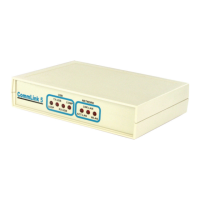
CommLink 5 Overview ............................................................................................................................................. 3
Optional IP Module Kit ............................................................................................................................................. 3
Installing CommLink 5 ONLY ................................................................................................................................... 3
System Requirements .............................................................................................................................................. 3
QUICK START GUIDE .................................................................................................................... 4
CONNECTIONS & WIRING............................................................................................................. 5
LOOP COMMUNICATION SETTING ............................................................................................... 6
BAUD RATE SETTING .................................................................................................................... 7
USB DRIVER INSTALLATION INSTRUCTIONS ........................................................................... 8
FINDING THE COM PORT NUMBER .............................................................................................. 9
PRISM 2 SETUP INSTRUCTIONS ................................................................................................ 10
TROUBLESHOOTING ................................................................................................................... 12
CommLink 5 LED Descriptions .............................................................................................................................. 12
Connecting the Network - Proxy and Firewall Compatibility .................................................................................. 13
Troubleshooting Tips .............................................................................................................................................. 14
Changing the USB Serial COM Port Number ........................................................................................................ 15
www.aaon.com
AAON, Inc.
2425 South Yukon Ave.
Tulsa, OK 74107-2728
www.aaon.com
Factory Technical Support Phone: 918-382-6450
Controls Support Phone: 866-918-1100
Form: G015590, Rev 01J
Copyright June 2018 AAON, Inc.
AAON, Inc. assumes no responsibility for errors or omissions.
This document is subject to change without notice.
Windows
®
2000, Vista, 7, 8 & 10 are registered trademarks of
Microsoft Corporation.
This manual is also available for download from our
website—aaon.com—where you can always fi nd the
latest literature updates.


 To Next Page