HW © 2015 Aaronia AG, DE-54597 Strickscheid, www.aaronia.com, mail@aaronia.de
13
Manual RF Signal-
Generator
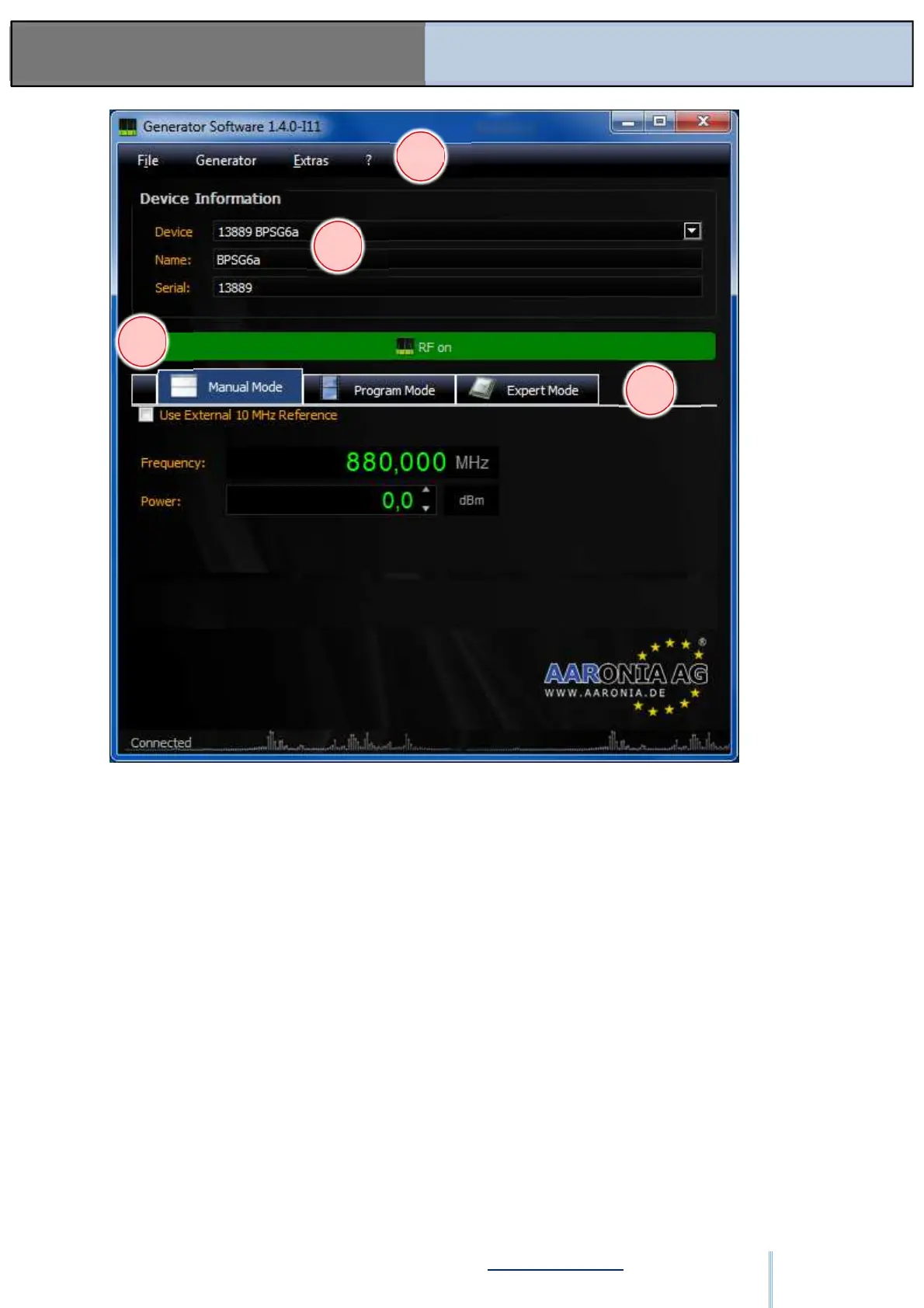
Figure: SW-02
Figure SW-02 shows the main Manual Mode software window in RF On Mode with a
generator connected and powered on via USB. The operating functions are activated.
6.2. General Controls
(1) Main Menu
• File
o Quit
> Ends the program
• Generator
o Device Information
> Displays the device information for a connected generator (see item 6.x.x.)
• Extras
o Firmware Update
> Displays the firmware update dialog (see item 6.x.x.)
o Select Language
> Selects the display language (see item 6.x.x.)
2
3
4
ООО "Техэнком" Контрольно-измерительные приборы и оборудование www.tehencom.com



 To Next Page