11
Getting Started
Turning Your RealPad O
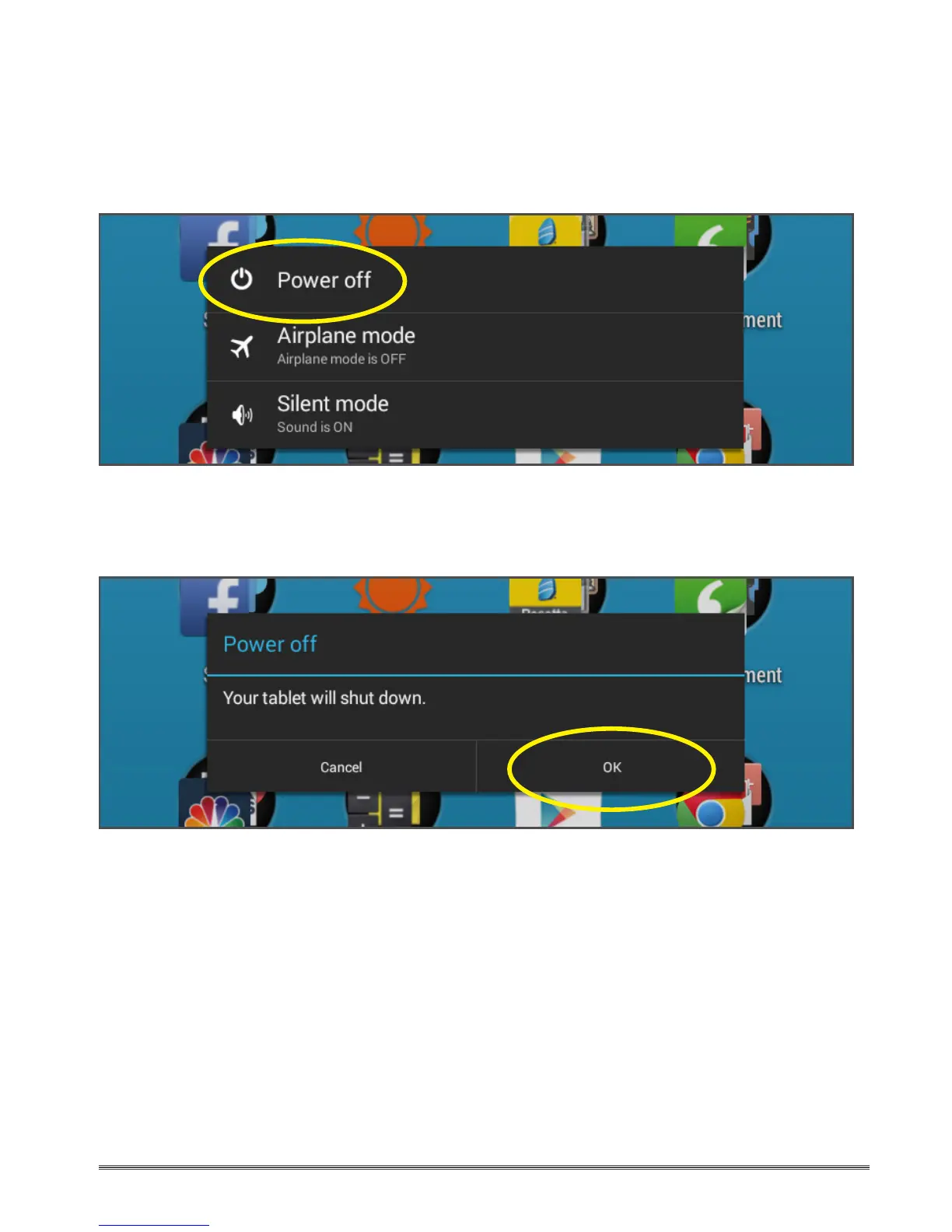
Press and hold the Power button for three seconds.
A shut down pop-up window will appear. Tap “Power o”.
A conrmation popup window will appear.
Tap “OK” to conrm, or tap “Cancel” to continue using your tablet.
Tips:
• Putting your RealPad into Airplane mode turns o your wireless radio so that
your tablet does not send or receive data. When Airplane mode is on, you will
not be able to send or receive email or browse the Web or use apps that require
an internet connection.
• Putting your RealPad into Silent mode turns o all sounds, but does not aect
the wireless radio. You can still browse the Web, send and receive email, and use
all functions of the ReadPad.


 To Next Page