Loading External Content Cont.
(up to 64 GB)
(up to 64 GB)
9
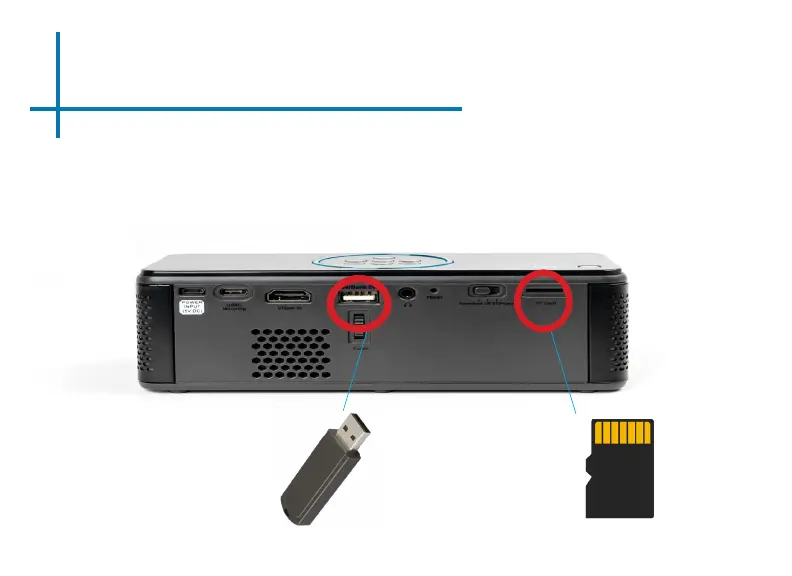
How to insert your USB Drive
• Slide your USB Drive into the USB
port.
• Gently slide the drive until it cannot
go in any further.
How to insert your TF Card
• Slide in your TF card into the TF card
slot on the back of the BP1 (as shown
in picture).
• Gently slide the TF card until it clicks
into place.


 To Next Page