Brightness Menu
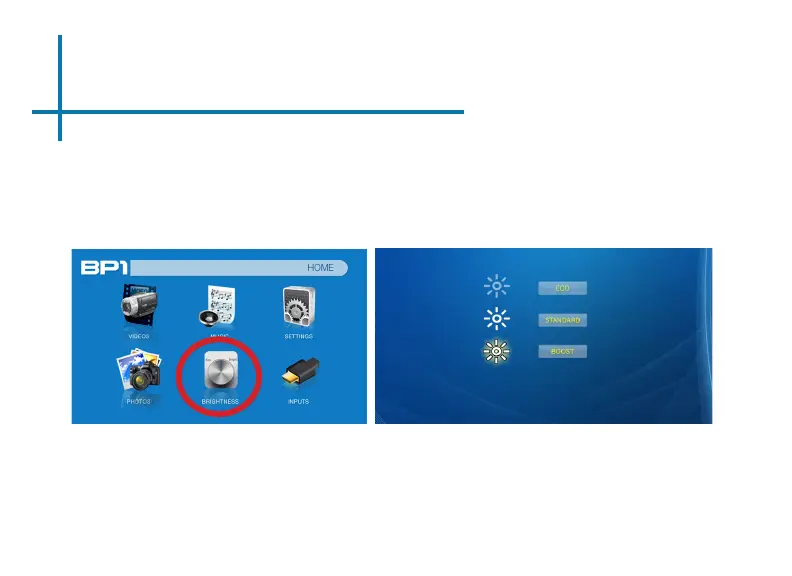
To change the brightness on your BP1:
• Select the “Brightness” icon (Fig. 3.1)
• Select the brightness you wish (Fig. 3.2)
• Choose among Eco, Standard and Boost
Fig. 3.1 Fig. 3.2
12
* The BP1 can only run ECO mode with battery on low charge (battery and DC mode). For best performance, please charge battery to
100% prior to use.


 To Next Page