Connecting to Speaker via BT
6
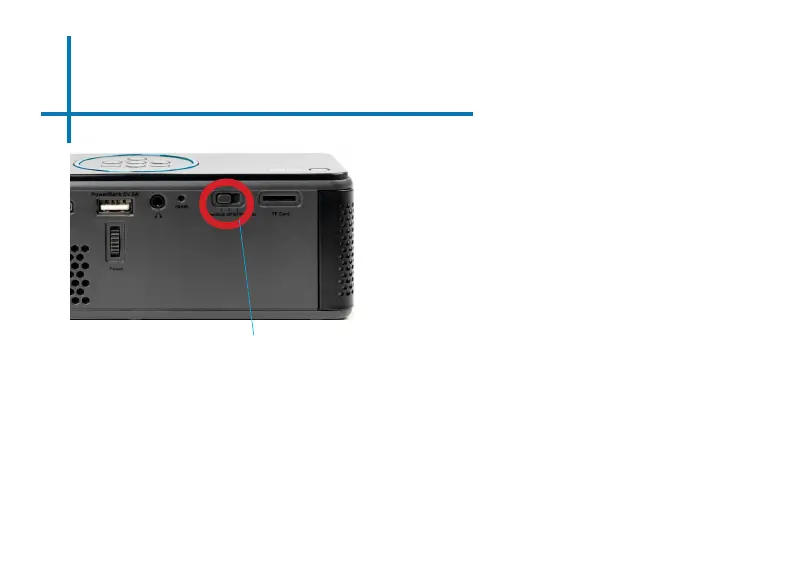
Toggle Power Switch to BT/Projector.
*Speaker will say “BT Mode” when ready
for pairing.
Step 1:
Step 2:
* BT 5.0 is designed to stream music / audio only. Video Input
and Streaming is available through a wired connection via USBC.
CAUTION: Prolonged use of speakers at a high volume may
impair hearing.
In the BT new devices menu on your
smart phone or device, the BP1 will be
listed as “AAXA-BP1”. Click to pair.
Step 3:
Turn on BT on smart phone or device.
Toggle Power Switch
Step 4: When succuessfully paired to BT
Speaker, BP1 will say “Connected”.


 To Next Page