EasyManua.ls Logo

AAXA Technologies HP3 Halloween Projector - User Manual

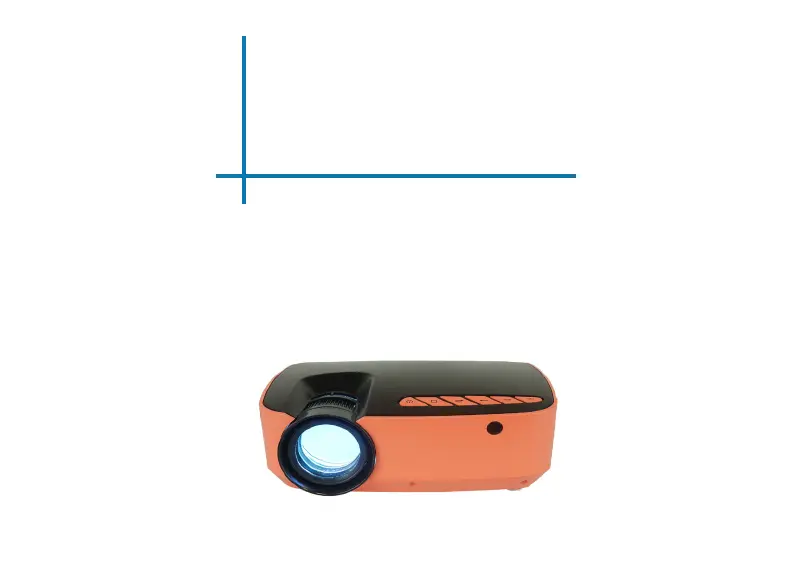
AAXA Technologies HP3 Halloween Projector
30 pages
Print Icon
To Next Page IconTo Next Page
Loading...
aaxa
TECHNOLOGIES
User Guide
HP3 Halloween Projector

Questions and Answers

Summary

AAXA HP3 Halloween Projector User Guide

Safety Warnings and Precautions

Critical warnings on product usage to prevent injury, death, or damage.

HP3 Projector Overview

HP3 Projector Unit Features

Details the projector's main components, ports, and connections.

Remote and Keypad Controls

Explanation of buttons on the projector's keypad and remote control.

HP3 Projector Accessories

List of items provided with the projector.

Getting Started with the HP3 Projector

Powering the HP3 Projector

Instructions for turning the projector on, off, and entering standby mode.

Focus and Throw Distance

Guidance on adjusting focus for clarity and understanding projection distance.

Connecting Speakers and Headphones

How to connect external audio devices to the projector.

Loading Content from TF Card and USB

Instructions for playing media files from TF cards and USB drives.

Inserting the TF Card

Step-by-step guide for correctly inserting a TF card.

Understanding Keystoning

Explains what keystone effect is and its causes.

Correcting Keystone Distortion

Practical steps to adjust the keystone using the projector's wheel.

Navigating the HP3 Projector Menus

HP3 Main Menu Navigation

Overview of the main menu interface and navigation controls.

Halloween Effects Menu

How to access and play special Halloween-themed video effects.

Files Menu Operation

Steps to navigate and open video or photo files from storage.

Digital Input Connectivity

Guide for connecting multimedia devices using digital input (HDMI).

Connecting to Computers via Digital Input

Detailed steps for connecting and configuring a computer via digital input.

HP3 Projector Settings

Picture Settings Menu

Options for adjusting picture mode, color temperature, aspect ratio, and noise.

Sound Settings Menu

Controls for sound mode, balance, and auto volume settings.

Options Menu

Settings for OSD language, factory reset, and slideshow duration.

Technical Details and Troubleshooting

Troubleshooting Guide

Solutions for common problems like blurred images, video errors, and power issues.

HP3 Projector Specifications

Technical data including brightness, resolution, and supported file formats.

User Notes and Disclaimers

General notes and disclaimers related to product usage.

AAXA Technologies HP3 Halloween Projector Specifications

General IconGeneral
Contrast Ratio1000:1
Light SourceLED
Lamp Life30, 000 Hours
Aspect Ratio16:9
AudioBuilt-in speaker
Built-in SpeakerYes
ConnectivityUSB, Micro SD
Projection Distance1.5 to 5 meters
Throw Distance1.5 to 5 meters

Related product manuals