EasyManua.ls Logo

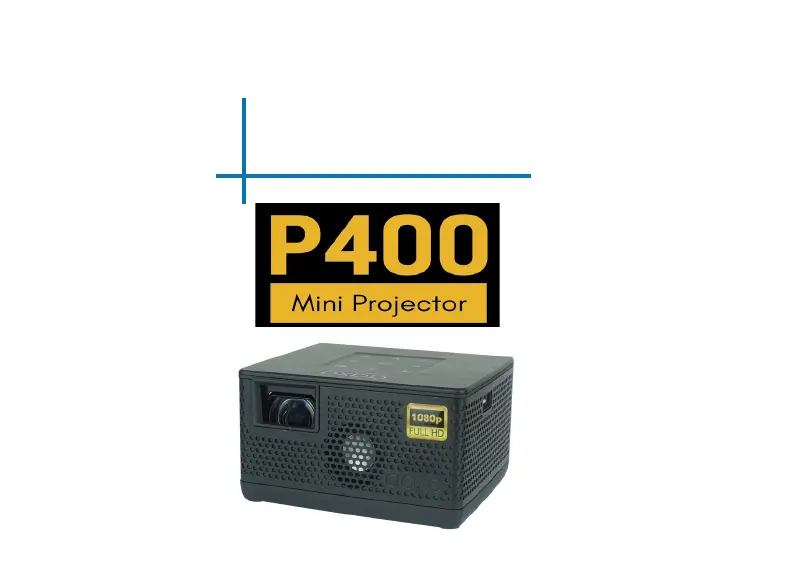
AAXA Technologies P400 - User Manual

AAXA Technologies P400
40 pages
Print Icon
To Next Page IconTo Next Page
Loading...
aaxa
TECHNOLOGIES
User Guide

Questions and Answers

Summary

Important Cautions

General Warnings

General warnings regarding product usage and potential hazards.

Battery Use Precautions

Guidelines for safe handling and operation of the projector's battery.

Getting Started Guide

Loading External Content

Menu Navigation

Brightness Adjustment

Video Playback

Video Player Controls

Photo Viewing

Photo Player Controls

Connecting External Devices

Digital AV Connectivity

Explains how to connect various multimedia devices using Digital AV input.

Connecting to a Computer

Music Playback

E-Book Viewer

Settings Menu Overview

Picture Settings

Picture Mode and Adjustment

Details options for adjusting picture mode, brightness, color temperature, and aspect ratio.

Sound Settings

Option Settings

Troubleshooting Image Issues

Image Blurriness and Alignment

Provides solutions for blurred images and projector offset from the screen.

No Sync or Signal

Addresses issues with no synchronization or signal, including computer output setup.

Troubleshooting Power and File Issues

Projector Not Turning On

Solutions for when the projector fails to power on, checking power and connections.

Unsupported Files or Picture Issues

Troubleshooting tips for unsupported file formats or video connection issues.

Troubleshooting Connectivity

iOS Screen Mirroring

Solutions for screen mirroring problems with iOS devices, including cable and input source checks.

Troubleshooting Charging

Projector Not Charging

Solutions for when the projector is not charging, checking power and ON/OFF mode.

Product Specifications

AAXA Technologies P400 Specifications

General IconGeneral
Contrast Ratio2000:1
Light SourceLED
Display TechnologyDLP
Lamp Life30, 000 Hours
Aspect Ratio16:9
Throw Ratio1.2:1
Built-in BatteryYes
Internal Memory8 GB
AudioBuilt-in speaker
Brightness400 lumens
Screen SizeUp to 120"
ConnectivityHDMI, USB, MicroSD, AV
Battery LifeUp to 2 hours

Related product manuals