Need help?
Do you have a question about the AB Sciex 4500 Series and is the answer not in the manual?
Provides critical safety guidelines and precautions for operating the instrument.
Explains symbols and conventions used throughout the guide for clarity.
Specifies requirements for personnel operating and maintaining the instrument.
Outlines guidelines for proper system usage and restrictions on modifications.
Lists standards and regulations the system complies with in various regions.
Describes common safety symbols found in laboratory environments.
Details electrical requirements and connection guidelines for the instrument.
Provides instructions for the proper disposal of electronic waste.
Explains the fundamental principles of mass spectrometry and system operation.
Describes how the system software manages and displays acquired data.
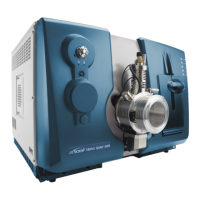
Provides a general description of the instrument's front view and main components.
Details the meaning of the instrument's status indicator LEDs.
Step-by-step guide for powering on the instrument and associated components.
Step-by-step guide for safely powering off the instrument and its components.
Instructions for setting up and configuring the integrated syringe pump.
Procedures for configuring the diverter valve for different operational modes.
Lists fluids that can be safely used with the instrument.
Explains the concept of hardware profiles and their role in software configuration.
Step-by-step guide for creating a new hardware profile for instrument configuration.
Instructions on how to add and configure specific devices within a hardware profile.
Provides steps to resolve issues when activating a hardware profile.
Guide on organizing data by creating projects and subprojects.
Recommends and describes procedures for backing up essential instrument folders.
Details the process for verifying and optimizing instrument performance.
Explains how to check and fine-tune the instrument's operational parameters.
Describes the summary report generated after instrument optimization.
Step-by-step guide to building acquisition methods using the editor.
Explains different types of mass spectrometry scan techniques available.
Details specific scan types for quadrupole-based mass spectrometry.
Describes scan types utilizing the Linear Ion Trap (LIT) technology.
Lists and explains key instrument parameters used in acquisition methods.
Guides users on creating and submitting batches for sample analysis.
Instructions on initiating and managing data acquisition runs.
Explains how to monitor the status of acquisition queues and instrument devices.
Procedures for opening and accessing acquired data files.
Explains different types of chromatograms and their purposes.
Details methods for extracting ions to create Extracted Ion Chromatograms (XICs).
Overview of common data processing techniques and tools.
Information on manipulating and viewing graphical data representations.
Introduces the principles and purpose of quantitative analysis.
Explains how quantitation methods are created and used for analysis.
Guides on reviewing and manually adjusting peak integration in data.
Details the creation and use of calibration curves for quantification.
Provides an overview of the Turbo V™ Ion Source and its components.
Describes the available probes (TurboIonSpray®, APCI) and their specifications.
Step-by-step instructions for installing the ion source and probe.
Guidance on optimizing ion source parameters for best performance.
Outlines recommended maintenance procedures for the ion source.
Lists common issues and their corrective actions for the ion source.
Specifies the electrical and gas supply requirements for the instrument.
Lists key instrument parameters and their typical ranges for various modes.
Details the recommended frequency for instrument calibration and resolution optimization.
Presents a schedule for routine cleaning and maintenance of the instrument.
Lists important health and safety precautions to follow during cleaning.
Provides instructions for cleaning the instrument's front-end components.
Lists common system problems and their potential causes and solutions.
 General
| Type | Triple Quadrupole Mass Spectrometer |
|---|---|
| Mass Analyzer | Triple Quadrupole |
| Dynamic Range | > 5 orders of magnitude |
| Ion Source | Turbo V Ion Source |
| Mass Range | m/z 5 - 2000 |
| Q1 Mass Range | m/z 5 - 2000 |
| Q3 Mass Range | m/z 5 - 2000 |
| Software | Analyst Software |
| Polarity | Positive / Negative |
| Scan Modes | MRM, Precursor Ion Scan, Neutral Loss Scan |
| Resolution | Unit |

 To Next Page