V9000T Trinocular Microscope
13
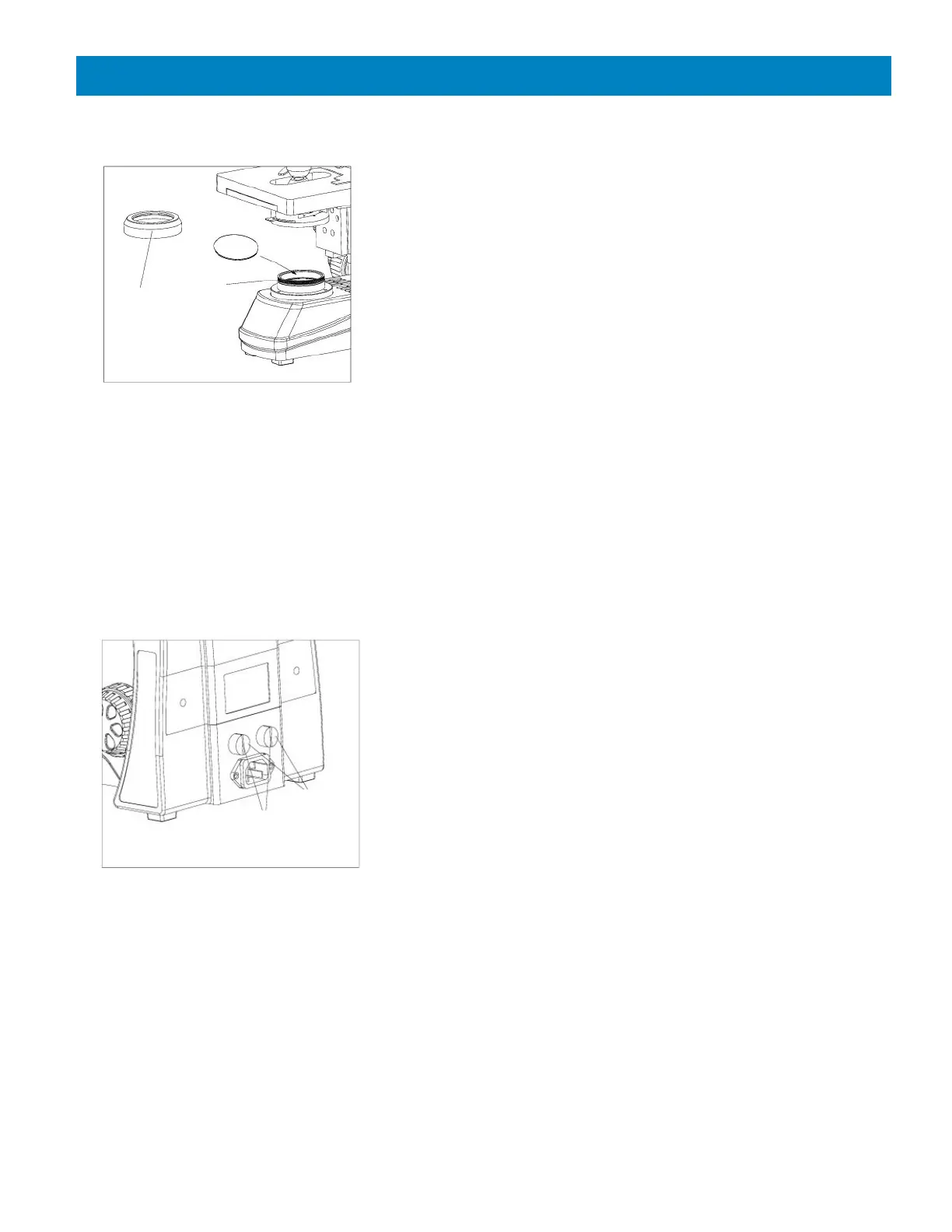
Using & Installing A Filter
A filter is used to make the background color
more suitable for the application and as a method
to increase the contrast.
Using a small jeweler’s flathead screwdriver,
remove the set screw that secures the illuminator
housing cover ① to illuminator condenser. Install
the filter (rough side downward) onto the groove
of the illuminator condenser ②. Place the cover
back on the illuminator condenser and re-install
the set screw (Fig. 13).
Filters are available in clear blue, frosted blue,
green, yellow and white.
Replacing the Fuses
Turn the main switch to “0” (OFF) before
replacing a fuse. Unplug the power cord from the
microscope. Screw off the fuse ① or ② from the
fuse base with a Phillip’s head type screwdriver.
Install a new fuse and screw it on the fuse base
(see Fig. 14).
Specification of the fuse: 250V, 3.15A.
CAT #00-3277-3A


 To Next Page