V9000T Trinocular Microscope
15
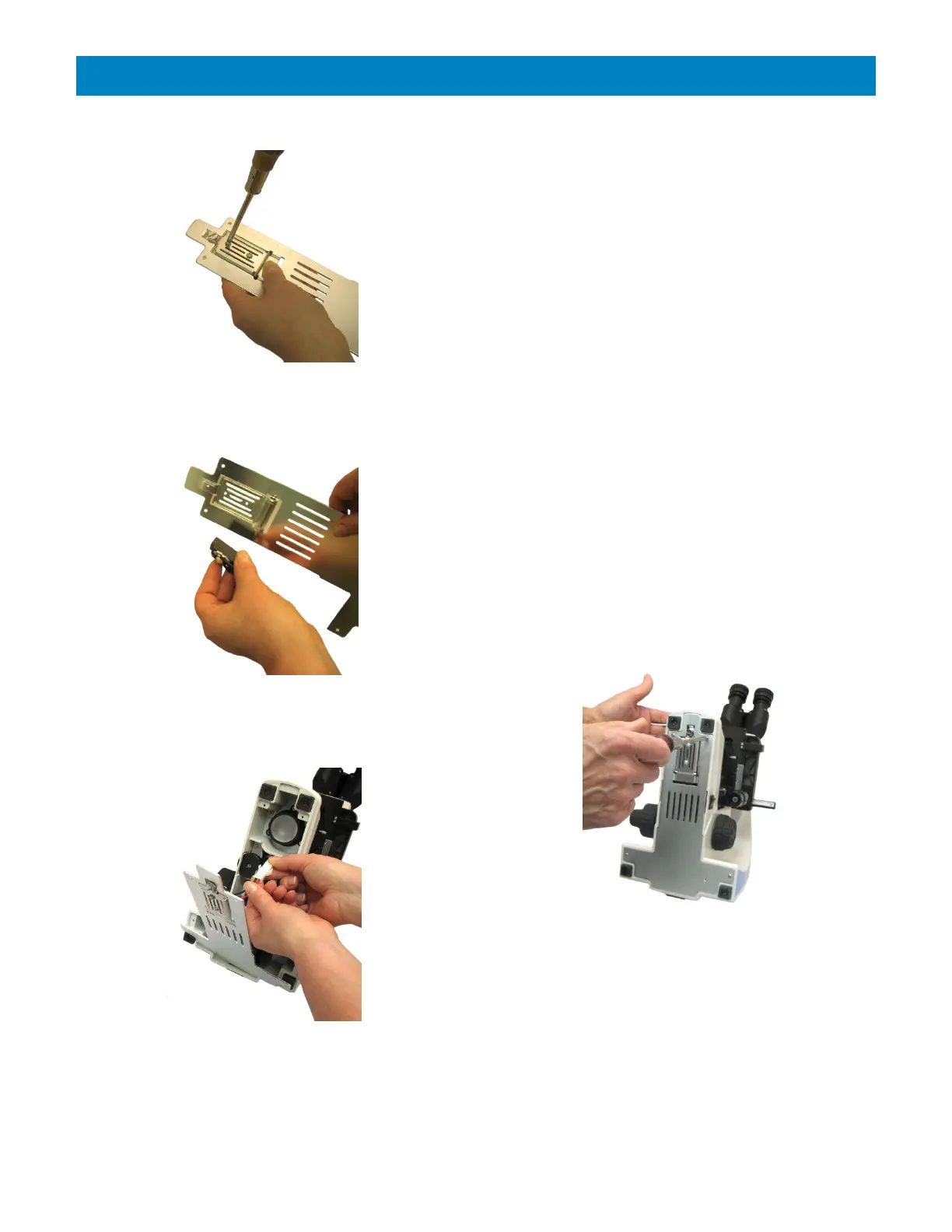
Figure 18
Figure 19
Figure 20
Replacing the LED Bulb (continued)
Using a Philips head screwdriver, unscrew the 2
screws to remove the LED bulb from its mount
(Figure 18).
Install the new bulb in position and screw it to its
mount (Figure 19 & Figure 18 above).
Reinstall the base plate and reconnect the
make/break connector with the connector from the
new bulb (Figure 20).
Secure the base plate with the 4 Philips screws
(Figure 21).
Figure 21
NOTE: With the new bulb installed, the condenser
may need to be re-centered. To adjust the
condenser centration, please follow the Assembly
instructions for the Condenser on page 7.


 To Next Page