

EasyManua.ls Logo

ABB AMS 500 - User Manual

ABB AMS 500
39 pages
Print Icon
To Next Page IconTo Next Page
Loading...
AMS 500
ABSOLUTE MARKING SYSTEM
1
USER MANUAL
Question and Answer IconNeed help?

Do you have a question about the ABB AMS 500 and is the answer not in the manual?

Summary

Plotter Overview

Automatic Pen Station

Device for loading and holding pens, keeps tip moist.

Pen Head

Component that holds the pen.

Pen Carriage

Component that moves the pen.

Plotter Control

Controls the plotter's functions.

Welcome to ABB Absolute Marking System

Plotter Kit Components

Lists the items included in the plotter kit.

Important Notices

Cleaner MSDS Information

Safety data sheet for the cleaner product.

System Requirements and Software Installation

Software Installation Guide

Steps to install the AMS software on a PC.

Glossary of Terms

Core Definitions

Definitions for template, segment, marker card, leader marker, and plot.

Selecting Output Device and Calibrating Plotter

AMS500 Plotter Calibration

Instructions for calibrating the AMS500 plotter, including Mutoh plotter steps.

Manual Calibration Procedure

Adjusting Plotter Carriage Position

Using cursor keys to position the writing arm and calibrate.

Using the Software: Project Workflow

Creating and Opening Projects

Steps to start a new project and select tag manufacturers.

Selecting Marker Tags

Manufacturer and Tag Type Selection

Browsing marker manufacturers and selecting tag types like Terminal Blocks.

Placing Marker Tags on Template

Template Slot Interaction

Double-clicking template slots to place marker cards.

Positioning ABB Marker Cards

Correct Card Placement on Template

Instructions for correctly positioning marker cards on the template.

Prepare for Marking Operations

Marking Options and Settings

Overview of marking possibilities, text fitting, and font adjustments.

Marking Modes and Settings

Single, Sequence, and Row Modes

Entering text for single, sequence, and row marking, including repeat functions.

Copying Marking Sequences

Marking Sequence Copying Methods

Methods for copying single, multiple, or partial marking sequences.

Importing Data Files

Data Import Functionality

Importing data from CAD/CAE, text, or spreadsheets with separator options.

Importing Files and Strip Marking

Strip Marking Options

Performing strip marking on sections of 10 markers or less.

Marking of Endless Strips (RTM)

Strip Partitioning Process

Dividing a strip into sections for marking.

Printing Tags

Print Job Configuration

Setting up print jobs, selecting output device, and confirming tag insertion.
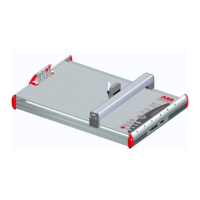
ABB AMS 500 Specifications

General IconGeneral
BrandABB
ModelAMS 500
CategoryPlotter
LanguageEnglish