3
Wireless network settings
Log in to the Arctic Web user interface using your
Web browser.
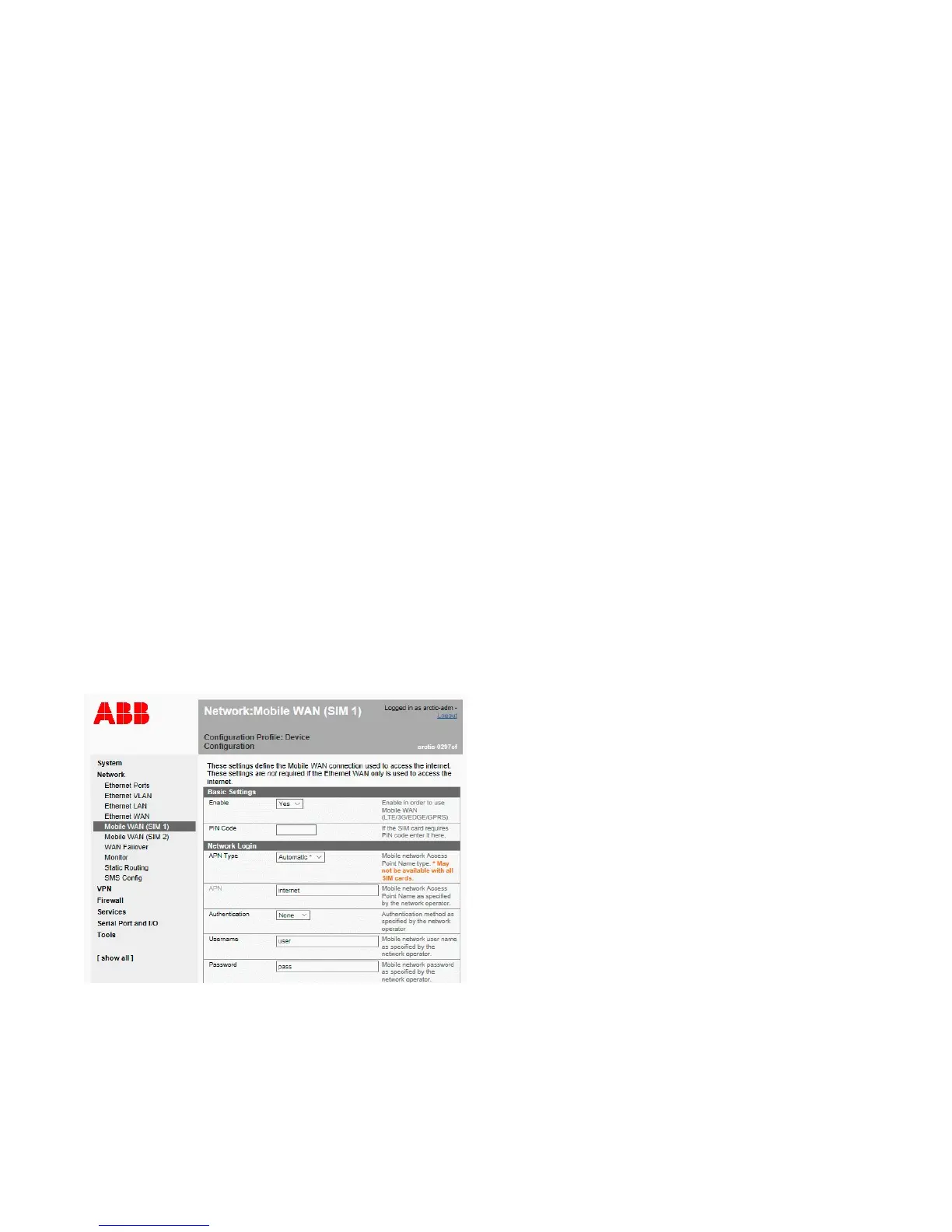
Navigate to Network → Mobile WAN.
Change the APN type from ”Automatic” to ”Manual”.
Set the Access Point Name (APN) appropriately (usually
INTERNET or operatorname.com). As this setting depends
on your mobile operator, ensure the APN settings directly
from the operator.
Set the other settings such as the PIN code, authentication,
username and password if required by the operator’s
subscription.
Reboot the Arctic device and check the settings and the
cellular network connection status from System → Status.
Complete customer documentation is available in
the product pages that can be accessed through
abb.com/mediumvoltage
—
Figure 3. Mobile WAN settings



 To Next Page