EasyManua.ls Logo

ABB ARG600 - User Manual

ABB ARG600
56 pages
Print Icon
To Next Page IconTo Next Page
Loading...
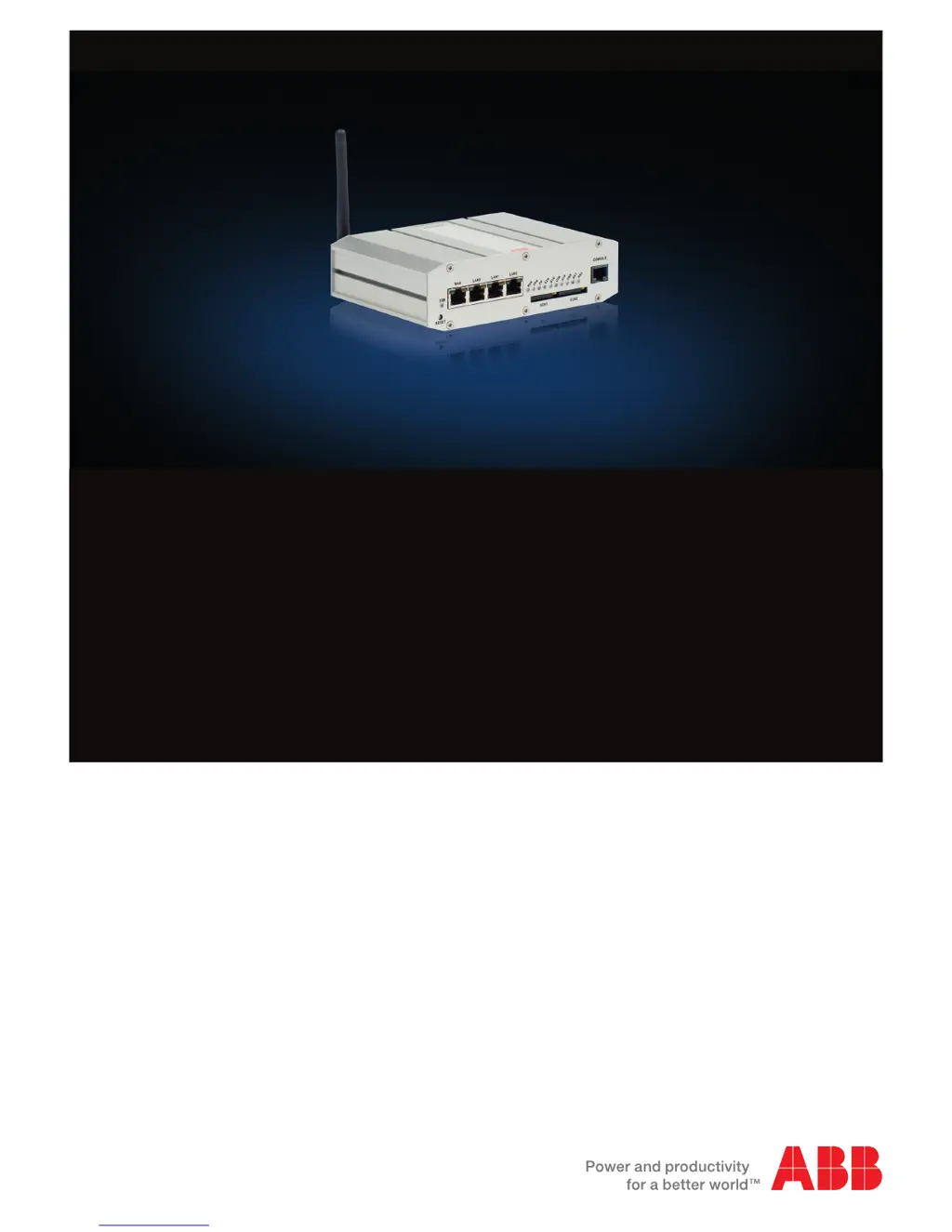
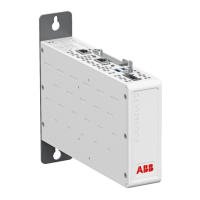
Wireless Gateway
ARG600 Dual SIM Variant
User Manual

Table of Contents

Other manuals for ABB ARG600

Questions and Answers

Summary

Section 1 Introduction

This manual

Details the scope and purpose of the user manual for the ARG600.

Intended audience

Identifies the target readers and required technical knowledge for using the ARG600.

Product documentation set

Lists available product and series-specific manuals downloadable from ABB.

Document revision history

Tracks changes and updates made to the document across different versions.

Related documentation

References other ABB technical documents relevant to the ARG600.

Symbols and conventions

Explains the meaning of graphical symbols and document conventions used.

Symbols

Defines the purpose of various icons like warning, caution, and information.

Document conventions

Outlines formatting rules for menu paths, parameter names, and values.

Section 2 ARG600 overview

Overview

Provides a general introduction to the ARG600 Wireless Gateway and its capabilities.

Physical interfaces

Describes the hardware ports and connectors on the ARG600 device.

Front panel

Details the components and indicators located on the front of the ARG600.

Back panel

Details the components and connectors located on the back of the ARG600.

DIN rail mounting

Information on how to mount the ARG600 using DIN rail brackets.

Product information label

Describes the details found on the product's information label.

Firmware version

Explains how to view the device's firmware version.

Section 3 Getting started

Connecting cables

Step-by-step guide for physically connecting the ARG600 to power and a computer.

Connection principle

Explains the device's network interfaces and redundancy options.

Logging in

Instructions on how to access the ARG600's user interface via a web browser.

User interface

Overview of the ARG600's graphical user interface navigation.

Ethernet port roles

Describes the different functions and configurations for Ethernet ports.

Setting Ethernet port function to LAN

Procedure to configure an Ethernet port for LAN connectivity.

Configuring mobile WAN

Steps to set up the device for cellular network (Mobile WAN) connection.

Configuring the default route

How to set up primary and backup default routes using WAN interfaces.

Section 4 Network configuration

Defining host and domain names

Instructions for setting the device's hostname and domain name.

Configuring Ethernet LAN

Details on enabling and configuring the Ethernet LAN interface.

Configuring Ethernet WAN

Steps for configuring the Ethernet WAN interface, including manual settings.

Configuring the mobile WAN interface

Guide to setting up the mobile WAN interface, including APN and PIN.

Setting WAN failover and backup routing

Configuration for automatic switching between WAN interfaces.

Routing parameters

Defines parameters for routing traffic between network interfaces.

Configuring the network monitor

How to enable and configure the network monitor for connectivity checks.

Configuring DNS proxy

Steps to enable the device as a DNS proxy for LAN devices.

Checking network status

Methods to check network status using the user interface and LEDs.

Section 5 Serial port configuration

Configuring serial ports

How to select application modes for serial ports like Serial Gateway or IEC-104.

Serial gateway

Explains the serial gateway feature for transparent serial-to-IP data routing.

Section 6 Additional system configuration

Changing passwords

Procedure to change user passwords for system security.

Setting date and time

How to configure the device's date and time, using NTP or manual settings.

Restoring factory default settings

Steps to reset the ARG600 to its original factory default configuration.

Updating the firmware

Instructions for updating the device's firmware.

Saving configuration profiles

How to save, export, and import device configuration profiles.

Section 7 Service configuration

Configuring services

Guide to configuring various services like DNS proxy and LLMNR.

Service parameters

Details on specific parameters for services like DHCP, DynDNS, and SNMP.

Section 8 IEC-104 application settings

The use of the IEC-104 protocol

Explains the IEC-104 protocol and its application with IEC-101 slaves.

Configuring IEC-104 application settings

Steps to configure the IEC-104 gateway functionality.

IEC-104 application settings

Details parameters for IEC-104 link and application layer settings.

Section 9 Modbus application settings

Modbus Gateway properties

Overview of the Modbus Gateway's capabilities and core properties.

Modbus modes

Explains the two operating modes: Serial master to network slaves and vice-versa.

Serial master to network slaves

Describes how to configure the device for serial Modbus masters connecting to network slaves.

Network master to serial slaves

Describes how to configure the device for network masters controlling serial Modbus slaves.

Configuring the serial master to network slaves mode

Step-by-step guide to setting up the serial master to network slaves mode.

Configuring the network master to serial slaves mode

Step-by-step guide to setting up the network master to serial slaves mode.

Parameter types

Categorizes Modbus parameters into common and route parameters.

Common parameters

Details common configuration parameters for serial and network Modbus communication.

Route parameters

Defines parameters for routing Modbus traffic between network interfaces.

Modbus route settings

Explains how to define and manage route entries for Modbus traffic.

Section 10 Troubleshooting

Common troubleshooting issues

Lists common problems with the ARG600 and provides suggested solutions.

Viewing the system log

Instructions on how to access and view the device's system log for diagnostics.

Section 11 Technical data

Section 12 Glossary

Summary

Section 1 Introduction

This manual

Details the scope and purpose of the user manual for the ARG600.

Intended audience

Identifies the target readers and required technical knowledge for using the ARG600.

Product documentation set

Lists available product and series-specific manuals downloadable from ABB.

Document revision history

Tracks changes and updates made to the document across different versions.

Related documentation

References other ABB technical documents relevant to the ARG600.

Symbols and conventions

Explains the meaning of graphical symbols and document conventions used.

Symbols

Defines the purpose of various icons like warning, caution, and information.

Document conventions

Outlines formatting rules for menu paths, parameter names, and values.

Section 2 ARG600 overview

Overview

Provides a general introduction to the ARG600 Wireless Gateway and its capabilities.

Physical interfaces

Describes the hardware ports and connectors on the ARG600 device.

Front panel

Details the components and indicators located on the front of the ARG600.

Back panel

Details the components and connectors located on the back of the ARG600.

DIN rail mounting

Information on how to mount the ARG600 using DIN rail brackets.

Product information label

Describes the details found on the product's information label.

Firmware version

Explains how to view the device's firmware version.

Section 3 Getting started

Connecting cables

Step-by-step guide for physically connecting the ARG600 to power and a computer.

Connection principle

Explains the device's network interfaces and redundancy options.

Logging in

Instructions on how to access the ARG600's user interface via a web browser.

User interface

Overview of the ARG600's graphical user interface navigation.

Ethernet port roles

Describes the different functions and configurations for Ethernet ports.

Setting Ethernet port function to LAN

Procedure to configure an Ethernet port for LAN connectivity.

Configuring mobile WAN

Steps to set up the device for cellular network (Mobile WAN) connection.

Configuring the default route

How to set up primary and backup default routes using WAN interfaces.

Section 4 Network configuration

Defining host and domain names

Instructions for setting the device's hostname and domain name.

Configuring Ethernet LAN

Details on enabling and configuring the Ethernet LAN interface.

Configuring Ethernet WAN

Steps for configuring the Ethernet WAN interface, including manual settings.

Configuring the mobile WAN interface

Guide to setting up the mobile WAN interface, including APN and PIN.

Setting WAN failover and backup routing

Configuration for automatic switching between WAN interfaces.

Routing parameters

Defines parameters for routing traffic between network interfaces.

Configuring the network monitor

How to enable and configure the network monitor for connectivity checks.

Configuring DNS proxy

Steps to enable the device as a DNS proxy for LAN devices.

Checking network status

Methods to check network status using the user interface and LEDs.

Section 5 Serial port configuration

Configuring serial ports

How to select application modes for serial ports like Serial Gateway or IEC-104.

Serial gateway

Explains the serial gateway feature for transparent serial-to-IP data routing.

Section 6 Additional system configuration

Changing passwords

Procedure to change user passwords for system security.

Setting date and time

How to configure the device's date and time, using NTP or manual settings.

Restoring factory default settings

Steps to reset the ARG600 to its original factory default configuration.

Updating the firmware

Instructions for updating the device's firmware.

Saving configuration profiles

How to save, export, and import device configuration profiles.

Section 7 Service configuration

Configuring services

Guide to configuring various services like DNS proxy and LLMNR.

Service parameters

Details on specific parameters for services like DHCP, DynDNS, and SNMP.

Section 8 IEC-104 application settings

The use of the IEC-104 protocol

Explains the IEC-104 protocol and its application with IEC-101 slaves.

Configuring IEC-104 application settings

Steps to configure the IEC-104 gateway functionality.

IEC-104 application settings

Details parameters for IEC-104 link and application layer settings.

Section 9 Modbus application settings

Modbus Gateway properties

Overview of the Modbus Gateway's capabilities and core properties.

Modbus modes

Explains the two operating modes: Serial master to network slaves and vice-versa.

Serial master to network slaves

Describes how to configure the device for serial Modbus masters connecting to network slaves.

Network master to serial slaves

Describes how to configure the device for network masters controlling serial Modbus slaves.

Configuring the serial master to network slaves mode

Step-by-step guide to setting up the serial master to network slaves mode.

Configuring the network master to serial slaves mode

Step-by-step guide to setting up the network master to serial slaves mode.

Parameter types

Categorizes Modbus parameters into common and route parameters.

Common parameters

Details common configuration parameters for serial and network Modbus communication.

Route parameters

Defines parameters for routing Modbus traffic between network interfaces.

Modbus route settings

Explains how to define and manage route entries for Modbus traffic.

Section 10 Troubleshooting

Common troubleshooting issues

Lists common problems with the ARG600 and provides suggested solutions.

Viewing the system log

Instructions on how to access and view the device's system log for diagnostics.

Section 11 Technical data

Section 12 Glossary

ABB ARG600 Specifications

General IconGeneral
ModelARG600
CategoryGateway
ManufacturerABB
Product IDARG600
Operating Temperature-40°C to +70°C
Weight0.8 kg
Ethernet Ports2
MountingDIN rail
Enclosure ProtectionIP20
Communication ProtocolsIEC 61850, IEC 60870-5-104, DNP3, Modbus TCP
Power Supply100-240 V AC
Serial PortsRS-232, RS-485

Related product manuals