Section 3 Getting started
3.1 Connecting cables
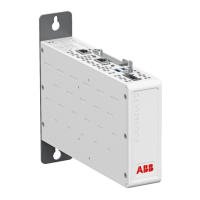
1. Check that the power switch is in the OFF position.
2. Connect the Ethernet cable between the device’s Ethernet LAN connector and
the computer used for the configuration.
3. Connect the power supply to the device.
4. Toggle the power switch to ON position.
The power/error LED and function LED should turn on immediately after the
power switch is turned on.
After the system has initialized, the function LED starts to flash.
3.1.1 Connection principle
The device has configurable network interfaces.
• Ethernet LAN
• Ethernet WAN
• Mobile WAN (SIM1 and SIM2)
The device can use a GPRS (2G), UMTS (3G) or LTE (4G) cellular network
connection. The Mobile WAN interface is used for connecting the device to the
cellular network. The Ethernet LAN is used for connecting other Ethernet devices to
the device's local network.
The WAN interfaces can be configured to create a redundant system where one WAN
automatically receives traffic if the other one goes down. For example, if the primary
Ethernet connection goes down, the traffic is automatically switched to mobile WAN
(secondary connection) and back when the Ethernet interface comes up again.
Similarly, if two SIM cards are used, one is used as a primary WAN connection and
if it fails, the secondary SIM card is automatically taken into use.
3.2 Logging in
1. Configure the computer to use the same IP address space as the device.
1MRS758460 B Section 3
Getting started
ARG600 Dual SIM Variant 13
User Manual



 To Next Page