Need help?
Do you have a question about the ABB CP405 and is the answer not in the manual?
Lists required equipment and provides diagrams for connecting hardware components for the control panels.
Details the steps for installing necessary software and drivers for the panel on a Windows PC system.
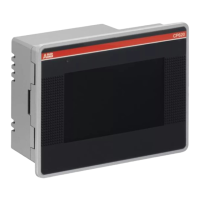
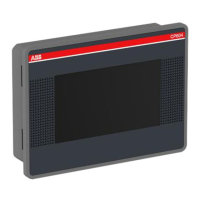
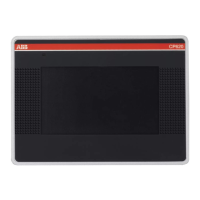
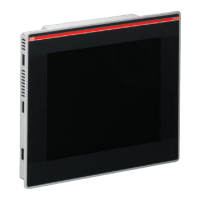
This quick start guide provides comprehensive instructions for setting up and configuring ABB CP405 and CP408 Control Panels, specifically focusing on their integration with AC500-eCo PLCs. The document outlines the necessary hardware connections, software installations, and programming steps to establish communication and display data effectively. It is designed to assist users in creating a simple project using the CP400PB (Panel Builder 400) software, ensuring a smooth and efficient setup process.
The ABB CP405 and CP408 Control Panels serve as human-machine interfaces (HMIs) designed to visualize and interact with industrial automation systems, particularly those employing ABB AC500-eCo PLCs. These control panels facilitate the monitoring and control of processes by displaying real-time data and allowing user input. The core functionality revolves around establishing reliable communication with the PLC, processing data, and presenting it in an intuitive graphical format. The panels support various communication protocols, with a specific focus on ABB Modbus RTU for seamless integration with AC500-eCo.
The CP400PB (Panel Builder 400) software is the primary tool for configuring these control panels. It enables users to design graphical interfaces, define data points, set up communication parameters, and implement logic for data exchange. The software allows for the creation of multiple screens, each tailored to specific operational views, and supports various display elements such as text labels, numeric displays, buttons, and graphs. This flexibility ensures that the HMI can be customized to meet the unique requirements of different applications, providing operators with clear and actionable information.
A key aspect of the control panel's function is its ability to exchange data with the PLC. This involves reading data from PLC registers (e.g., MW0_11 for monitored variables) and writing data to PLC registers (e.g., MW16 for data sent to the PLC). The communication is managed through defined links, where parameters such as baud rate, data bits, parity, and stop bits are configured to match the PLC's settings. The control panel also includes features for error handling and data integrity, such as the ability to record instances where received data does not match sent data, which is crucial for troubleshooting and ensuring system reliability.
The control panels are designed to operate in conjunction with ABB AC500-eCo PM554 PLCs. The integration involves both hardware connections and software configurations. The hardware connection utilizes specific cables like TK407 for communication between the HMI and the PLC, and TK504 for programming the PLC from a PC. On the software side, the CP400PB and PS501 Control Builder Plus (CBP) environments are used to configure the HMI and PLC, respectively, ensuring that their communication parameters are synchronized.
The usage features of the CP405 and CP408 Control Panels are centered around ease of configuration, robust communication, and flexible data visualization. The CP400PB software provides a user-friendly interface for project creation, allowing users to define project names, select the specific control panel model (CP405 or CP408), and set display properties such as size and orientation. This initial setup ensures that the HMI project is correctly tailored to the target hardware.
One of the prominent usage features is the ability to configure communication links. The guide specifically highlights the use of ABB Modbus RTU as the communication service, which is essential for interacting with AC500-eCo PLCs. Users can define link parameters such as baud rate (e.g., 19200), data bits (e.g., 8), parity (e.g., None), and stop bits (e.g., 1). These settings must be consistent between the control panel configuration in CP400PB and the PLC configuration in Control Builder Plus to ensure successful data exchange. The software also includes options for optimizing data reading by merging adjacent bits and words, which can improve performance.
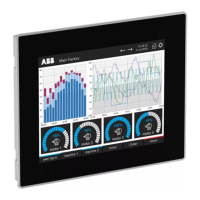
Data visualization is a core strength of these control panels. Users can easily draw and configure various display objects, such as text labels and numeric displays. For numeric displays, the software allows for the selection of data types (e.g., 16-Bit Unsigned Integer, 16-Bit Unsigned Decimal) and the assignment of monitor addresses (e.g., MW0_11, MW16, MW510) that correspond to PLC registers. This enables the HMI to display real-time values from the PLC. Customization options for display objects include font settings, text color, alignment, total digits, fractional digits, and justification, allowing for a clear and professional presentation of data.
The control panels support dynamic data exchange through "Cycle Macros." These macros are user-defined scripts that run continuously while a specific screen is active, performing operations like transferring data between HMI internal variables and PLC registers. For instance, a Cycle Macro can be configured to move the value from MW11 to MW16, facilitating continuous data flow. This feature is crucial for applications requiring constant monitoring and updating of process variables. The ability to define and execute such macros enhances the interactivity and responsiveness of the HMI.
The software also includes features for downloading the HMI application to the control panel. This process involves selecting the appropriate communication link (e.g., USB) and initiating the transfer of the compiled project. Before downloading, users can choose to retain previous data or update runtime data and system programs, providing flexibility in deployment. The compilation process ensures that the HMI project is free of errors and ready for deployment, with a status message indicating successful compilation and the size of the application.
While the quick start guide primarily focuses on initial setup and configuration, several aspects contribute to the maintainability of the CP405 and CP408 Control Panels and their integrated systems. The structured approach to hardware connection and software installation simplifies troubleshooting and ensures a stable operating environment.
The guide emphasizes the importance of correct driver installation for the control panel, particularly for Windows 7 systems, where manual installation might be required. The step-by-step instructions for browsing and installing the driver, followed by verification in Device Manager, ensure that the PC can properly communicate with the HMI. This foundational step is critical for both initial setup and any subsequent maintenance activities that involve connecting the HMI to a PC for updates or diagnostics.
The clear distinction between hardware components and their connections (e.g., PC, 24V DC power supply, AC500-eCo, control panel, various cables) aids in identifying and resolving physical connection issues. The guide provides specific pin-outs for communication cables like TK407, which is invaluable for verifying correct wiring and diagnosing communication failures. Having a well-documented connection scheme reduces the time and effort required for physical maintenance.
The software configuration environment, CP400PB, includes features that support maintainability. The ability to define and name projects, links, and display objects systematically helps in organizing the HMI application. This structured approach makes it easier for maintenance personnel to understand the application's logic, locate specific data points, and modify configurations as needed. The compilation process, which checks for errors, also contributes to the robustness of the HMI application, reducing the likelihood of runtime issues.
The programming example provided in CoDeSys for the AC500-eCo PLC includes error tracking (Errornum). This feature is a direct aid to maintenance, as it allows the system to log instances where data received by the PLC does not match the data sent. By monitoring Errornum on the HMI, operators or maintenance staff can quickly identify communication discrepancies or logic errors within the PLC program or HMI configuration. This proactive monitoring helps in diagnosing problems early and preventing potential system failures.
The guide also implicitly supports future maintenance by detailing the process of downloading the HMI application. This means that if the HMI needs to be replaced or updated, the existing project can be easily re-downloaded, ensuring consistency and minimizing downtime. The option to keep previous data or update runtime data during the download process provides flexibility for different maintenance scenarios, such as restoring a backup or deploying a new version of the HMI application.
Overall, the quick start guide lays a solid foundation for both initial deployment and ongoing maintenance of the CP405/CP408 Control Panels in conjunction with AC500-eCo PLCs, emphasizing clear instructions, systematic configuration, and built-in diagnostic capabilities.
 General
| Category | Control Panel |
|---|---|
| Power Supply | 24 V DC |
| Protection Class | IP65 (front) |
| Display | TFT LCD |
| Touch Screen | Yes |
| Communication Ports | Ethernet, USB, RS-232/485 |
| Product name | ABB CP405 |

 To Next Page