Need help?
Do you have a question about the ABB CP600-eCo and is the answer not in the manual?
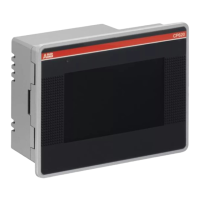
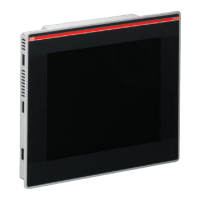
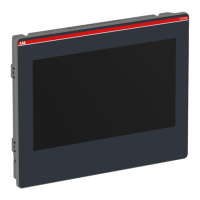
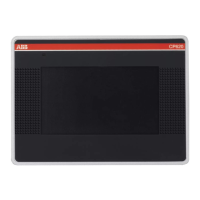
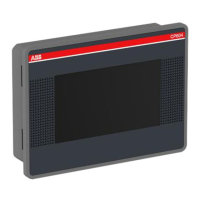
The ABB CP600-eCo Control Panels, including models CP604(-B), CP607(-B), and CP610(-B), are designed for challenging applications in factory and building automation. These control panels offer a state-of-the-art solution with top performance and an outstanding design, providing an excellent price/performance ratio. They are engineered to run the PB610-B software, ensuring compatibility and robust operation within the ABB ecosystem.
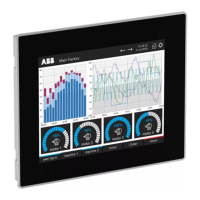
The CP600-eCo control panels serve as human-machine interfaces (HMIs) for industrial and building automation systems. They are equipped with TFT color widescreen display touchscreens, offering intuitive interaction for operators. The panels facilitate the visualization and control of various processes, allowing users to monitor system status, adjust parameters, and respond to events efficiently. Their core function is to bridge the gap between complex machinery and human operators, simplifying control and enhancing operational efficiency.
The panels support full vector graphics, including native SVG graphic objects, with transparency and alpha blending capabilities. This allows for rich and dynamic visual representations of processes. Screen object dynamics enable control over visibility, transparency, movement, resizing, and rotation of any object on the screen, along with the ability to change properties of both basic and complex objects. This flexibility in display customization ensures that interfaces can be tailored to specific application needs, providing clear and effective information to the user.
Multilanguage applications are supported with TrueType fonts, making it easy to create, install, and maintain applications in multiple languages to meet global requirements. This feature is crucial for international deployments where operators may speak different languages, ensuring accessibility and ease of use across diverse workforces.
Data display is versatile, supporting numerical, text, bargraph, analog gauges, and graphic image formats. This comprehensive data presentation capability allows for a clear and concise overview of system performance and status.
The CP600-eCo panels come with a rich set of advanced features, including data acquisition and logging, which are essential for historical analysis and troubleshooting. Trend presentation allows operators to visualize data changes over time, aiding in process optimization. Alarm handling ensures that critical events are promptly brought to the operator's attention, improving safety and response times. Schedulers and timed actions, including daily and weekly schedulers and exception dates, enable automated control sequences. Recipes simplify the management of complex production parameters, while security and user management features provide controlled access to the system. Email and RSS feeds offer additional communication and information dissemination capabilities.
A wide selection of communication drivers is available, supporting multiple-driver communication capability, which enhances connectivity with various PLCs and controllers. Remote monitoring and control are facilitated through Client-Server functionality, allowing for supervision and operation from a distance. The PB610-B software also supports on-line and off-line simulation, which is invaluable for development and testing without impacting live systems.
For advanced customization and automation, the panels feature a powerful scripting language. An efficient script debugger improves productivity in application development, allowing engineers to create sophisticated control logic. A rich gallery of vector symbols and objects further aids in designing intuitive and visually appealing interfaces.
The CP600-eCo control panels are designed for ease of installation and operation. They are intended for use in industrial environments, adhering to relevant EMC directives and standards. The installation procedure emphasizes proper cutout dimensions and tightening torque for fixing screws to ensure IP66 front panel protection, which guards against dust and strong jets of water. However, continuous exposure to direct sunlight or contact with corrosive chemical compounds should be avoided to maintain the integrity of the front panel film.
Connecting the panels involves various ports: serial, Ethernet, and USB, along with a dedicated power supply terminal block. The serial port is software programmable, supporting RS-232, RS-485, and RS-422 standards for communication with PLCs and other controllers. The Ethernet port provides network connectivity with LED indicators for link status and speed (10/100 Mbit/s). The USB port serves as a host interface for peripherals, such as USB flash drives for transferring application projects.
Power supply, grounding, and shielding are critical for reliable operation. The unit requires a 24V DC power supply and must always be grounded to earth to limit the effects of electromagnetic interference. The power supply circuit can be floating or grounded, with specific wiring recommendations provided to ensure proper electrical isolation and noise reduction.
Getting started with the CP600-eCo panels involves programming them with the PB610-B software. Application projects can be transferred via an Ethernet network connection or by creating an Update Package on a USB Flash drive. The system settings interface, accessible locally or remotely via a web browser, allows for configuration of various system options, including language, date and time, network settings, services, display adjustments (brightness, backlight turnoff, orientation), and user authentication.
The system settings offer two modes of operation: User Mode, when the PB610-B runtime is active or the device is in "factory default" status, and System Mode, when the runtime is not active or there's a software failure. System Mode provides additional commands for system upgrade and recovery, not available in User Mode.
Maintenance of the CP600-eCo control panels primarily involves cleaning and system management. The faceplates should be cleaned only with a soft cloth and neutral soap product; solvents must not be used to prevent damage to the panel's surface.
The system settings interface provides tools for managing the device. This includes showing information about the platform, status, and timers (e.g., System on time, backlight on time). Persistent logs for the BSP (Board Support Package) can be enabled and exported, which is useful for diagnostics and troubleshooting. The date and time can be changed, including time zone and NTP Server settings. Network configurations, such as IP address, DNS, Gateway, and Hostname, can be managed. Various services, like OpenSSH server, Cloud services, SNMP, and logging, can be enabled or disabled.
Management features also include updating BSP components (Main OS, Config OS, Boot loader, XLoader), checking for partition consistency, updating the splash screen, and viewing information about partition usage and size. Updates to the Main OS are available only in System Mode, while Config OS updates can be performed in User Mode. The device can be restarted, with options to restart into User Mode ("Main OS") or directly into System Settings ("Config OS"). User authentication allows for configuring passwords for administrators and standard users, with administrators having full access to system settings and updates.
Touchscreen calibration is a key maintenance feature to ensure accurate input. This process involves a "tap-tap" procedure during device power-up, followed by selecting the "TOUCHSCREEN CALIBRATION" option in the system settings. This ensures the touchscreen remains responsive and precise over time.
Unpacking and packing instructions are provided to guide users on how to safely handle and store the unit, ensuring its protection during transport or when not in use. These instructions are crucial for preventing damage and maintaining the device's operational integrity.
 General
| Touchscreen | Yes |
|---|---|
| Power Supply | 24 VDC |
| Processor | ARM Cortex-A8 |
| Brightness | 400 cd/m² |
| Display Type | TFT |
| Communication Ports | Ethernet, USB |
| Operating Temperature | 0°C to +50°C |
| Protection | IP65 (front) |
| Memory | 256 MB RAM |

 To Next Page