Need help?
Do you have a question about the Abbyson iTable mini and is the answer not in the manual?
Controls for powering the unit on/off and managing audio playback functions.
Ports for headphones, USB devices, and auxiliary audio input.
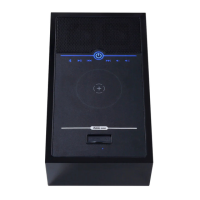
Bluetooth status indicator, wireless charging pad, and speaker information.
Buttons dedicated to controlling the reclining mechanism.
Instructions on using Bluetooth audio functions like play, pause, and volume.
Steps for pairing the iTable mini with a smart device via Bluetooth.
Guide on pairing two iTable minis for synchronized audio playback.
Instructions for placing devices on the pad and understanding charging indicators.
Steps to resolve issues when the unit does not power on.
Solutions for when no audio is produced by the unit.
Guidance for resolving problems with Bluetooth connection and pairing.
Steps to fix issues when the auxiliary audio input is not functioning.
Solutions for when the wireless charging pad is not working.
 General
| Brand | Abbyson |
|---|---|
| Model | iTable mini |
| Category | Indoor Furnishing |
| Language | English |

 To Next Page