3
BLUETOOTH AUDIO PLAYER
Operation Guidance
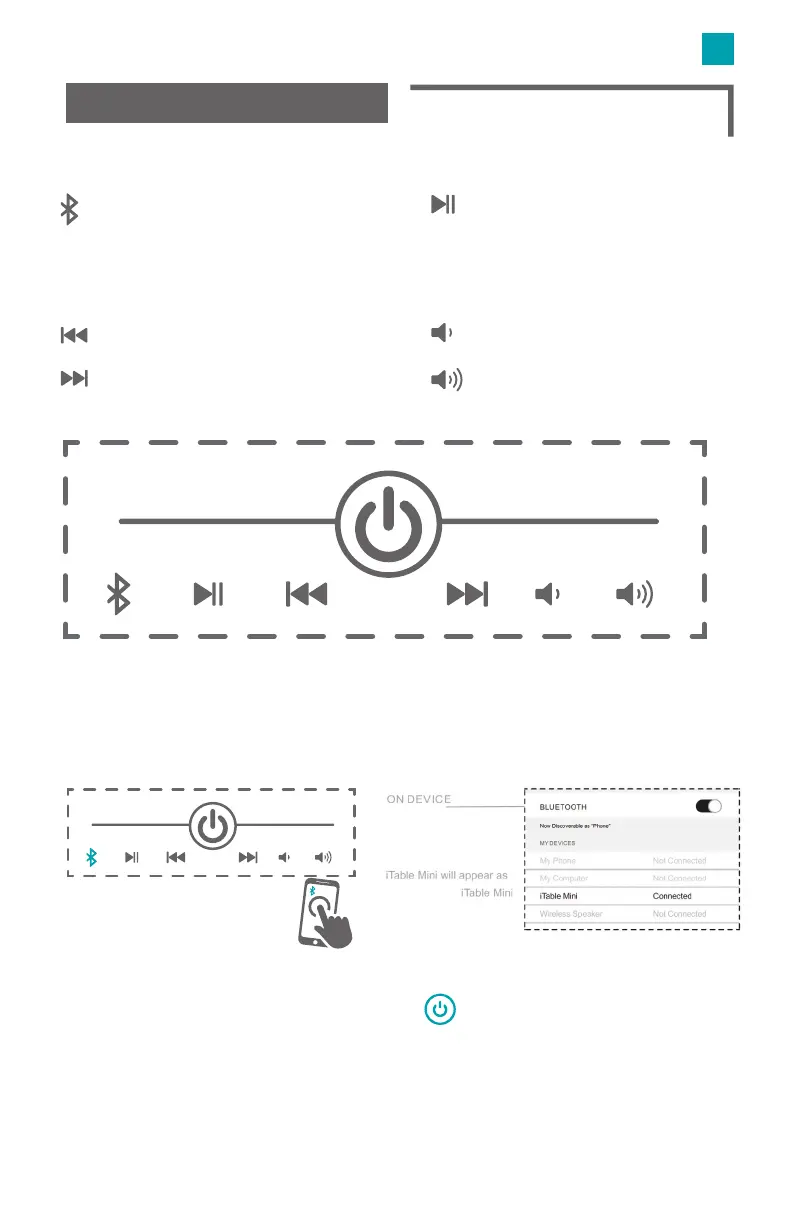
Bluetooth Paring
Touch and hold to pair one iTable mini
to another one.
Touch and hold to cut o the Bluetooth
connection between two iTabe minis.
The previous track.
The next track.
Decrease volume.
Increase volume.
Tap to play or pause.
Touch and hold to disconnect the
Bluetooth connection with the
previous device.
Pair iTable mini to smart device
Power ON the device by holidng the
Go to your device setting, search for “Bluetooth” setting.
Select “iTable Mini” from the list of devices from the list of devices
iTable will announce “Paired-Speaker Connected”


 To Next Page